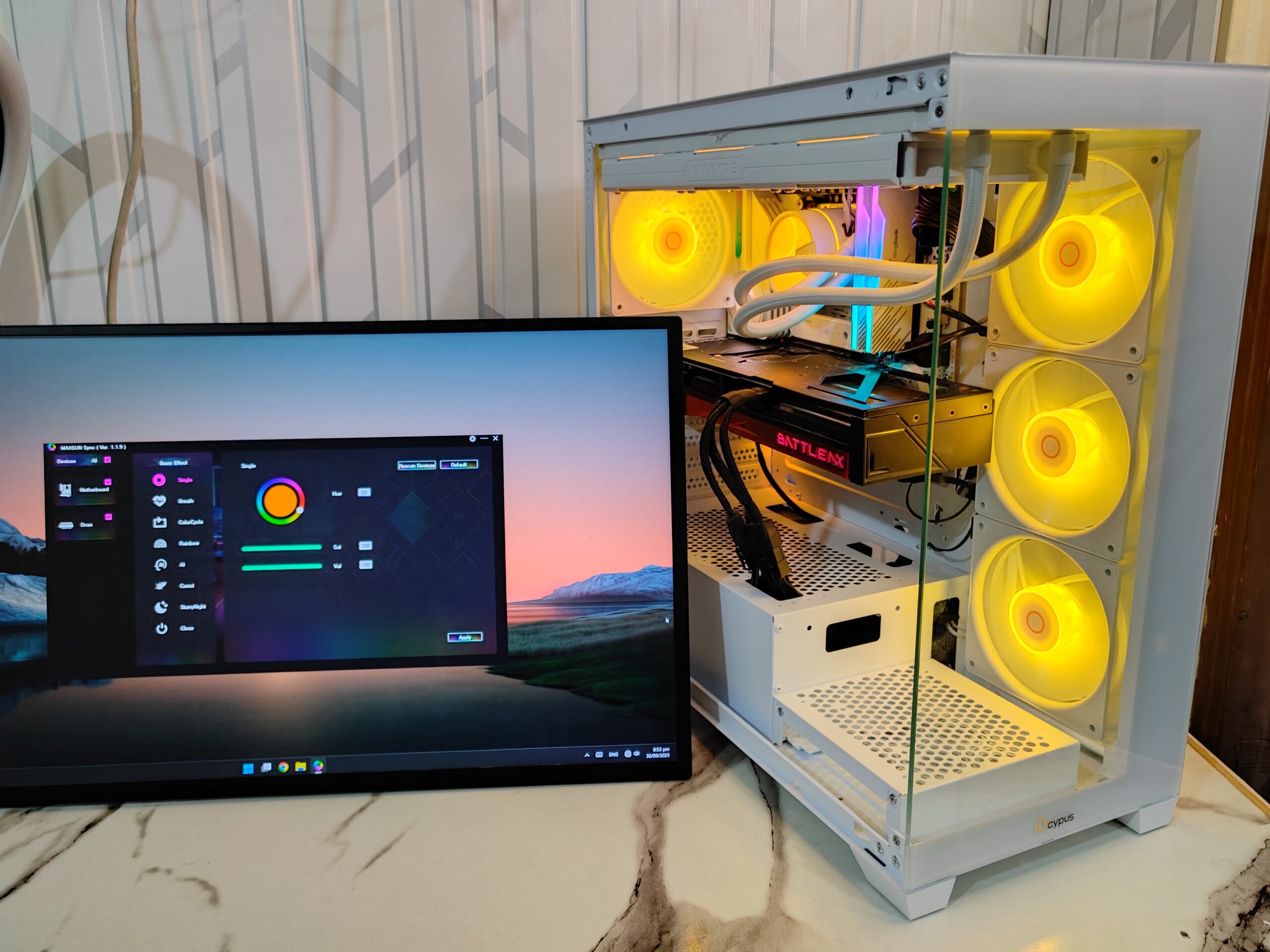
Ocypus is a new and fast-growing brand in the PC components market. It makes gaming cases, coolers, power supplies, and accessories. The name comes from Ocypus Olens, a strong and fast insect, showing the brand’s focus on power and speed. Its core value, “Infinite Passion,” drives it to make products that look good and perform well. The Gamma C72 series also has a version without ARGB fans, but we received the ARGB version for this review.
Column-free PC case designs are very popular with gamers today. They provide a clear view of all the components inside, making the build look clean and modern. Ocypus joined this trend with the Gamma C72 ARGB. It has a panoramic glass design that shows the components while keeping the case neat and stylish.
The Gamma C72 ARGB is built for strong performance. It supports top radiators up to 360mm, graphics cards up to 425mm, and power supplies up to 250mm. The top and bottom panels have magnetic dust filters to keep dust out. It also comes with four 120mm ARGB PWM fans for bright lighting and good cooling.
Unboxing
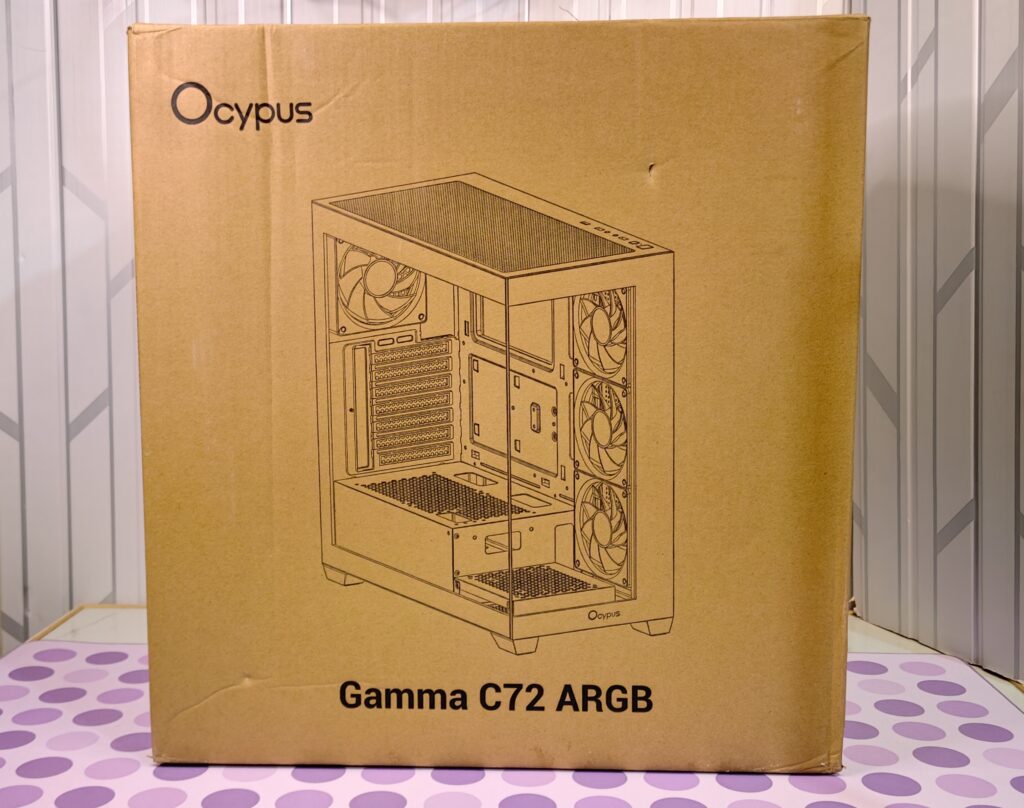
The Ocypus Gamma C72 ARGB comes in a simple brown cardboard box. The box is practical and gives all the needed information. The front shows a line drawing of the case. You can see the open design, fan setup, and PSU shroud. The sides are black and show the model name and the colour inside, here it is White.
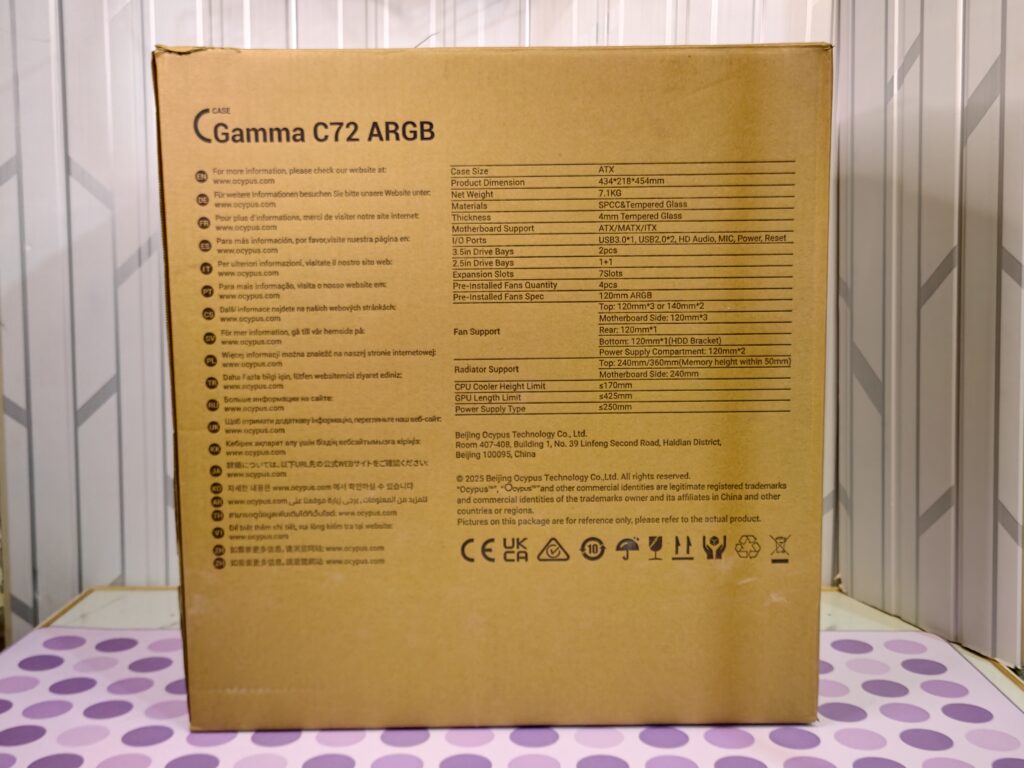
The back has the main specs and Gamma C72 ARGB written on the corner:
- Motherboard: ATX, MATX, ITX
- Size: 434×218×454 mm
- GPU length: up to 410 mm
- CPU cooler height: up to 170 mm
- Pre-installed fans: 4×120mm ARGB
This helps check if your parts will fit before opening the box.
Inside, the case is protected by thick foam blocks and a plastic bag. It stays safe and comes without scratches or damage. The first look at the Gamma C72 ARGB is very good. The packaging is strong, clear, and keeps the case safe. Now it’s ready for a closer look at its design and features.
Accessories
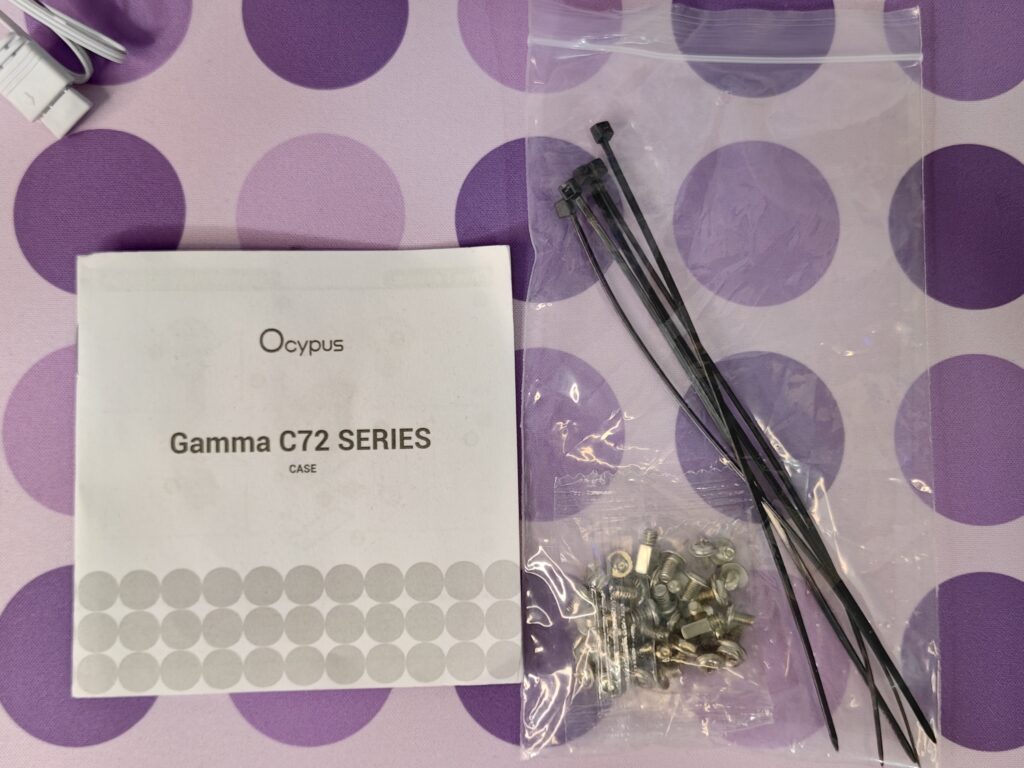
With the Gamma C72 ARGB, you get all the basic accessories needed for installation. Inside the box, you’ll find a quick user guide to help you get started. There are motherboard tray standoffs, screws for the motherboard, PSU, and HDD cage, making installation easier and more convenient.
Ocypus Gamma C72 ARGB specifications
| Catagory | Specification |
|---|---|
| Basic | |
| Enclosure Type | Mid-Tower |
| Dimensions | 434 × 218 × 454 mm |
| Net Weight | 7.1 kg |
| Materials | SPCC & ABS |
| SPCC Thickness | 0.45–0.5 mm |
| Side Panel | 4 mm Tempered Glass (Left side) |
| Dust Filter | Top, Bottom |
| Included Accessories | – |
| Compatibility | |
| Motherboard Support | ATX / MATX / ITX |
| 3.5 in Drive Bays | 2 |
| 2.5 in Drive Bays | 1 + 1 |
| Expansion Slots | 7 |
| CPU Cooler Height | ≤170 mm |
| GPU Length | ≤425 mm |
| Power Supply Length | ≤250 mm |
| Pre-Installed Fans | 4 × 120 mm ARGB |
| Fan Support | |
| Top | 3 × 120 mm or 2 × 140 mm |
| Side | 3 × 120 mm |
| Rear | 1 × 120 mm |
| Bottom | 1 × 120 mm (HDD Bracket) |
| PSU Compartment | 2 × 120 mm |
| Radiator Support | |
| Top | 240 / 360 mm (Memory height within 50 mm) |
| Side | 240 mm |
| Ports | USB 3.0 ×1, USB 2.0 ×2, HD Audio, Mic, Power, Reset |
| Product Code | |
| EAN | 6977414881508 |
| P/N | Gamma-C72-WHD400XX-GL |
A closer look
Let’s take a closer look at the Ocypus Gamma C72 ARGB. It’s a mid-tower case, sized 434 × 218 × 454 mm, so it’s big enough for most builds but not too heavy. Speaking of weight, it comes in at 7.1 kg, which feels solid when you pick it up. The case is made from SPCC and ABS, with metal about 0.45–0.5 mm thick, giving it strength and durability without making it too heavy.
Exterior
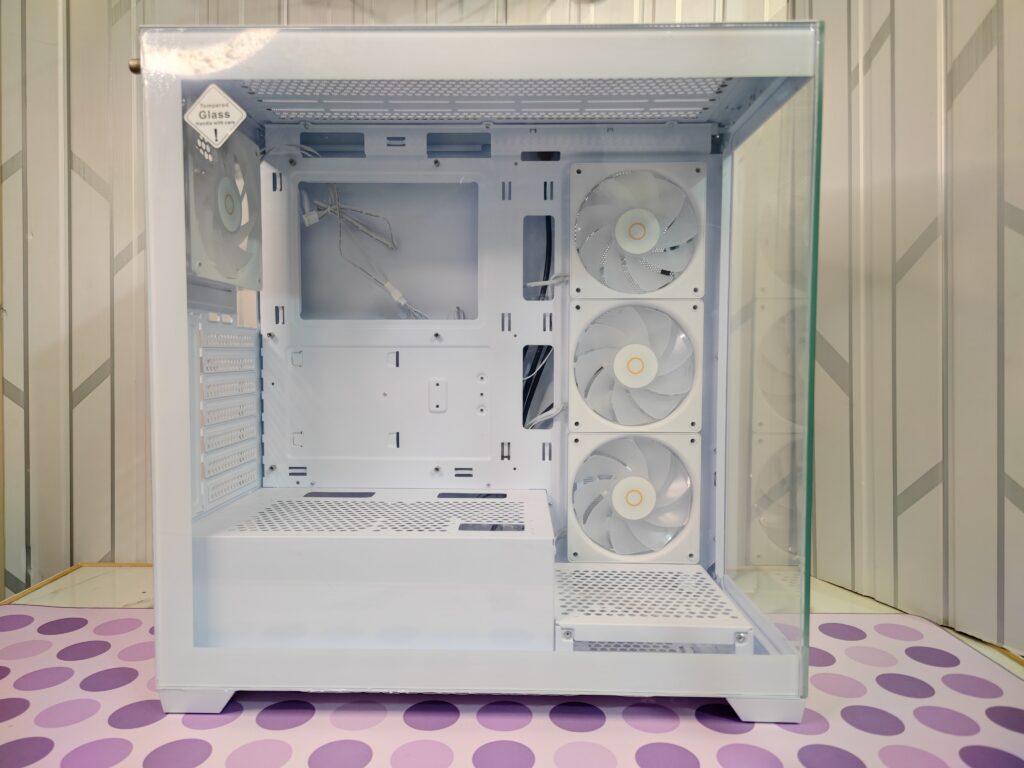
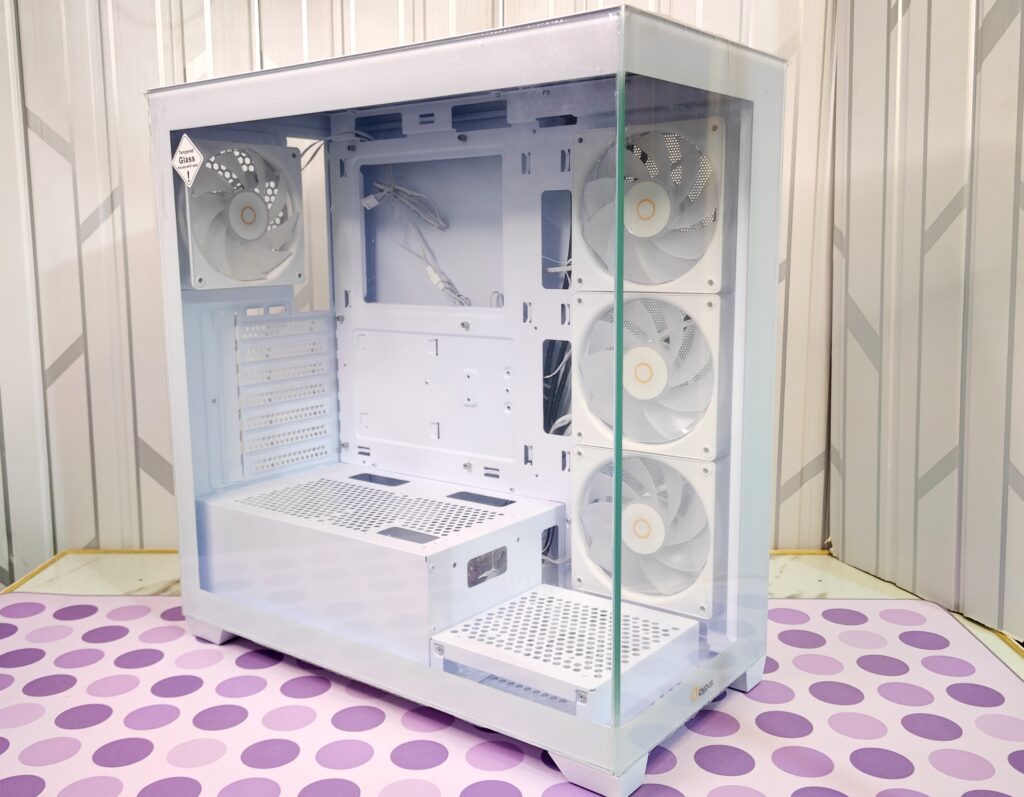
Let’s start with the outside. The first thing you’ll notice is the dual-glass design. The left side has a big tempered glass panel that is fully clear. You can see everything inside without any obstruction. It really shows off your build, from the motherboard and GPU to memory and cooling.
The front also has a full glass panel. The two panels meet at a thin frame, giving it a cool “aquarium” look. You can see the three pre-installed ARGB fans at the front, which makes RGB lighting stand out beautifully.
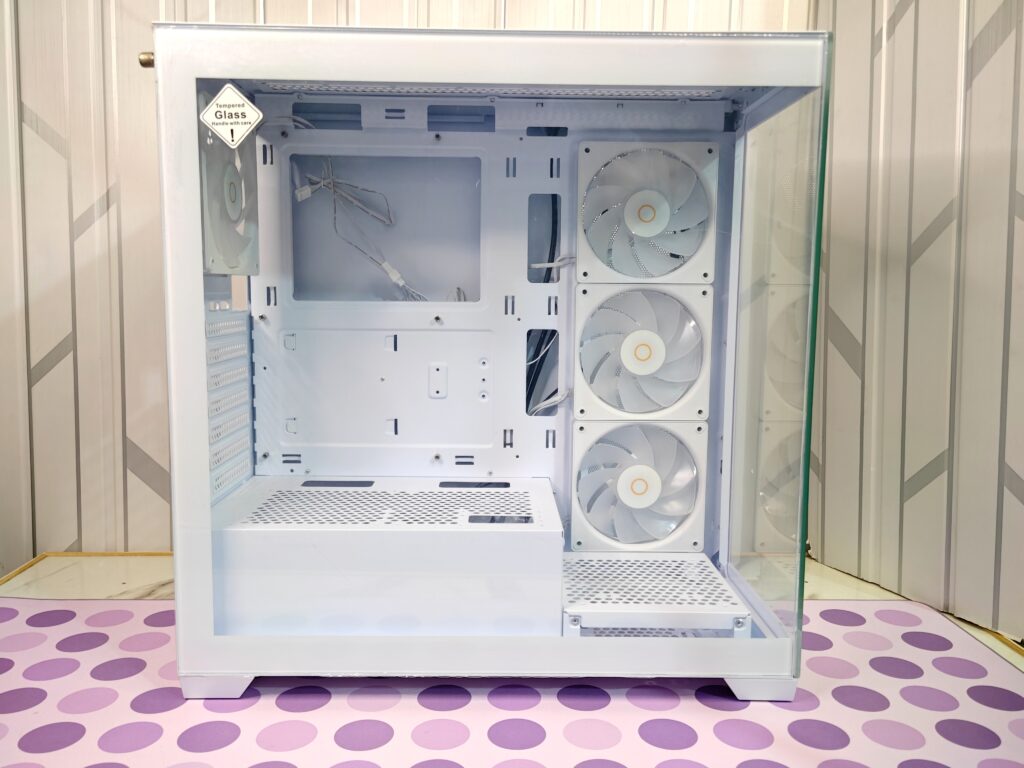
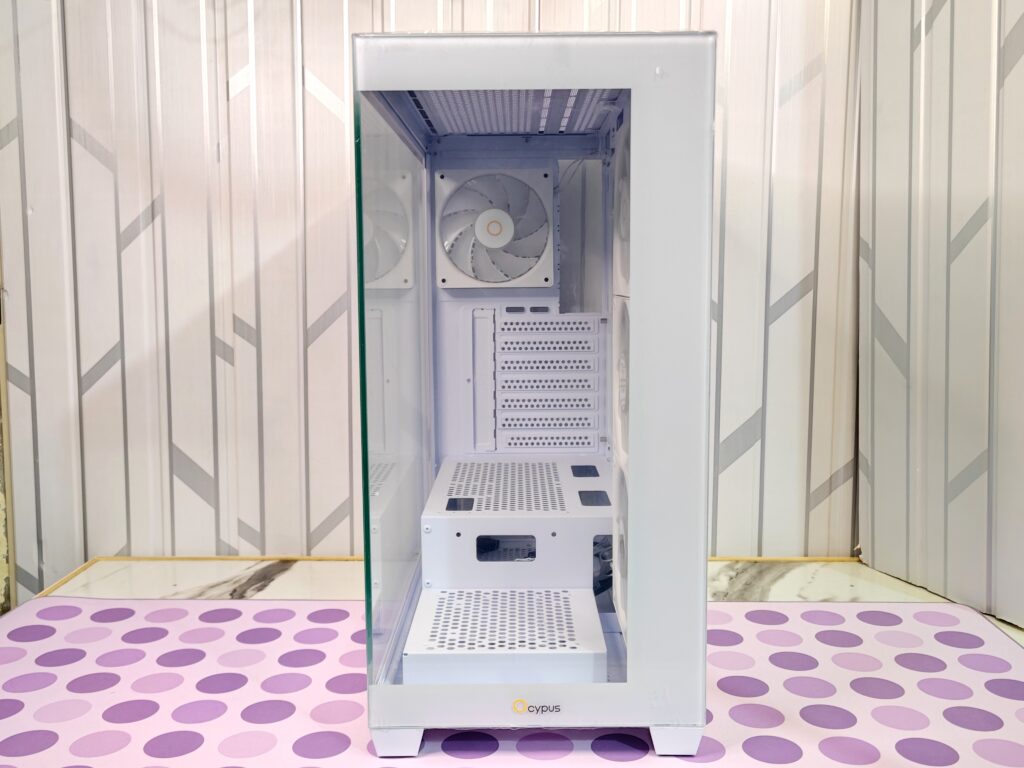
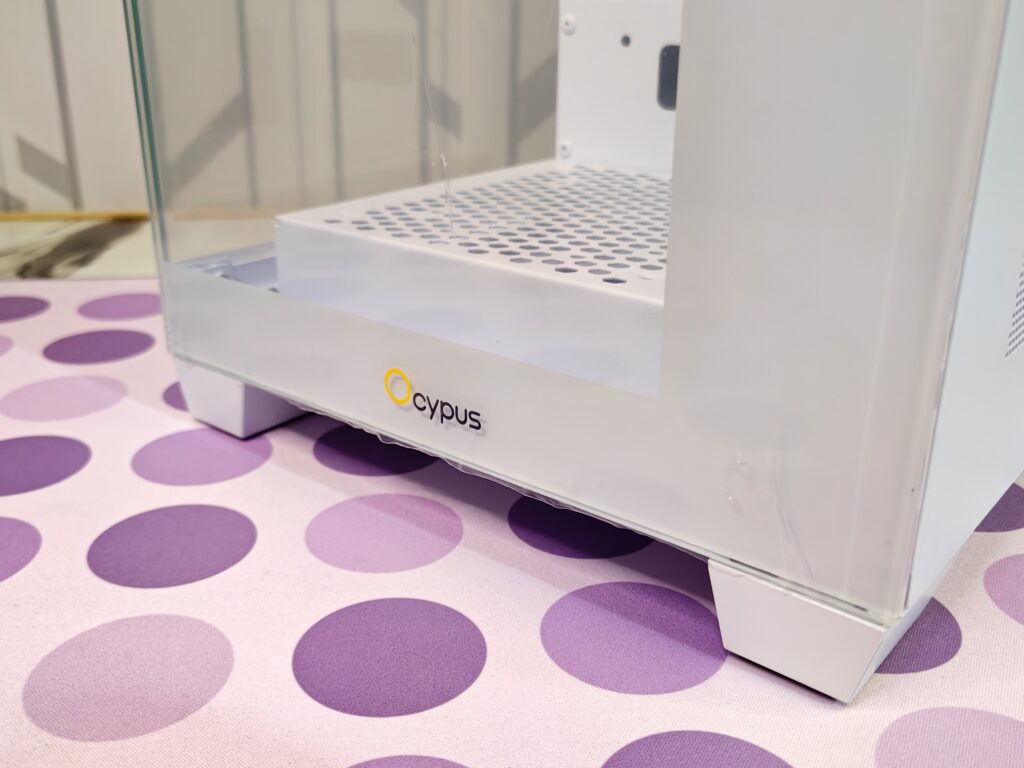
The Ocypus logo is small and at the bottom, so it doesn’t take away from the clean view.
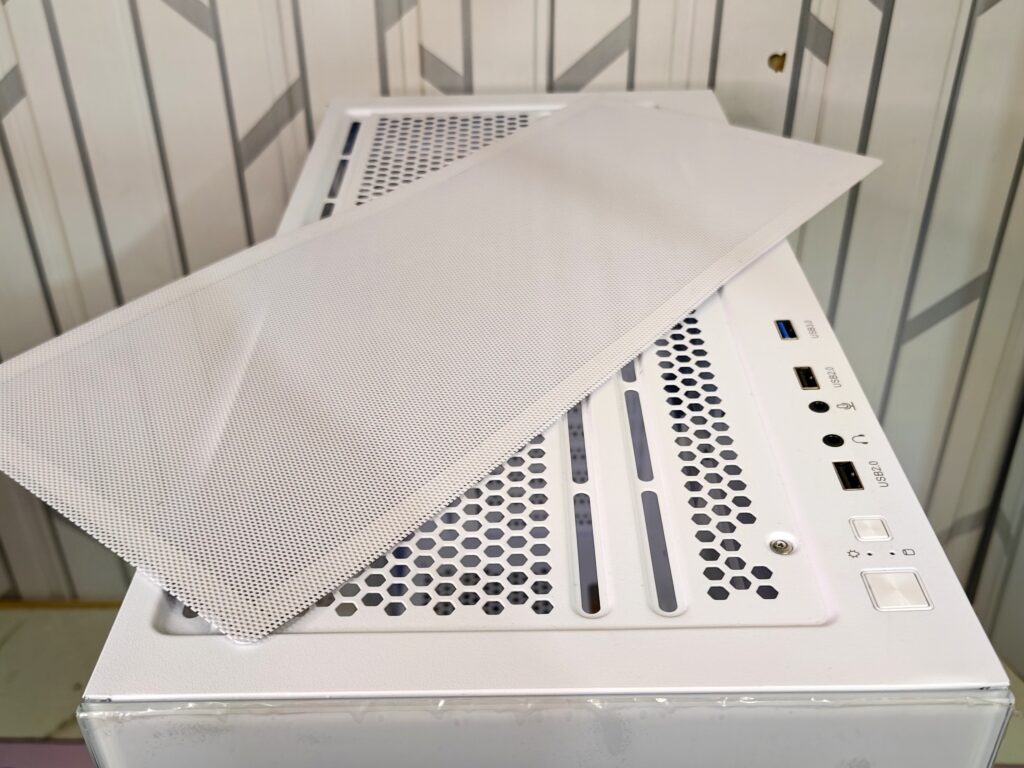
Now, let’s look at the top of the Gamma C72 ARGB. The top is designed for airflow and convenience. It has a honeycomb grille that lets hot air escape easily. To keep dust out, there’s a magnetic dust filter. It’s easy to remove and clean, which makes maintenance simple.
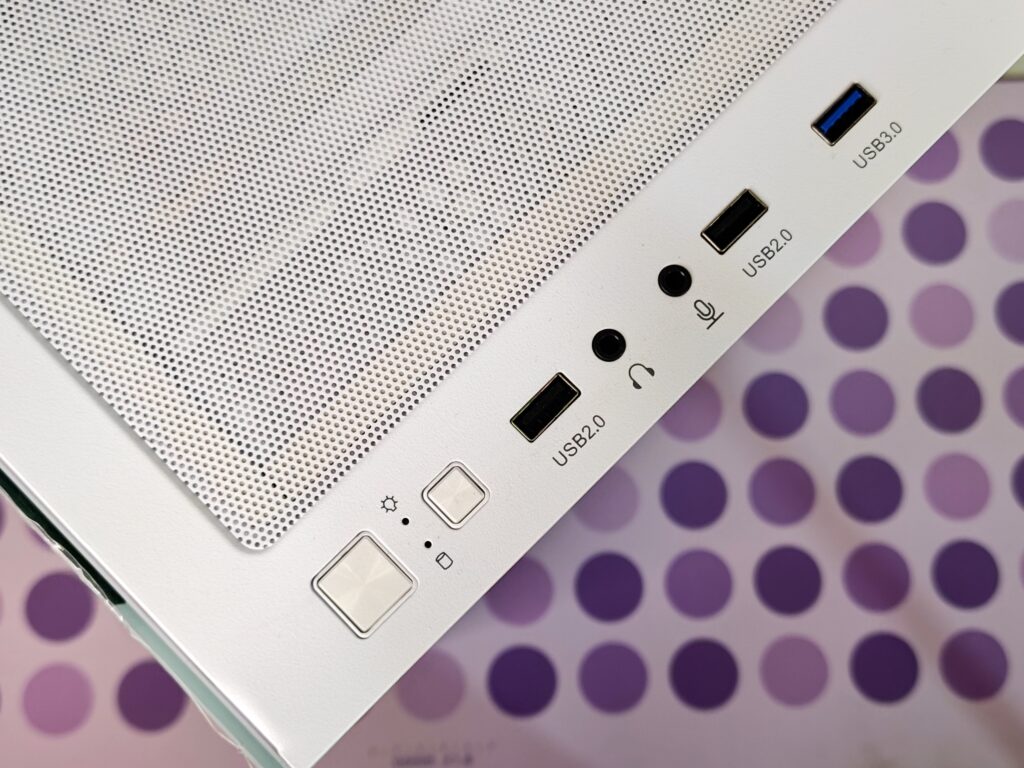
The top panel also houses the front I/O ports, keeping the front glass clean. The ports include:
- 1 × USB 3.0 port for fast data transfer
- 2 × USB 2.0 ports for extra devices
- HD Audio and Mic jacks
- Large Power button
- Smaller Reset button
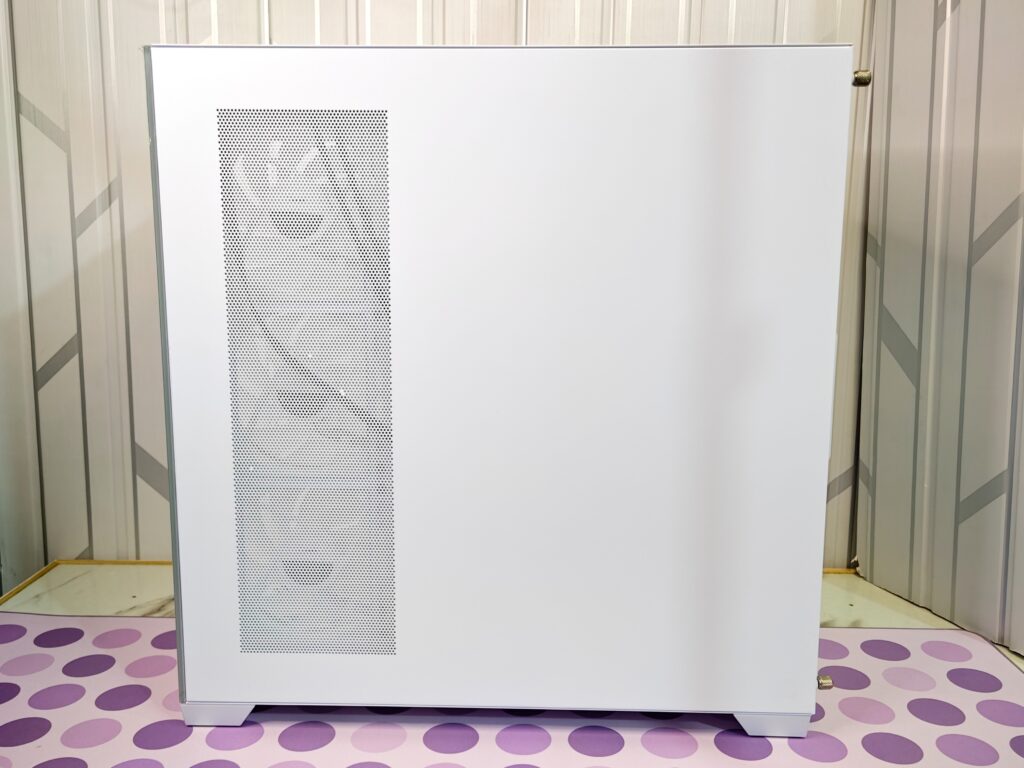
On the right side of the Gamma C72 ARGB, you’ll find a solid metal panel. This side is mostly hidden and is used to keep cables out of sight. The panel is held by two thumbscrews so you can remove it easily without tools to access the back of the motherboard tray.
The panel also has a large vertical perforated grill. This is not just for looks. You can install up to three 120mm ARGB fans here. These fans pull cool air directly into the case and help keep the GPU and CPU temperatures low. It is a useful feature for high-performance builds.
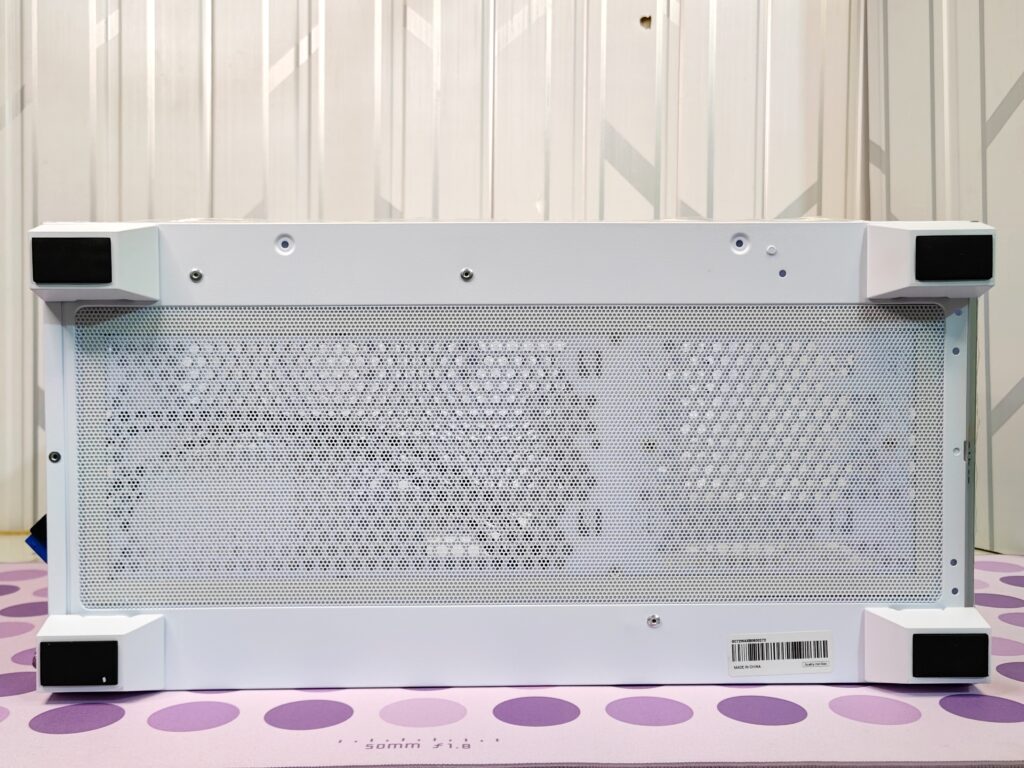
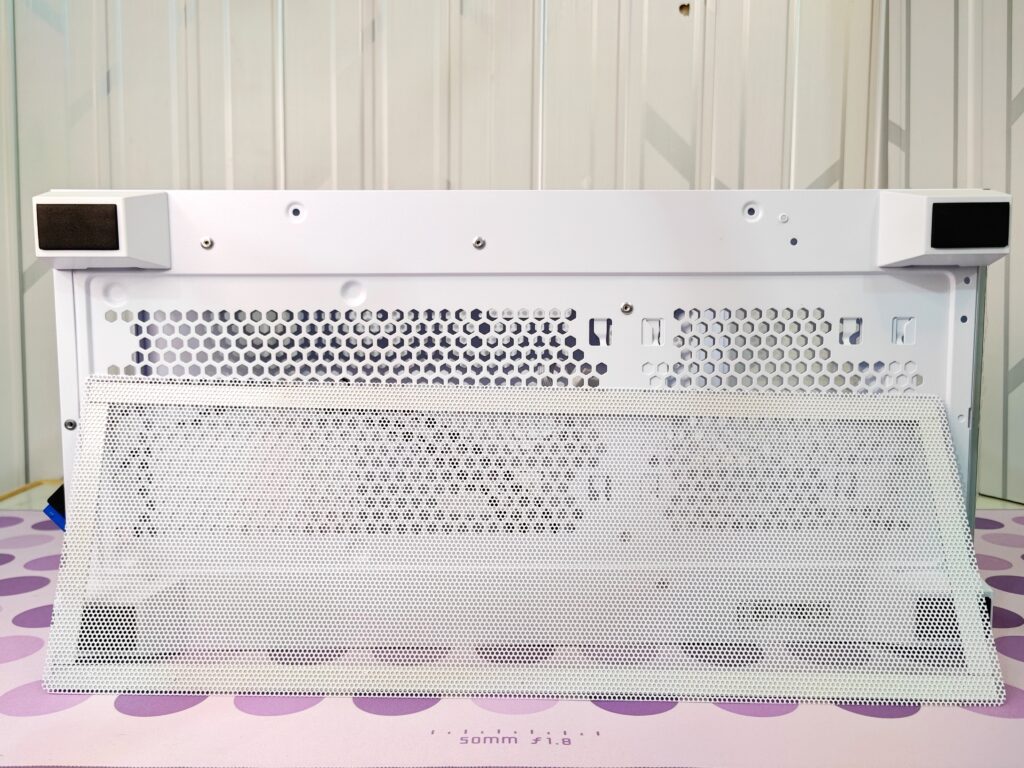
The base of the Gamma C72 ARGB is made for stability and good airflow. The case sits on four wide black feet that lift it off the ground. This gives space for air to flow freely from the bottom. The entire bottom has a large perforated mesh grille. This allows cool air to reach the power supply and an optional 120mm fan near the HDD bracket. There is also a removable magnetic dust filter. It stops dust from entering the PSU and the main chamber. Being magnetic, it is easy to take out and clean.
The rear of the Gamma C72 ARGB is made from painted steel and follows a standard mid-tower layout. It is designed for good airflow and easy access.
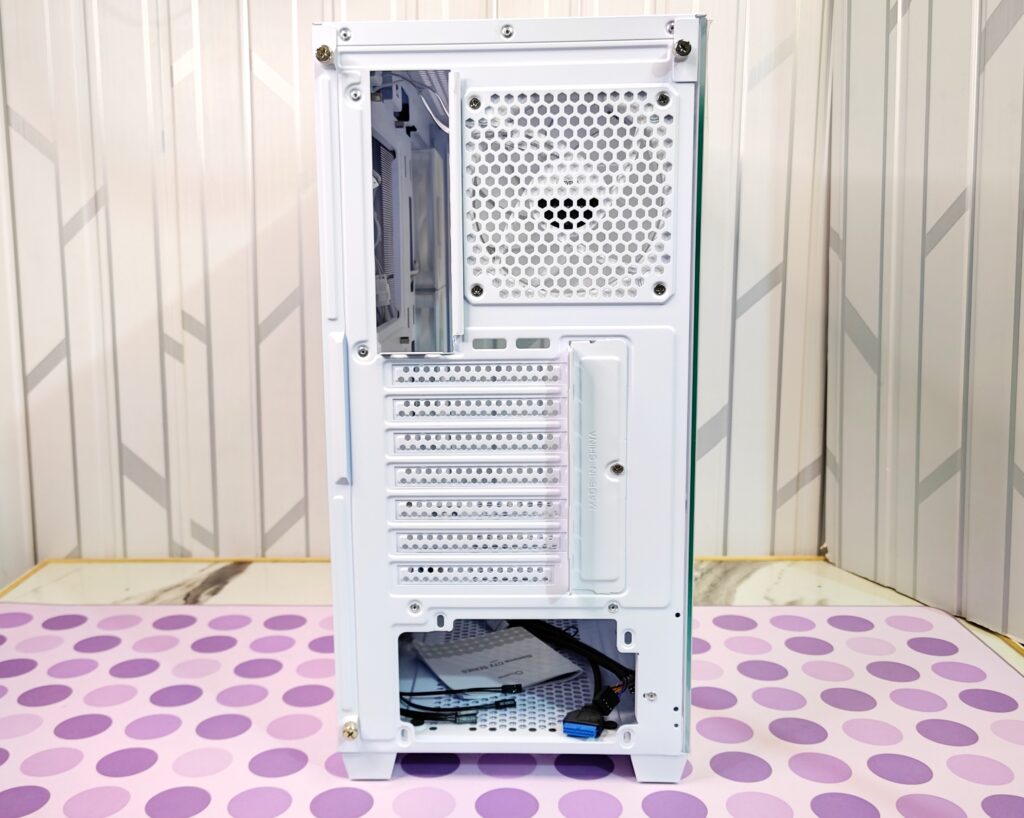
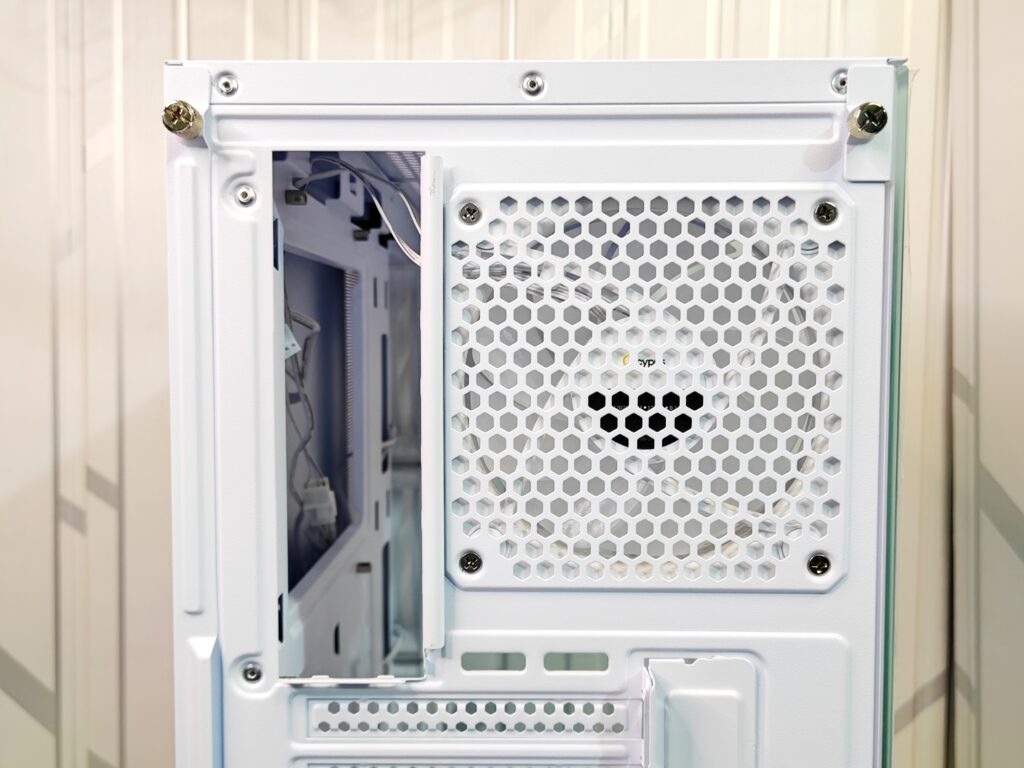
At the top left, there is a cutout for the motherboard I/O shield. It sits slightly recessed so the I/O shield sits flush with the case.
To the right, there is a hexagonal mesh for a 120mm exhaust fan. A white 120mm fan comes pre-installed here and is secured with four screws. The honeycomb pattern helps airflow while keeping the panel strong.
In the centre, you have seven horizontal expansion slots for the GPU and other cards. The slots have vented, not reusable covers. Next to them is a small vertical cutout with a sliding metal bracket.
At the bottom is a cutout for the power supply. The PSU sits in its own compartment, and you can see some cable management slack and connectors through this opening.
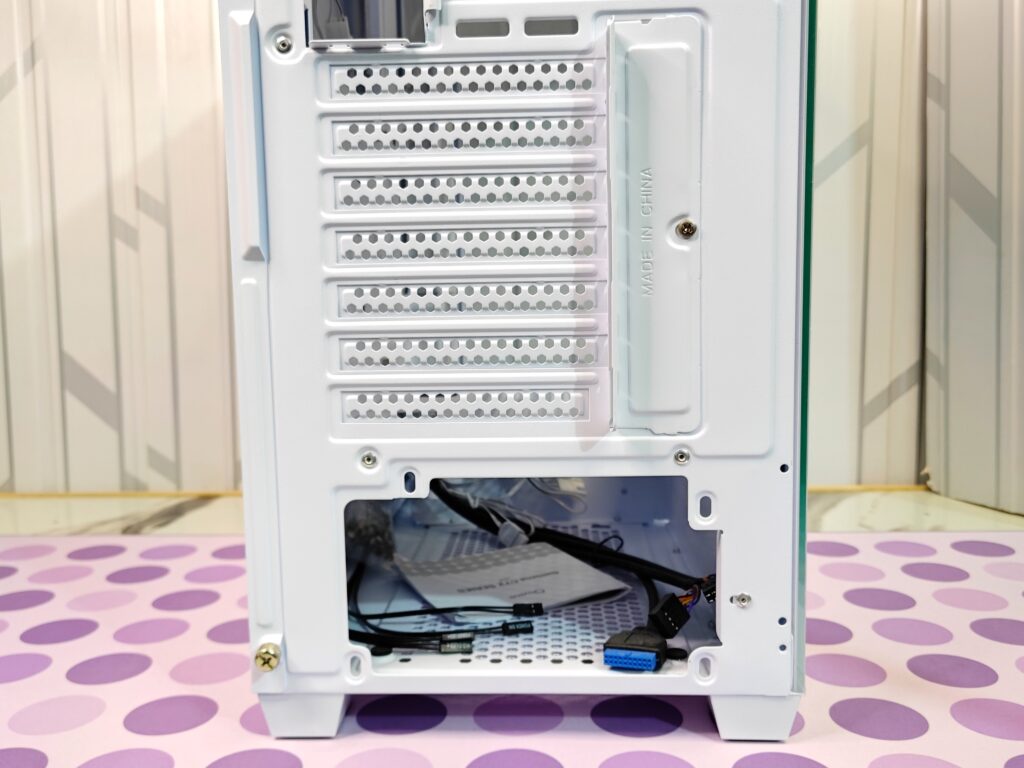
Overall, the Gamma C72 ARGB looks clean and stylish. Its glass panels and vents balance good airflow with a great view of your build.
Interior
The Gamma C72 ARGB uses a modern, screwless system for the tempered glass side panel. It is held by one thumbscrew at the rear. Once removed, you can lift or slide the panel back easily. Pins and grooves keep it secure while making removal simple.
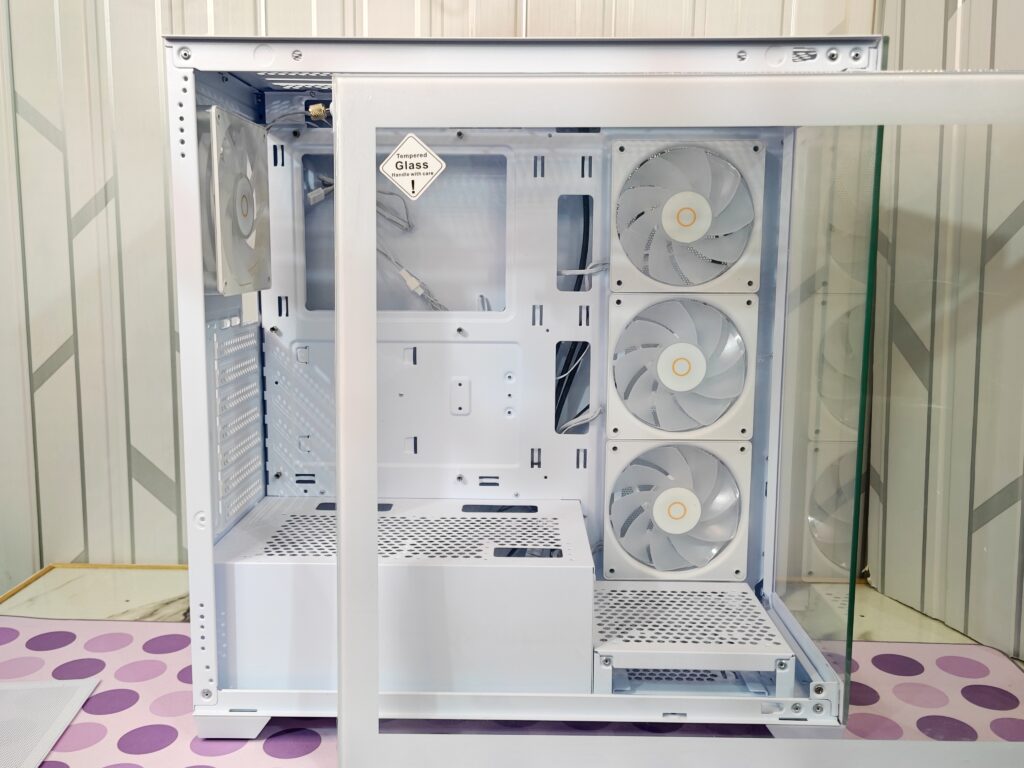
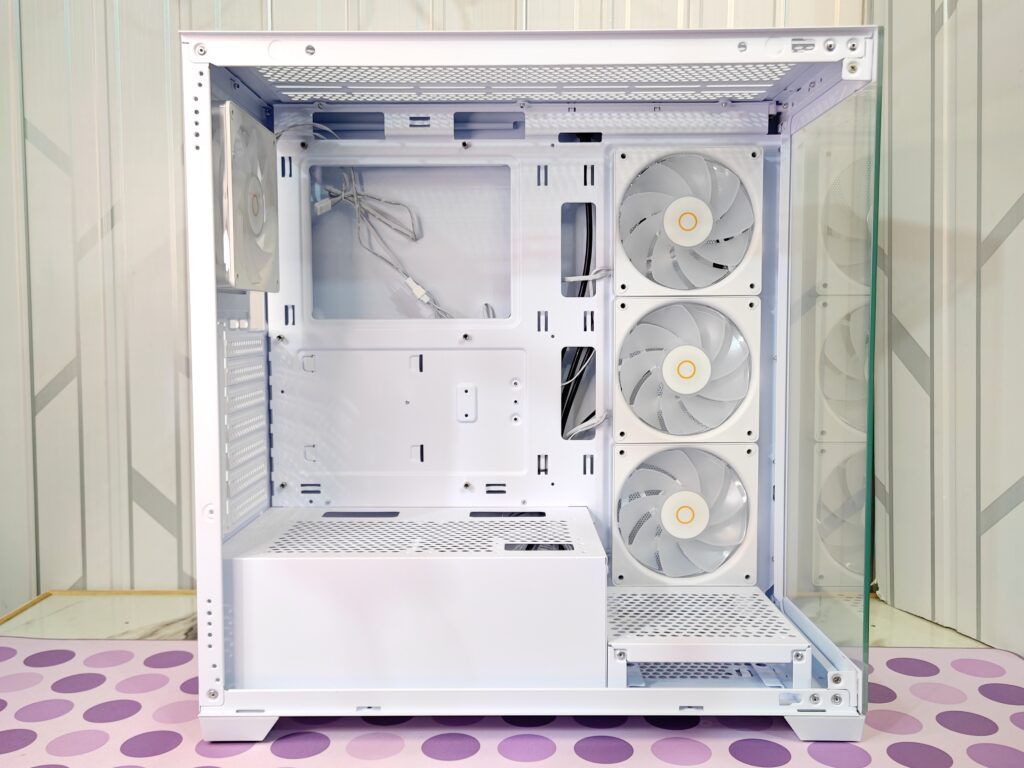
The main vertical area inside the Gamma C72 ARGB is the motherboard tray. It supports ATX, Micro-ATX, and ITX boards. There is a large cutout behind the CPU for easy cooler installation or removal without taking out the motherboard. The tray also has multiple cutouts for cable routing, though they do not have rubber grommets.
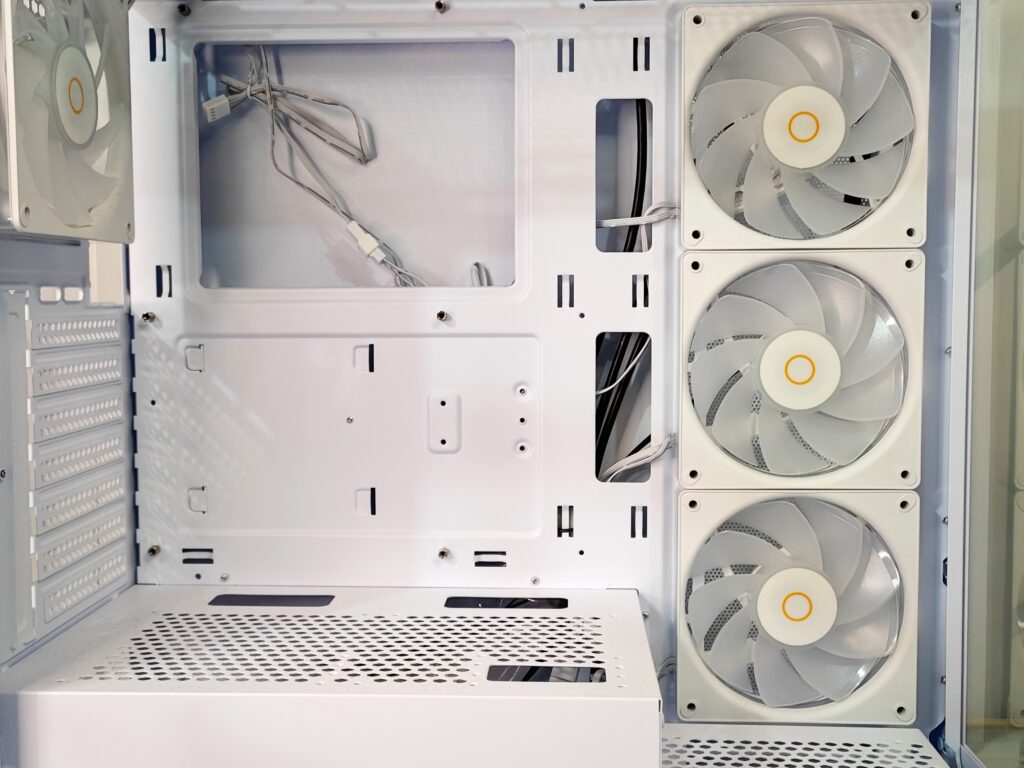
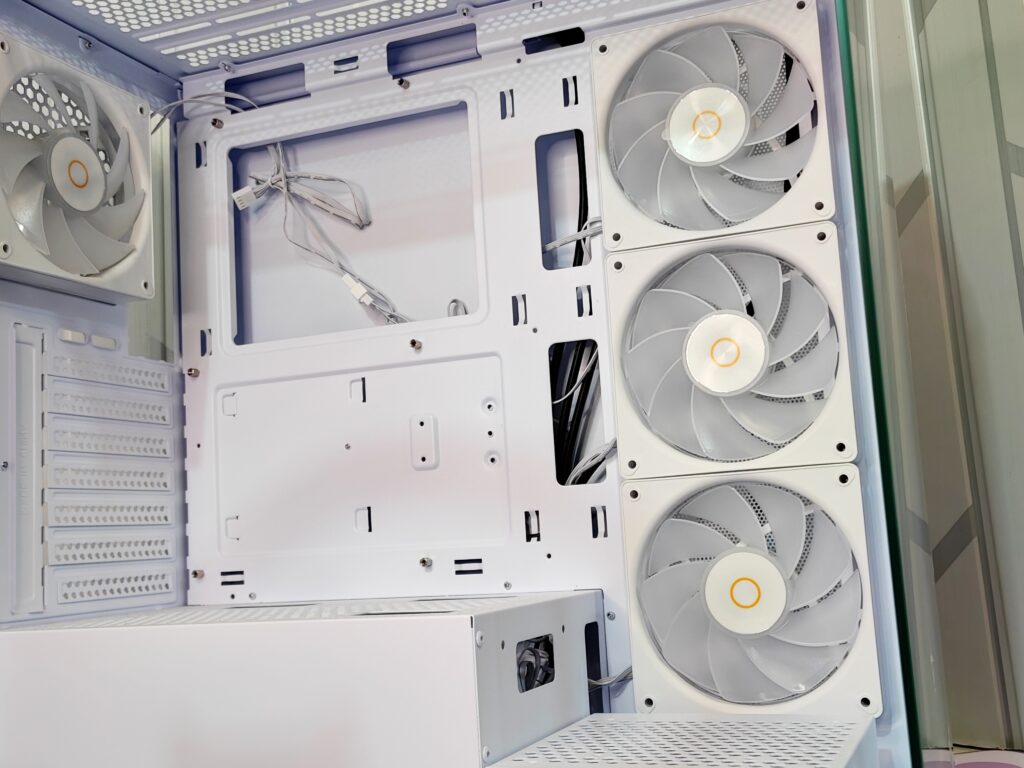
One of the standout features of the Gamma C72 ARGB is the set of pre-installed fans on the vertical side mount. There are three 120mm ARGB fans lined up along the right wall, next to the tempered glass panel.
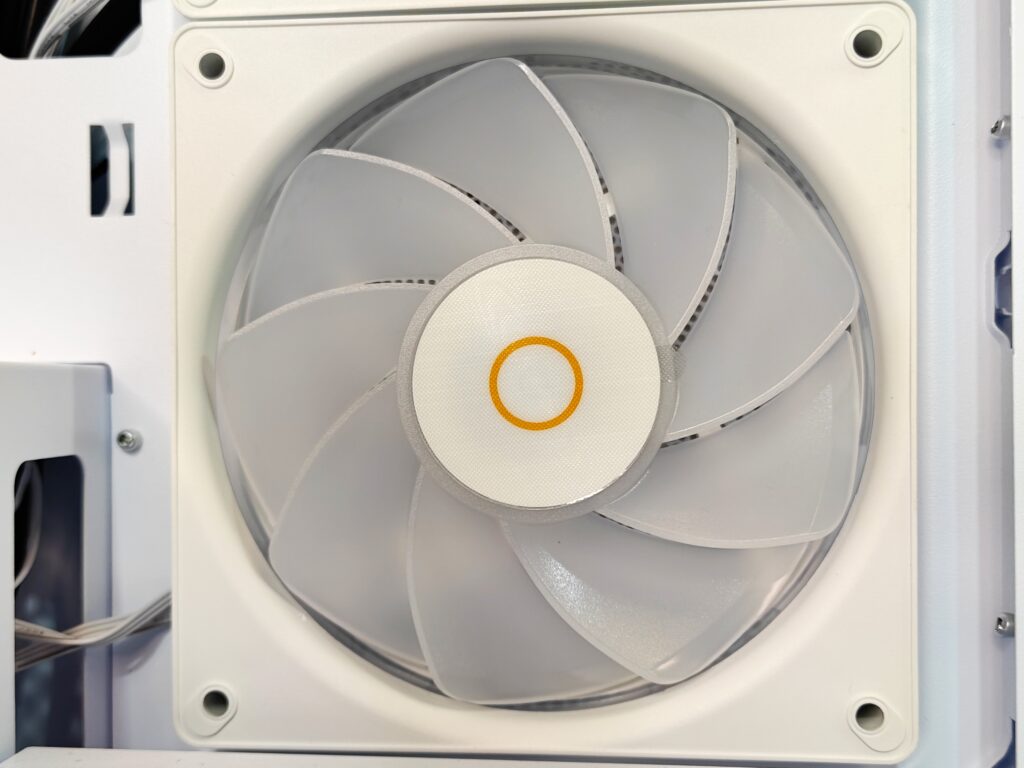
The fans match the white theme of the case. The frames are white, and the blades are frosted to spread the ARGB lighting evenly. The hub features a small orange ring with the Ocypus logo in the centre, adding a subtle brand touch.
These fans are the main intake for the system, pulling fresh air to cool the GPU and motherboard area. This section can also support a 240mm radiator for liquid cooling. The fan cables run neatly to the cutouts for connection to a fan hub or motherboard headers.
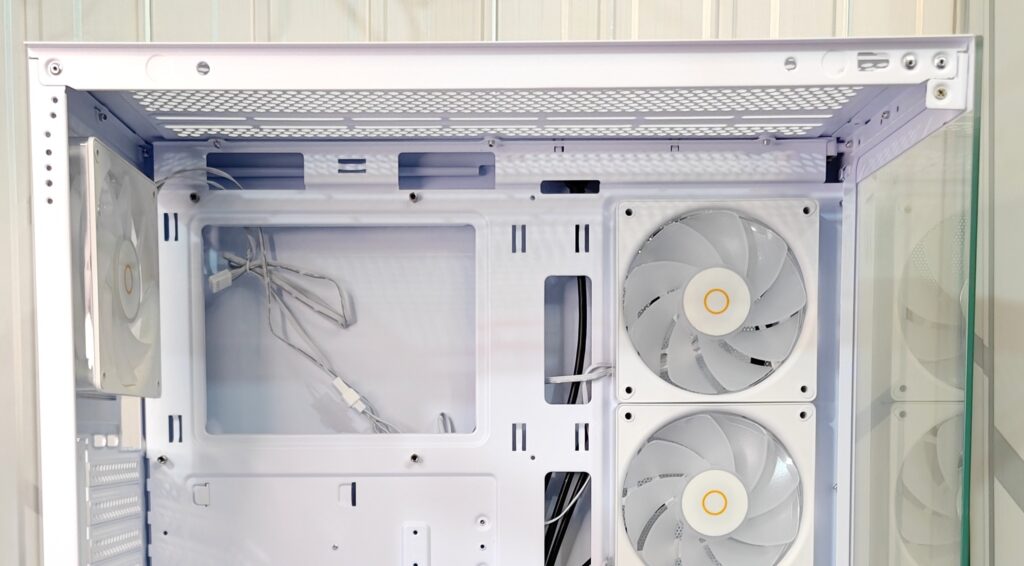
The top of the Gamma C72 ARGB is designed for airflow and cooling. The interior panel is slotted and hexagonal mesh openings for ventilation. The top also has a magnetic dust filter on the outside. It is easy to remove and clean.
Fan support
- Up to 3 × 120mm fans
- Up to 2 × 140mm fans
Radiator support
- Up to 240mm radiator
- Up to 360mm radiator (Memory height must be within 50mm)
Cable cutouts along the top make it easy to route fan and radiator cables neatly to the rear compartment.
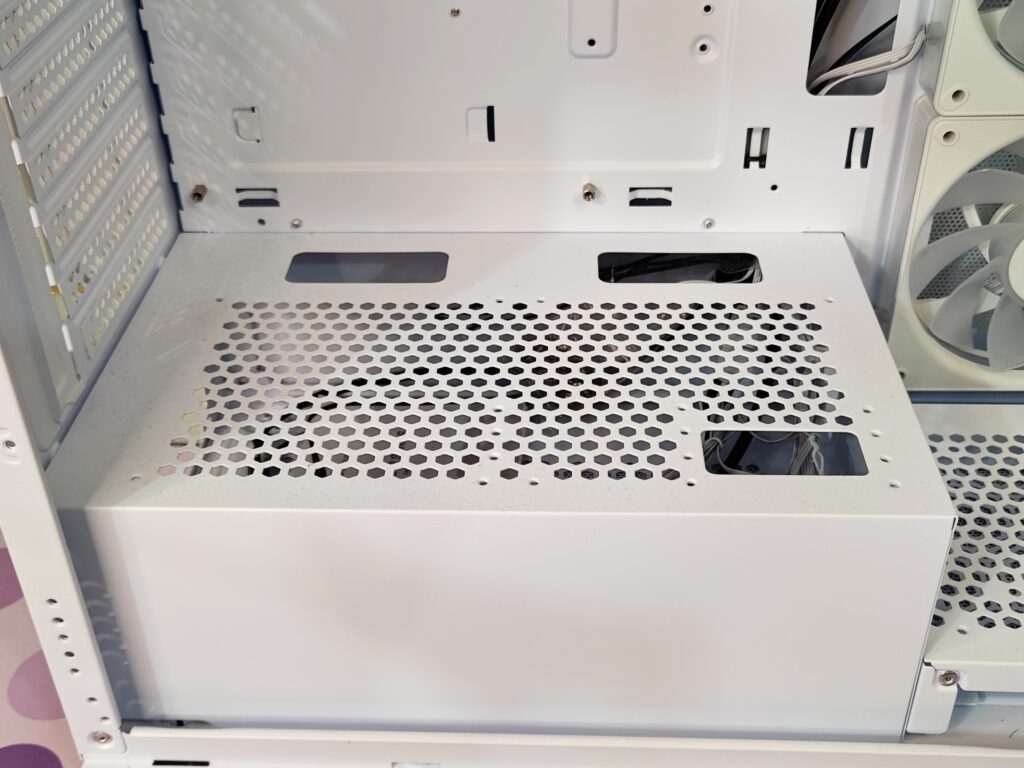
The PSU shroud sits at the bottom of the Gamma C72 ARGB and keeps the main area looking clean. The top of the shroud has a large hexagonal mesh for ventilation, letting air flow to the GPU and motherboard area. There are three rectangular cutouts for PSU cables to pass through neatly. At the front, there is a raised platform with a hexagonal mesh. This can be used for an intake fan or for mounting a storage drive.
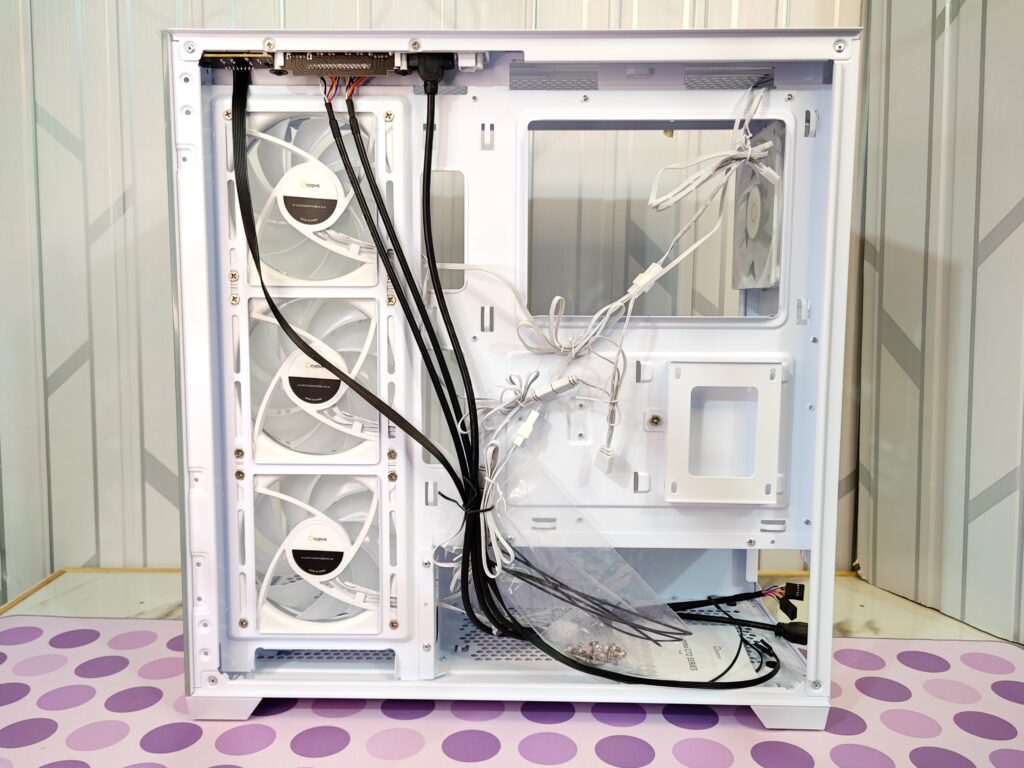
When you remove the right metal panel, you see the secondary chamber. This area is for cable routing, fan control, and drive storage, keeping the main chamber clean.
The rear of the motherboard tray has a large CPU cutout for easy cooler installation. There are multiple slots and cutouts for routing cables between the chambers as mentioned earlier.
Near the top, there is a black hub for ARGB and fan cables. The cables from the side intake fans and rear exhaust fan are neatly routed here. Front panel cables for USB, audio, power, and reset are also bundled and passed through cutouts. Small tie-down points on the tray let you secure cables with zip ties or Velcro.
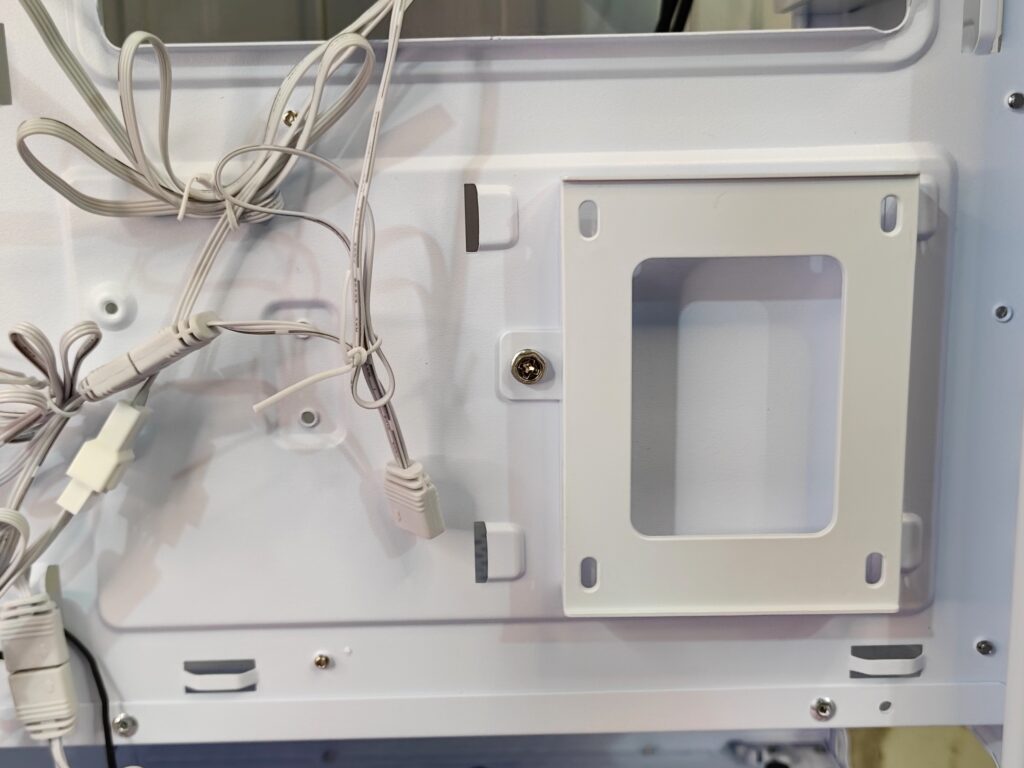
This area also has a 2.5” SSD tray, which is installed with a single screw near the centre-right.
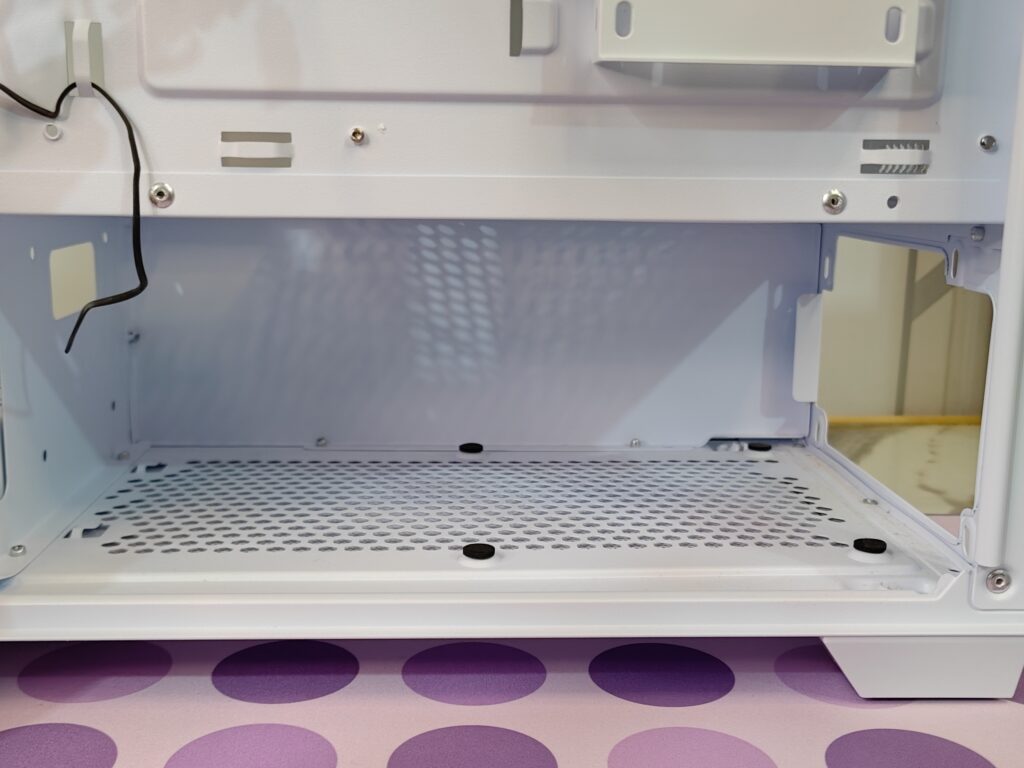
At the bottom, the PSU is hidden in its own compartment and supports up to 250mm units. Black round foam pads are provided for the PSU to prevent direct friction and scratches.
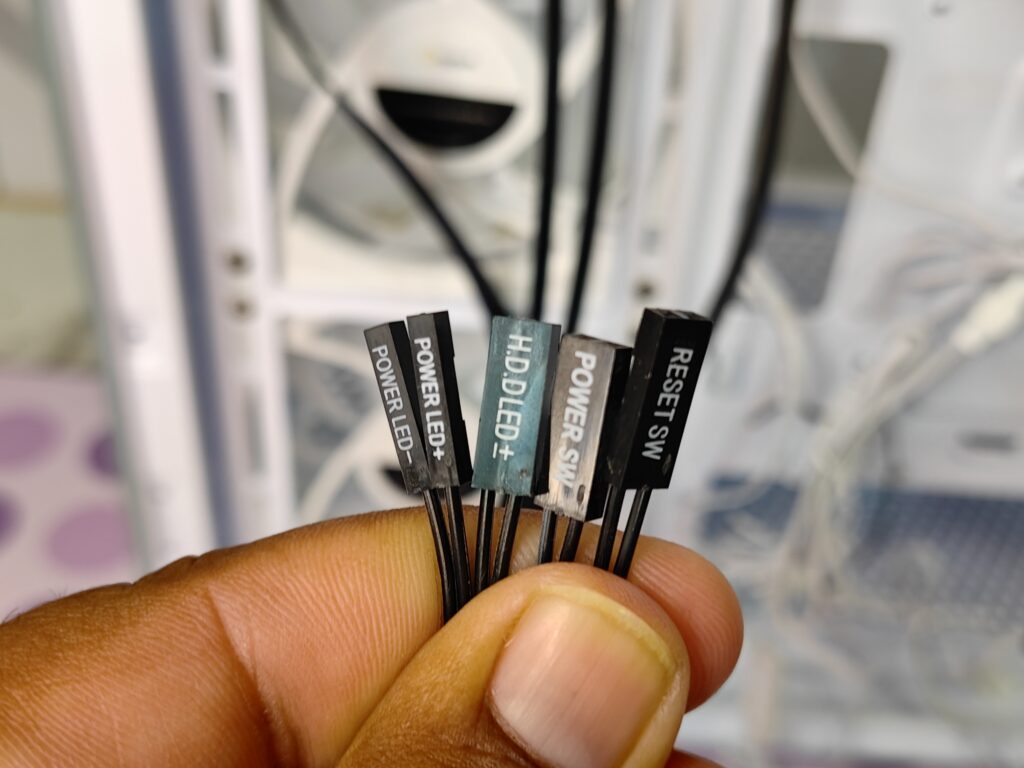
Front panel connectors
- USB 3.0 Connector
- HD Audio Connector
- POWER SW
- RESET SW
- H.D.D. LED
- POWER LED
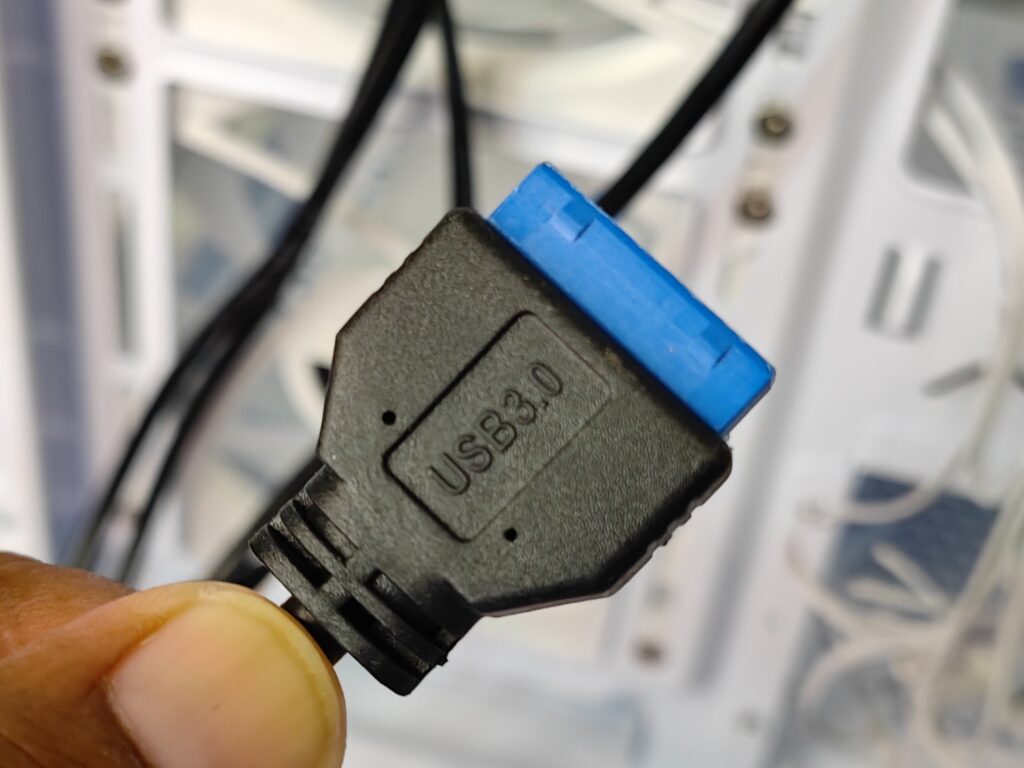
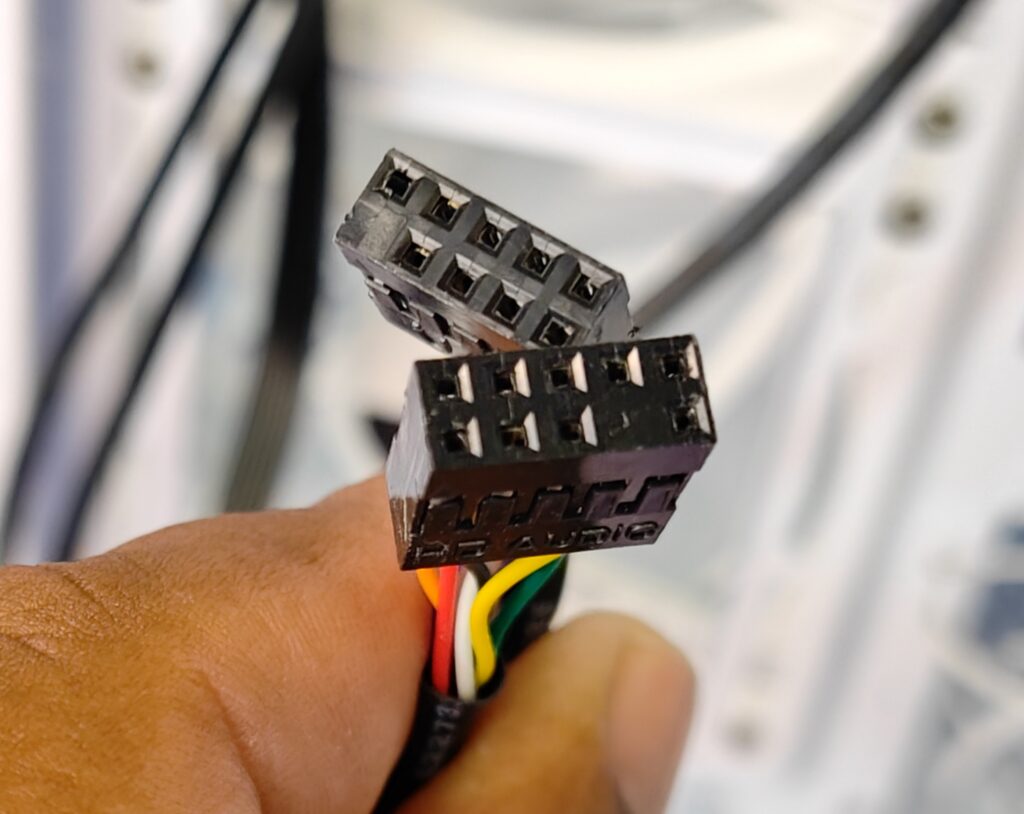
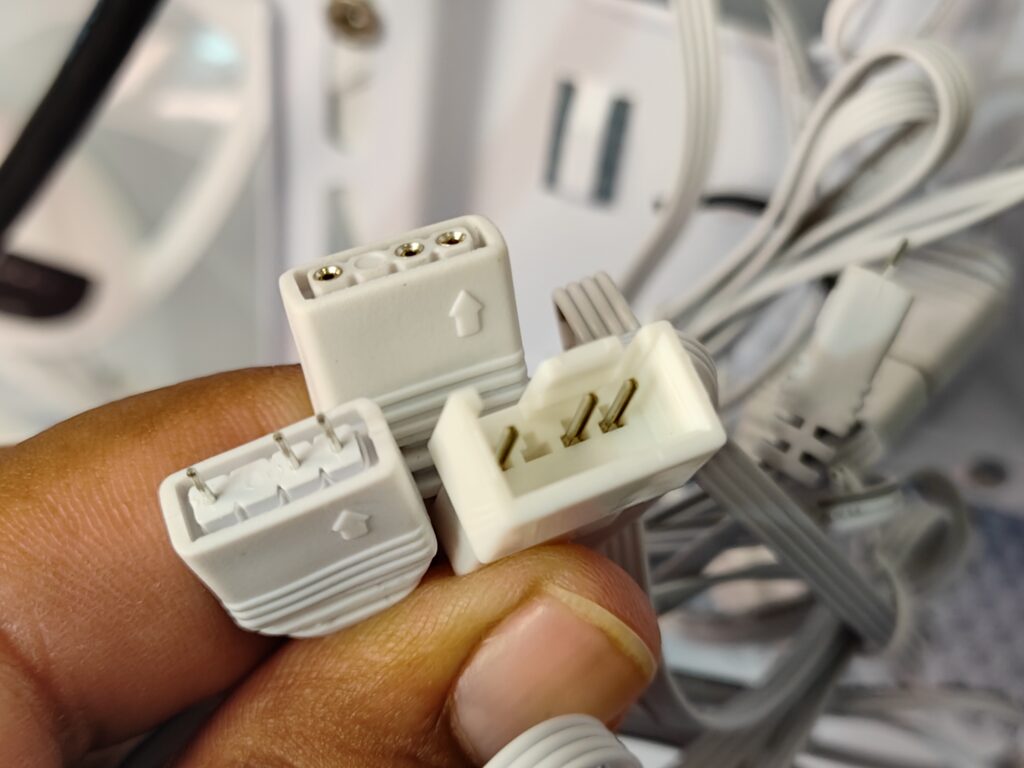
The ARGB fans come with separate connectors for RGB lighting and fan power. Each fan is connected to the next in a daisy-chain style. There is no single hub included for all fans, which could have been a useful addition.
Installation
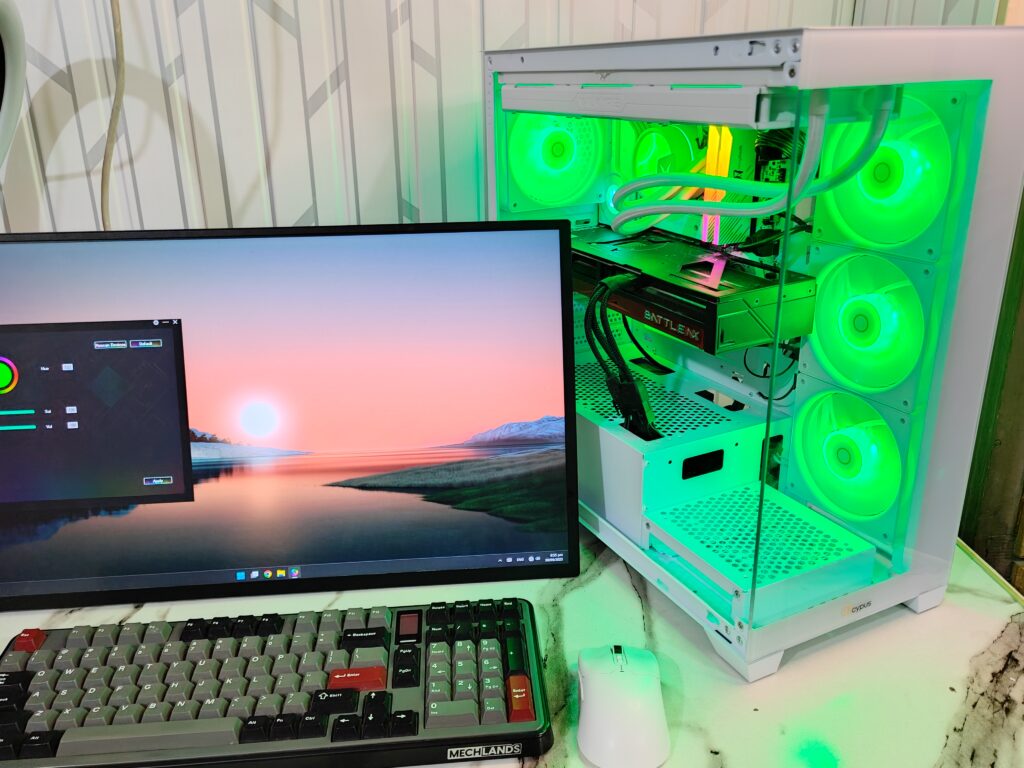
The following configuration is used:
- Intel i7 12700k
- Maxsun iCraft B760M Cross D5
- Colorful RTX 5070 12GB Battle AX
- Valkyrei A360 ARGB White
- KingBank Soarblade DDR5 6800MHz ARGB
- Silicon Power 2TB Gen 4 (7300MB/s) ( for data )
- Lexar NM800 Pro 512GB Gen 4 (7450MB/s) (for OS)
- GameMax RGB Pro PSU 850w Gold
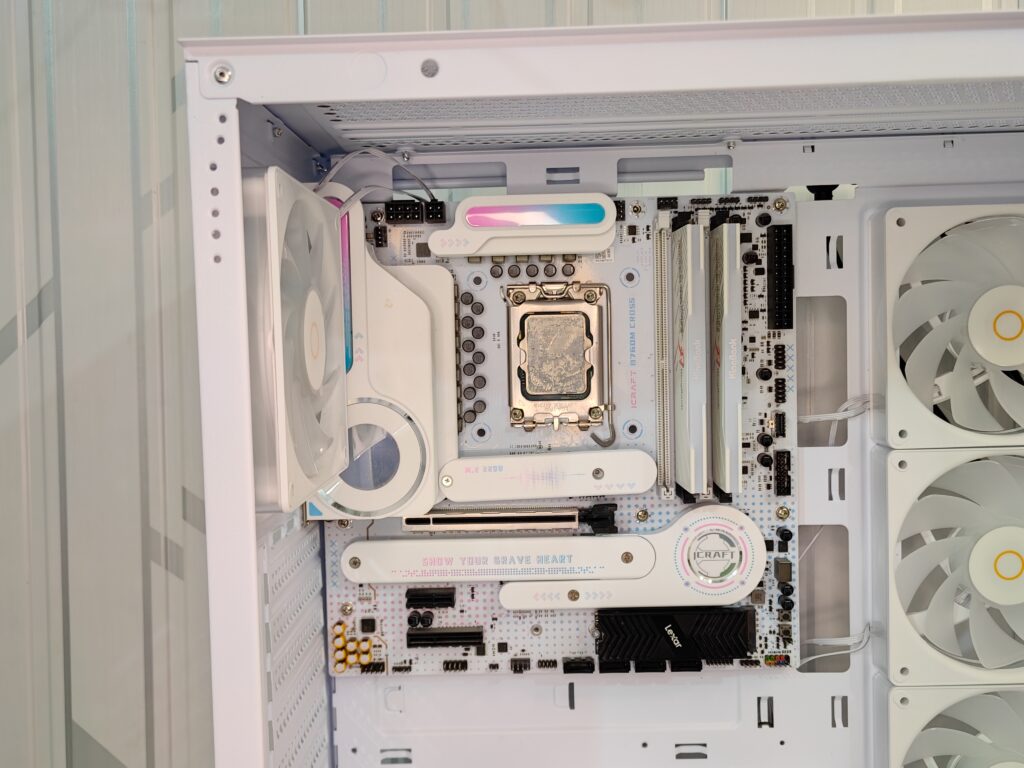
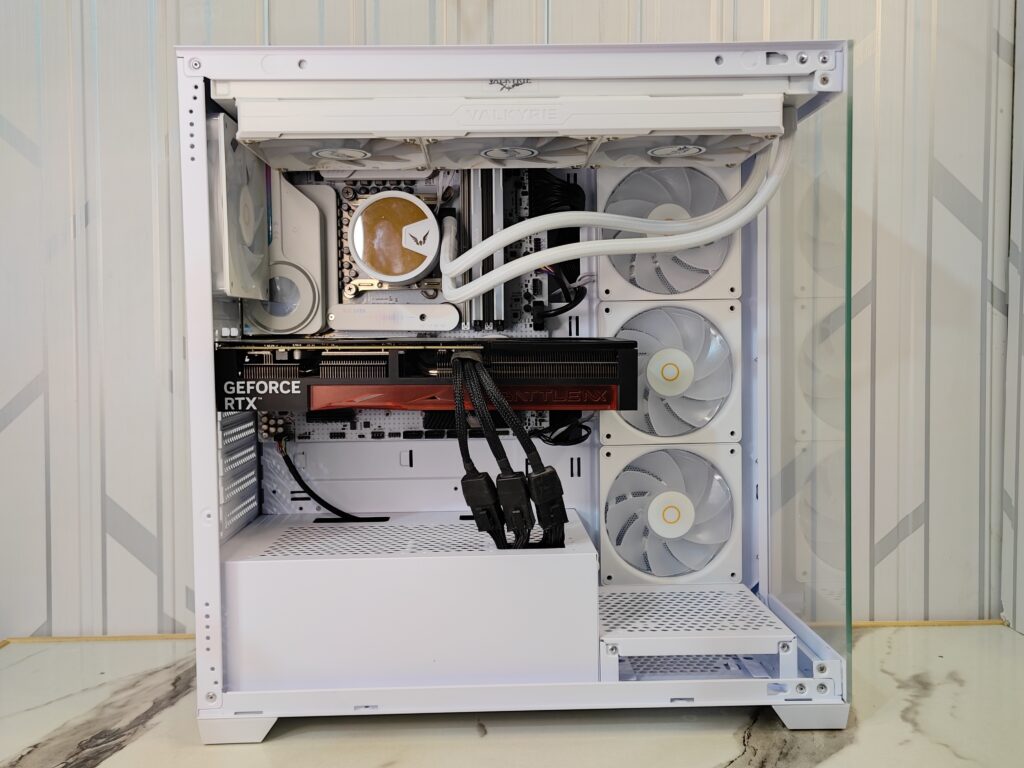
I used a Micro-ATX motherboard for this build. One thing to note is that you should connect the CPU cables before installing the motherboard. After installing an AIO cooler, the cutouts can get covered, making it hard to plug in connectors. So it’s better to plan the cabling.
The rear fan and top AIO cooler have plenty of space, which makes installation easier. RAM clearance is a bit tight. If you need to install or remove RAM, you may have to take out the AIO cooler first.
Overall, the installation process in the Gamma C72 ARGB is easy and efficient.
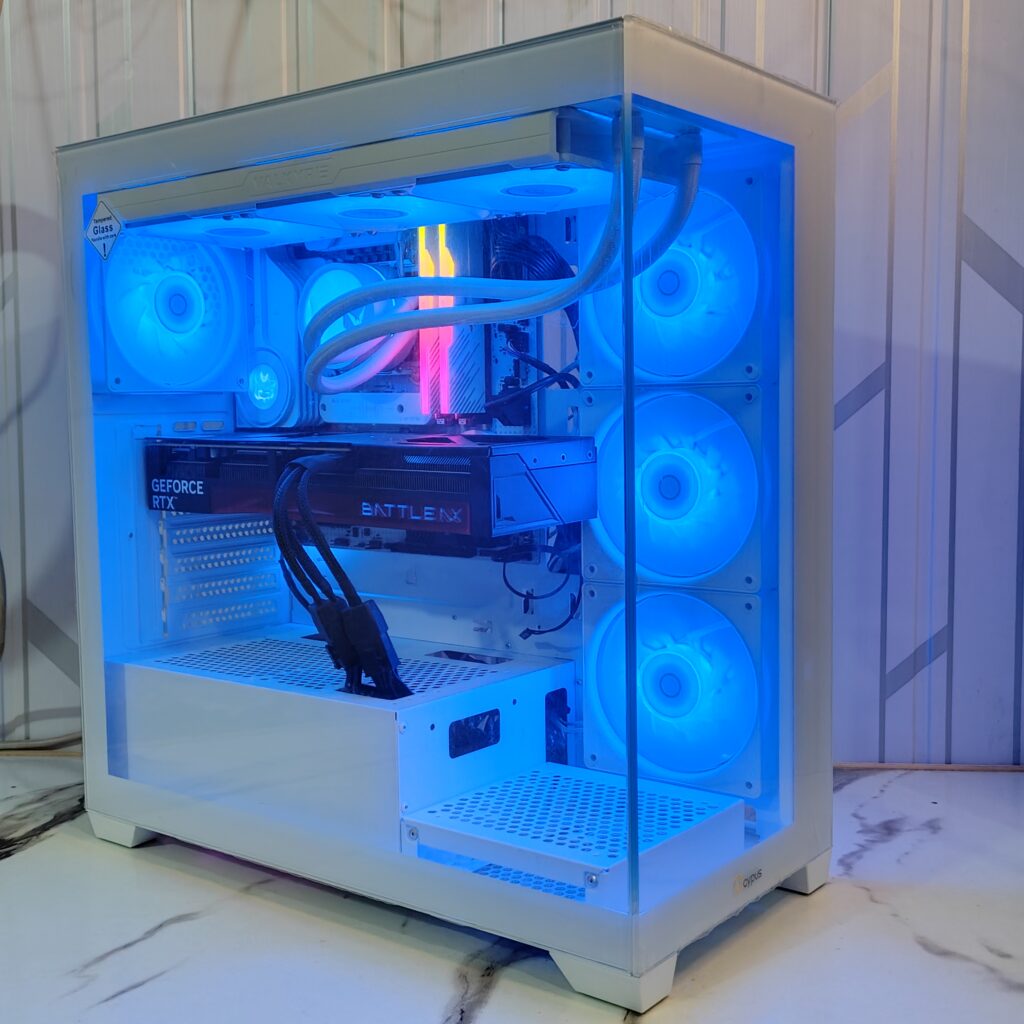
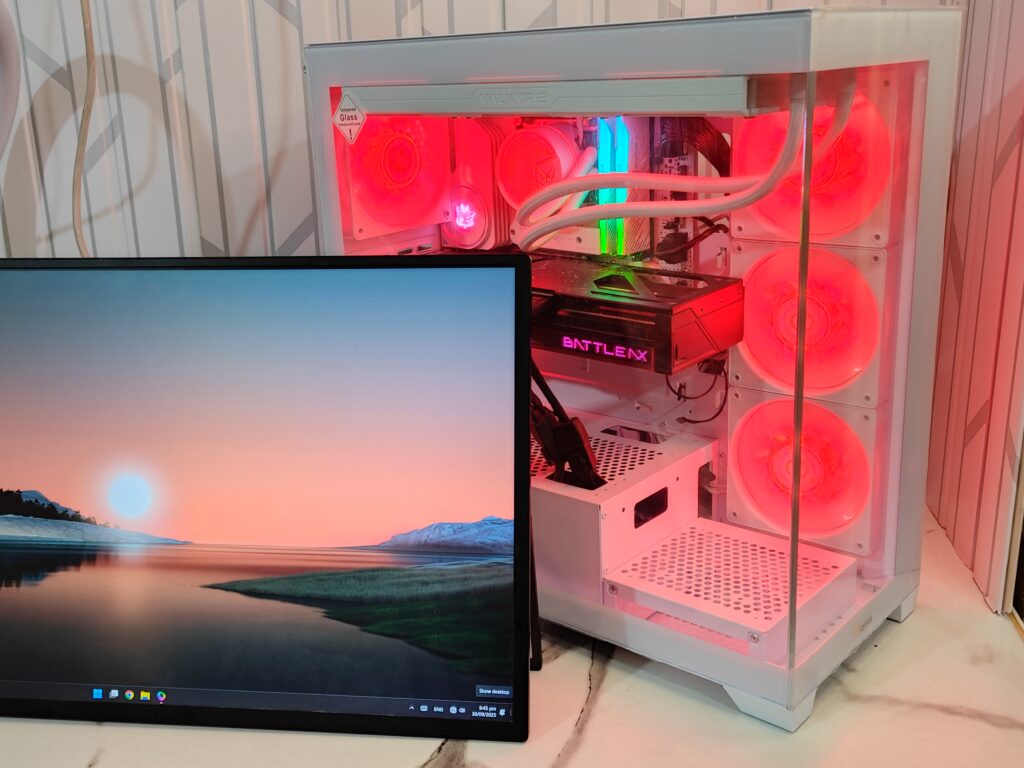
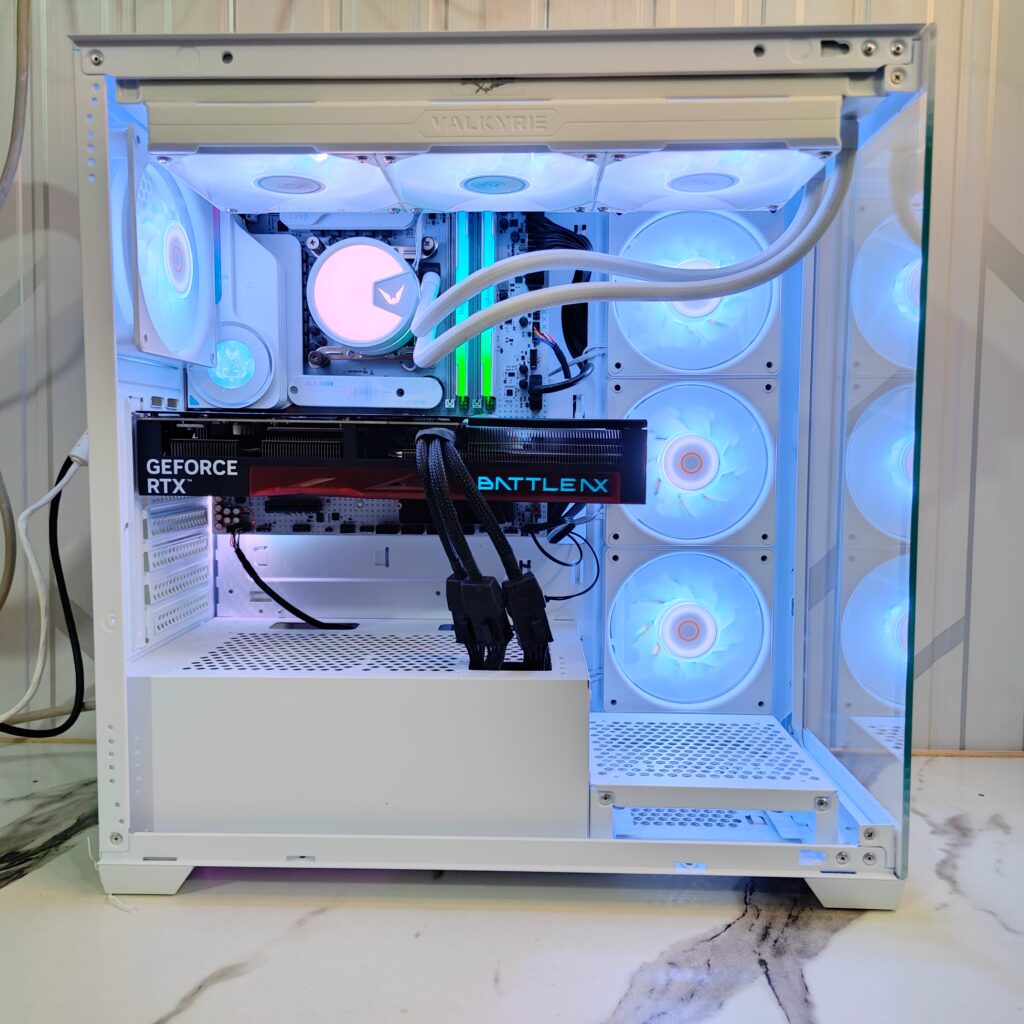
Here are a few images of the Gamma C72 ARGB build.
Thermal performance
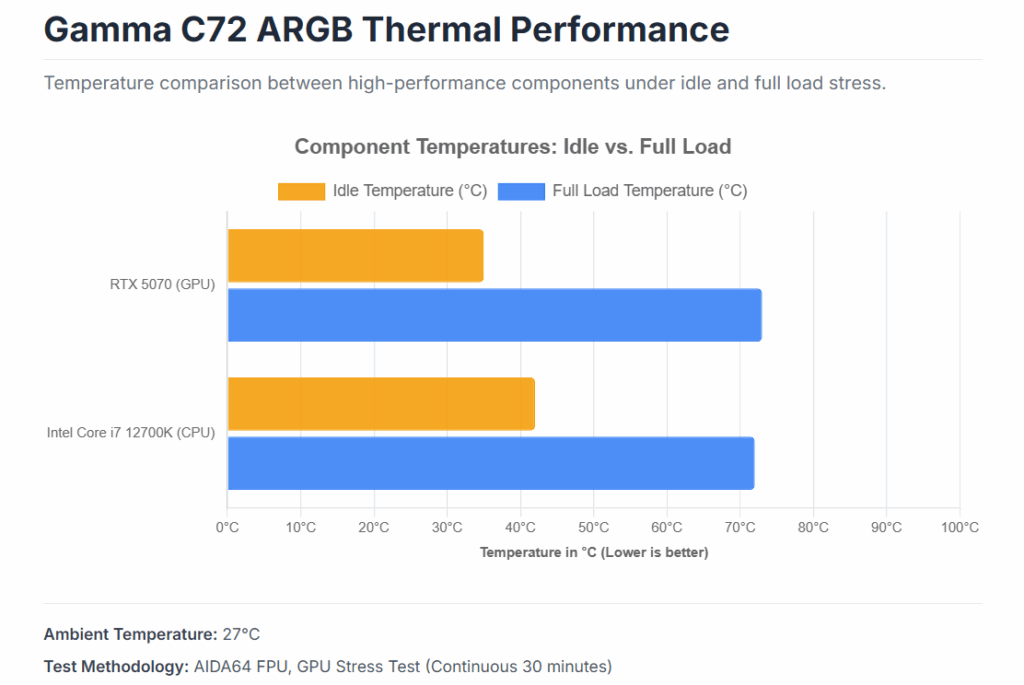
In thermal testing, the Ocypus Gamma C72 ARGB showed solid cooling performance, keeping both the CPU and GPU within safe temperature ranges. During the AIDA64 stress test, which was run for 30 minutes at an ambient temperature of 27°C, the Intel Core i7-12700K reached around 38°C when idle and peaked near 72°C under full load. The RTX 5070 also performed well, maintaining about 36°C at idle and 69°C at full load.
These results show that the vertical intake fans and open airflow design do an excellent job of moving air through the system, ensuring that both the CPU and GPU stay cool even under demanding workloads.
Final thoughts on the Ocypus Gamma C72 ARGB case
The Ocypus Gamma C72 ARGB is a stylish white case that looks great and keeps things cool. Its glass panels and bright ARGB fans give it a clean and modern feel. Building in this case is easy, though you’ll need to plan your cables early. The AIO cooler sits close to the RAM, so you might have to remove it if you ever upgrade your memory. The PSU area looks tidy, and the foam pads under it prevent scratches.
In testing, the Intel Core i7-12700K hit about 72°C under load, while the RTX 5070 stayed around 69°C. Airflow is clearly strong, making this case both cool and quiet.
Overall, the Gamma C72 ARGB is a great choice if you want a clean build with strong cooling and smooth installation.
To explore more products from Ocypus, visit their official website. And if you enjoyed this review, check out more hardware reviews like this one, click right here.