Last time, we tested the Fantech EOS Pro WGP15. It was a nice and easy-to-use controller. Now, we have a new one from Fantech. It’s called the EOS II PRO S. This is a fresh controller made for gamers. It comes in two versions: PRO and PRO S. The one we are reviewing is the PRO S model. It is the top version with better features. This controller is part of the EOS PRO series. It is the second generation of the EOS gamepads. Fantech says it brings more power and more control.
Unboxing
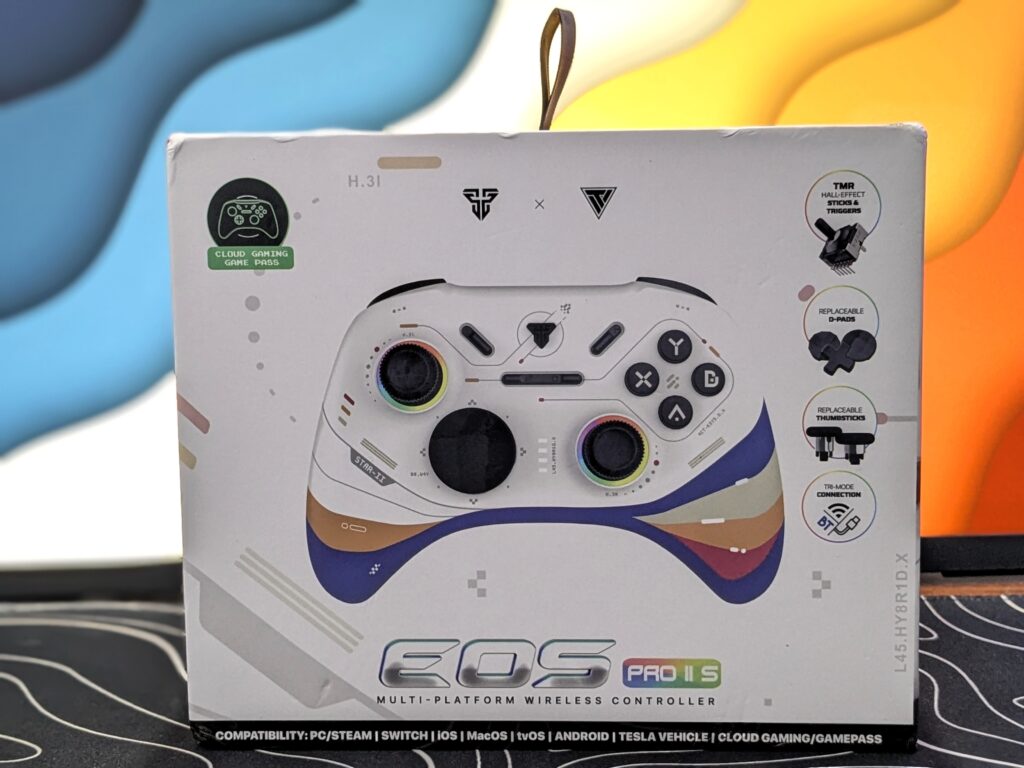
The FANTECH EOS II PRO S comes in a strong and high-quality box. It feels solid in the hand and gives a premium first impression. On the front, there is a large image of the controller that shows its design and buttons clearly. The model name EOS PRO II S is also printed nicely.
Fantech has highlighted many key features on the front, like the replaceable D-pads, replaceable thumbsticks, and TMR Hall Effect sticks and triggers. These are clear upgrades over older models. There is also a Tri-Mode logo that shows the controller supports Bluetooth, 2.4GHz wireless, and wired connections.
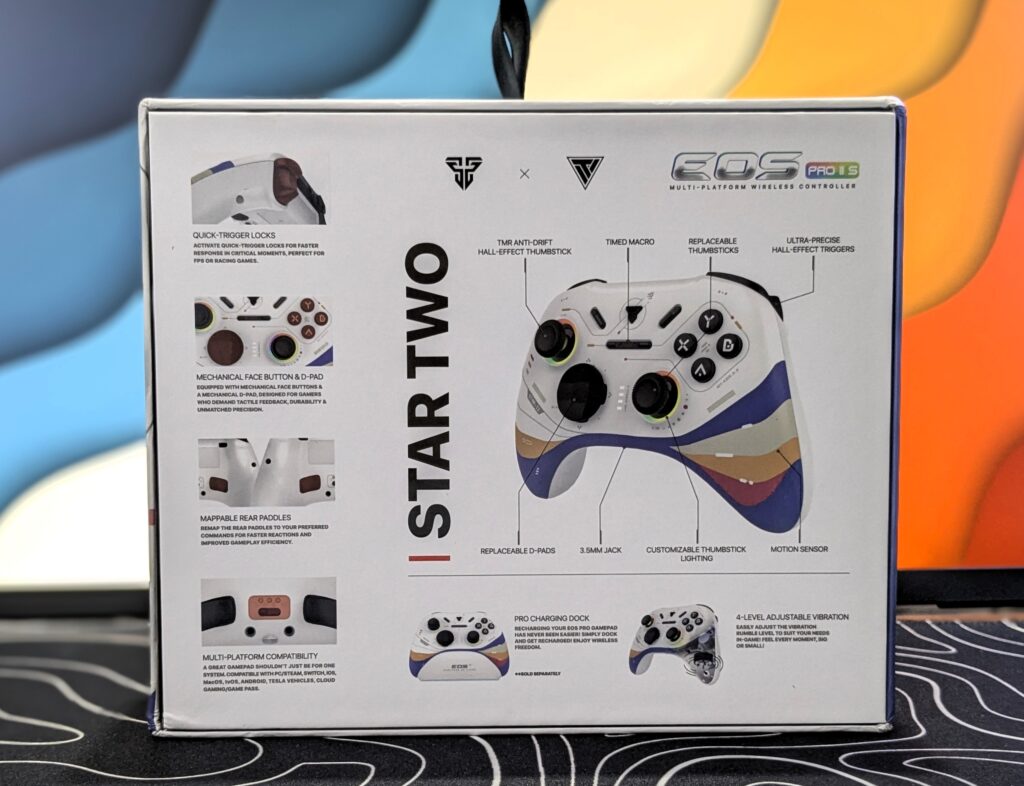
The back shows all key features of the FANTECH EOS II PRO S. In the centre, a big image highlights parts like Hall Effect triggers, anti-drift sticks, motion sensor, and replaceable D-pads. The design is called STAR TWO and looks colourful. On the left, small images show quick trigger locks, mechanical buttons, rear paddles, and multi-device support. There’s also info about 4-level vibration, macro buttons, and a Pro Charging Dock (sold separately).
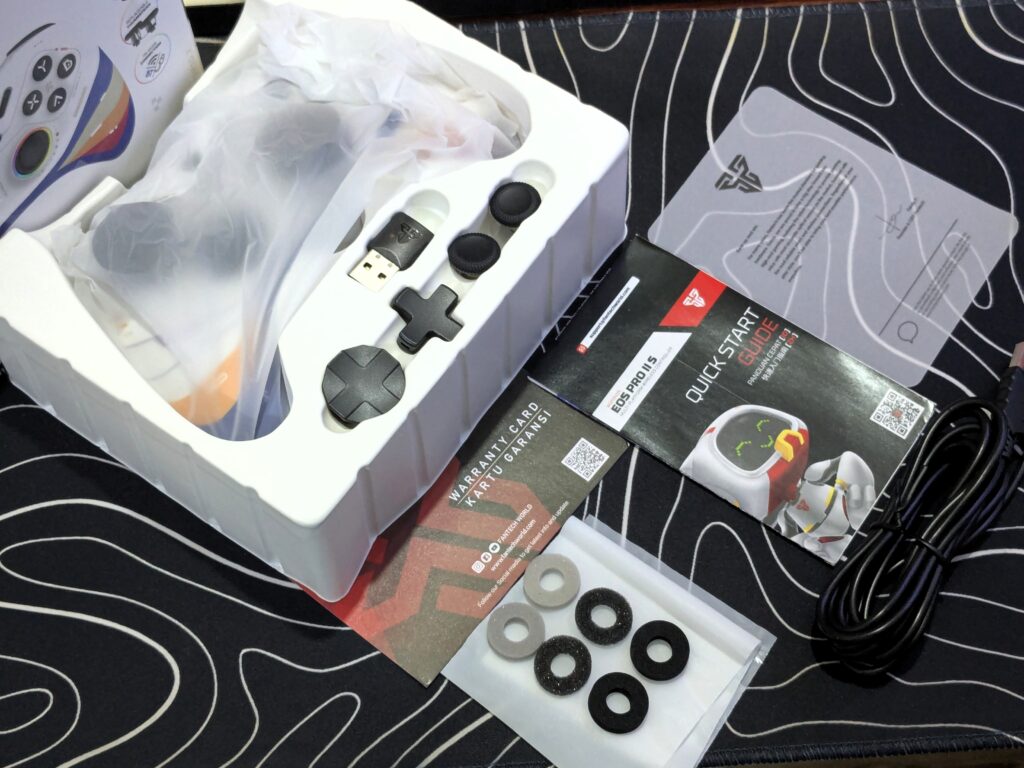
After opening the box, you’ll find a plastic container inside. This holds the main controller safely in place. Along with the controller, there’s a USB wireless dongle, two extra D-pads with different designs, and a pair of thumbsticks neatly tucked in.
Under the container, you’ll find a warranty card, a quick start guide, a note from the CEO, 3 pairs of resistance rings, and a Type-A to Type-C cable for charging and wired use.
The overall unboxing experience feels quite familiar — very much like the Fantech EOS Pro that we reviewed earlier. Simple, clean, and well-organised.
Pricing
| Fantech official website | $39.80 Click here to buy |
Fantech EOS II Pro S specifications
| Feature | Details |
|---|---|
| Sticks | TMR |
| Triggers | Hall Effect |
| Face Buttons | Mechanical |
| D-pad | Mechanical (Customisable) |
| Extra Features | M1-M2 Buttons, Gyro, Adjustable Triggers, Customisable D-pad & Sticks, Turbo, Macros |
| Battery | 1000mAh |
| Polling Rate | Up to 1000Hz |
| Connectivity | 2.4GHz Wireless, Bluetooth, Wired (USB-C) |
| Compatibility | Windows, macOS, Android, iOS, Nintendo Switch, Tesla Vehicles |
| Weight | 270g |
A closer look
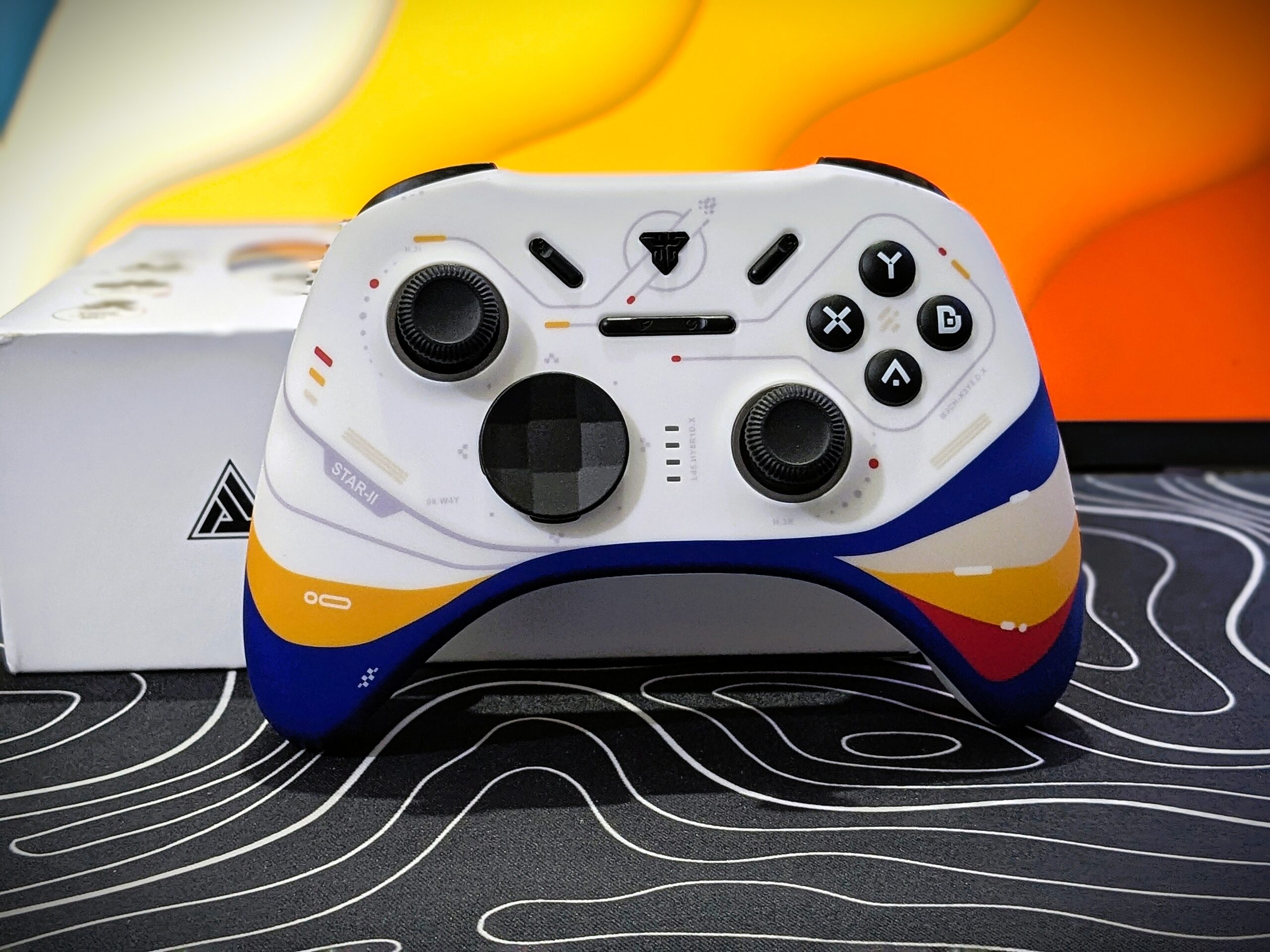
The FANTECH EOS II PRO S comes in two colour styles, Geminus (Back) and Star II (White). We are reviewing the Star II version, which mixes white with bright orange, purple, red, and blue. It gives the controller a fun, bold look. Just like its name, the Star II design has a space and sci-fi feel. The shapes, colours, and printed patterns on the shell give it a futuristic touch.
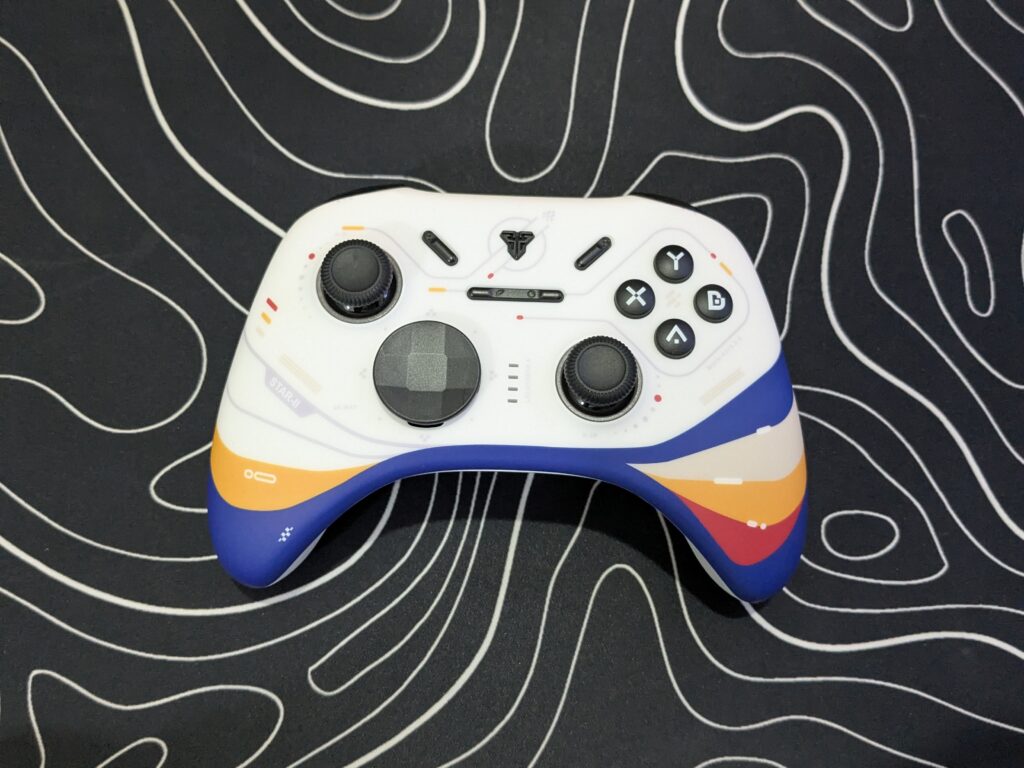
The controller has a smooth outer shell. Even without texture, the grip feels good. It fits well in the hand and feels comfortable during long use. Gamers who prefer a textured grip might find it different, but the grip is still solid.
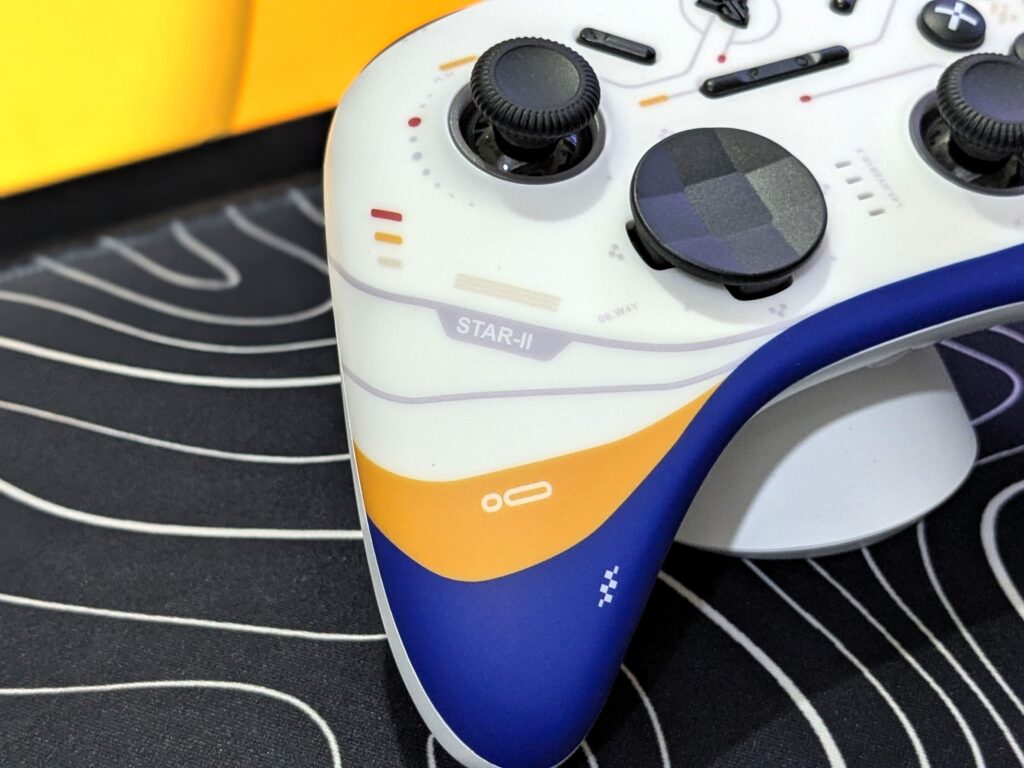
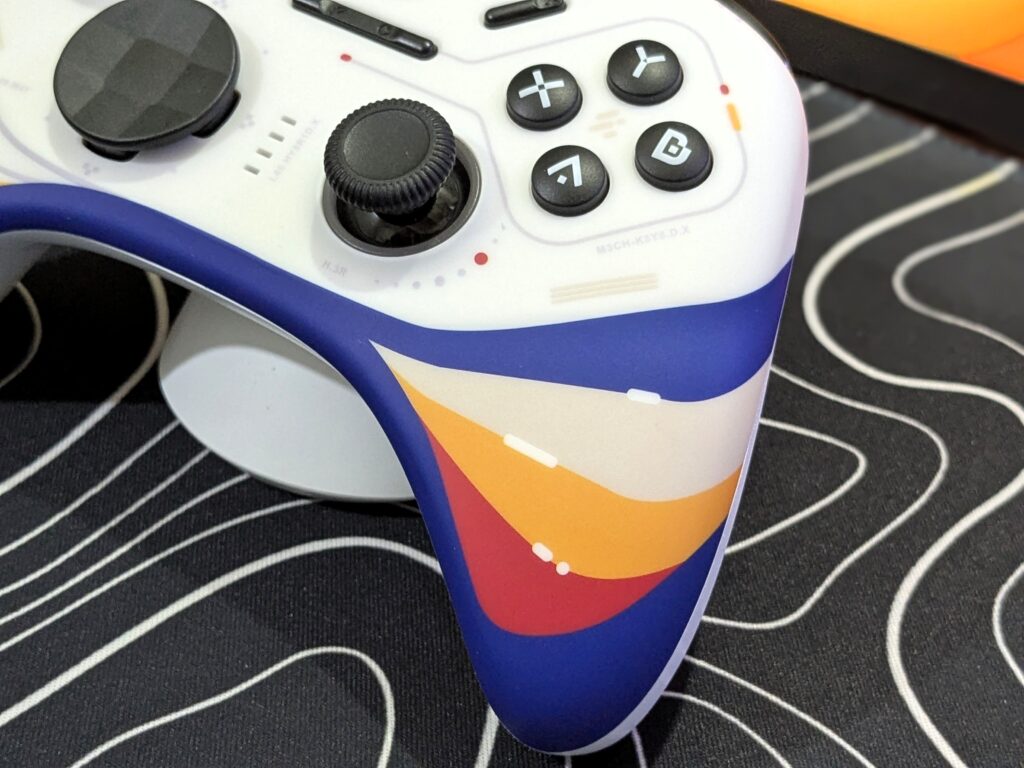
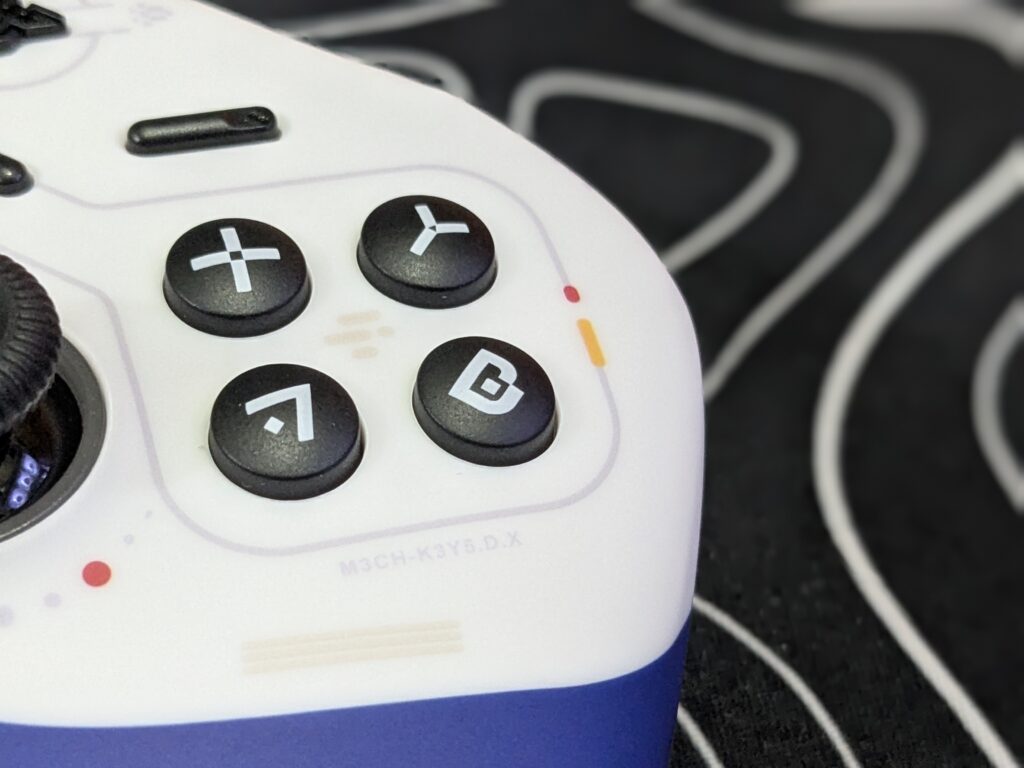
The layout follows the Xbox-style ABXY button setup. The face buttons and D-pad are mechanical, giving a nice clicky feel. The thumbsticks are well-built and grippy. Apart from the main buttons, the controller also includes Start, Select, Home, Turbo, and Snap buttons for extra functions. Overall, the controller looks unique, feels great in hand, and has a strong, stylish build.
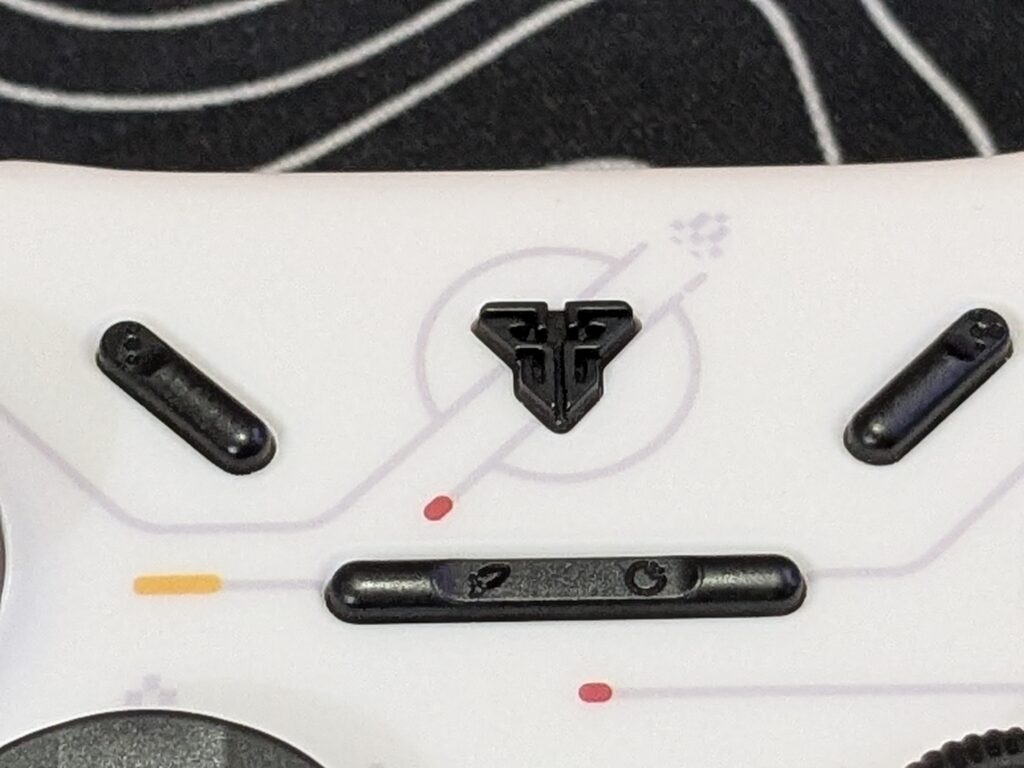
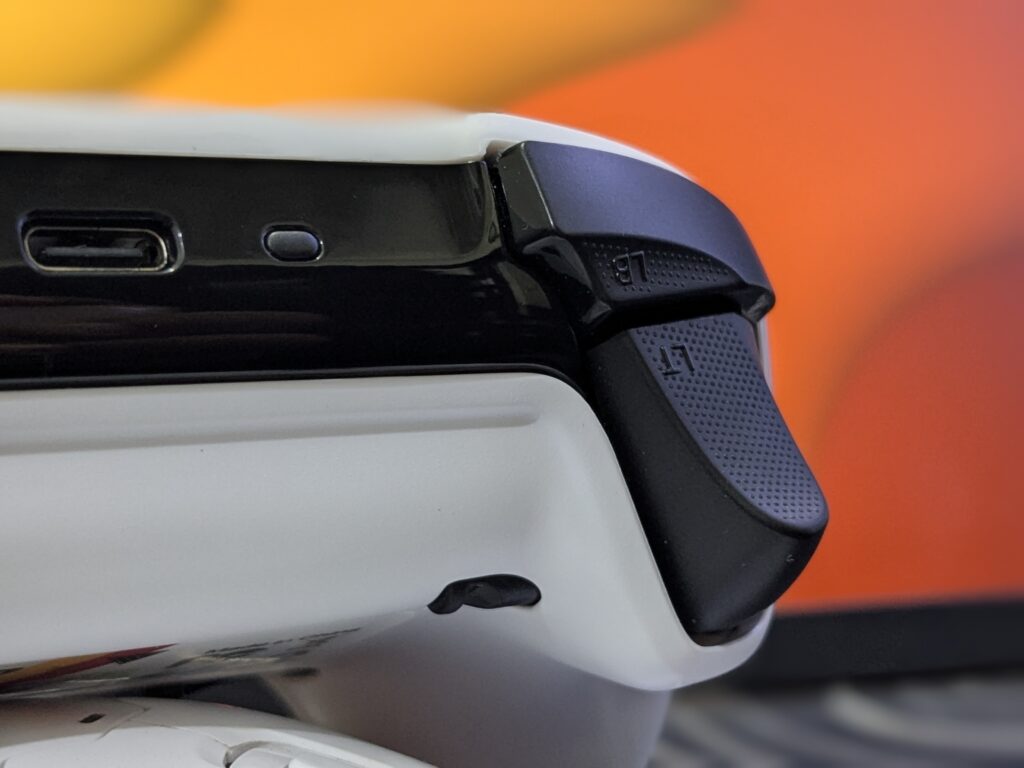
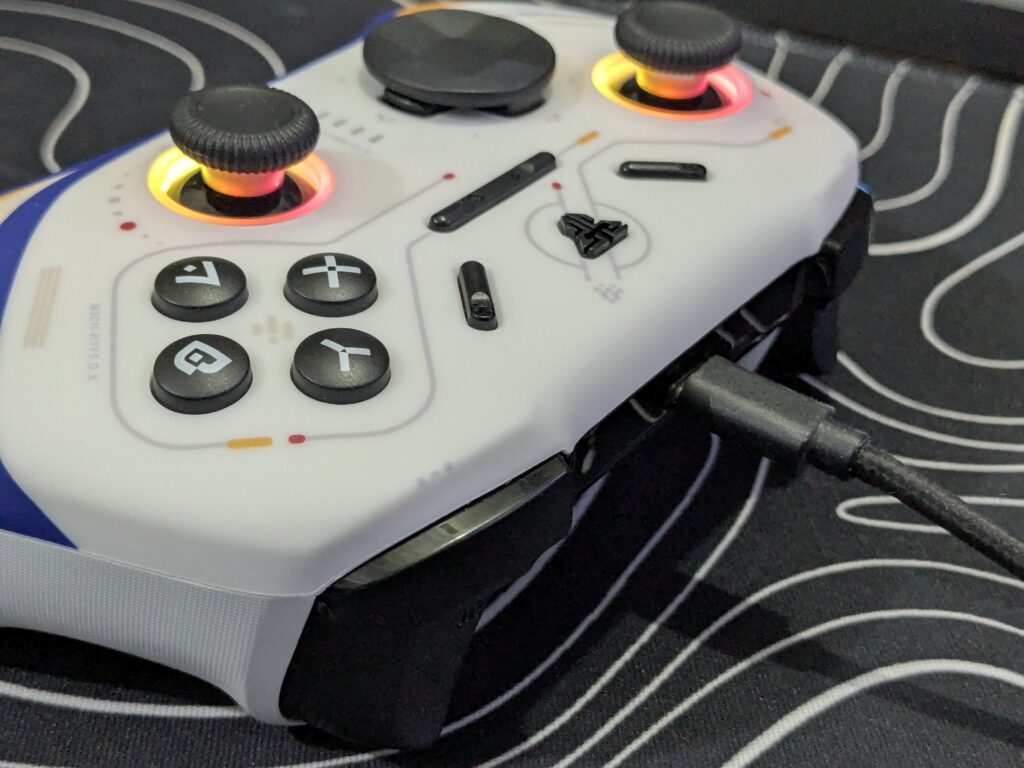
The triggers and bumpers come in a black finish with a dotted texture for added grip. In the centre, there’s a Sync button and a USB-C port, all placed on a glossy piano black surface that adds to the premium feel.
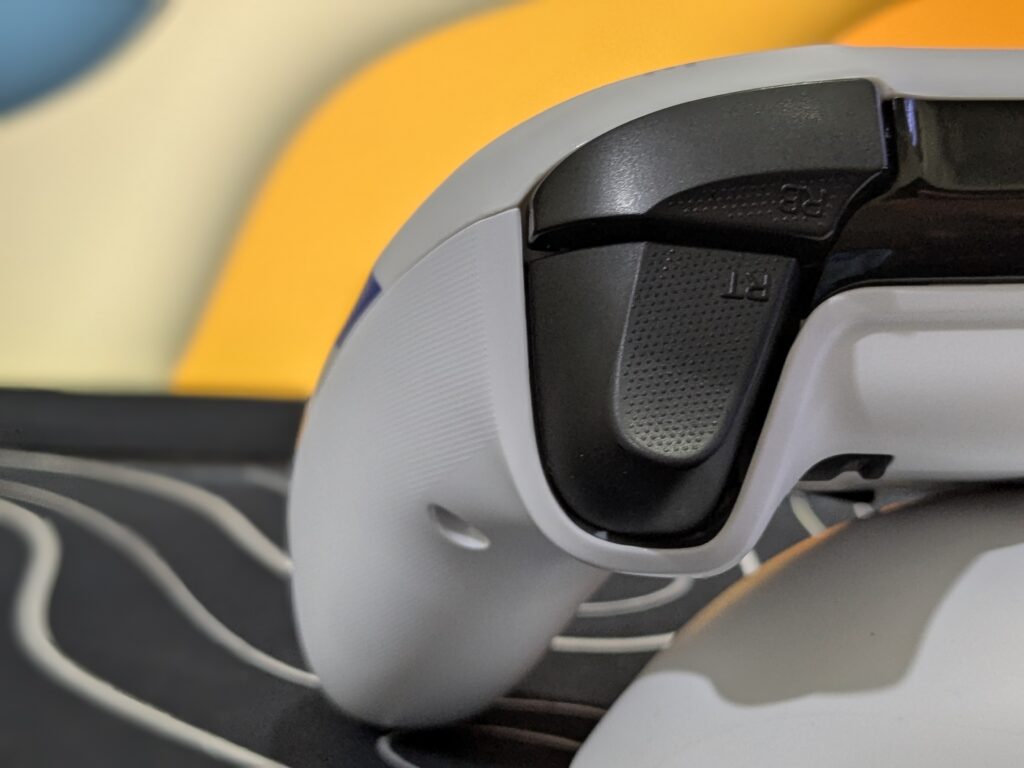
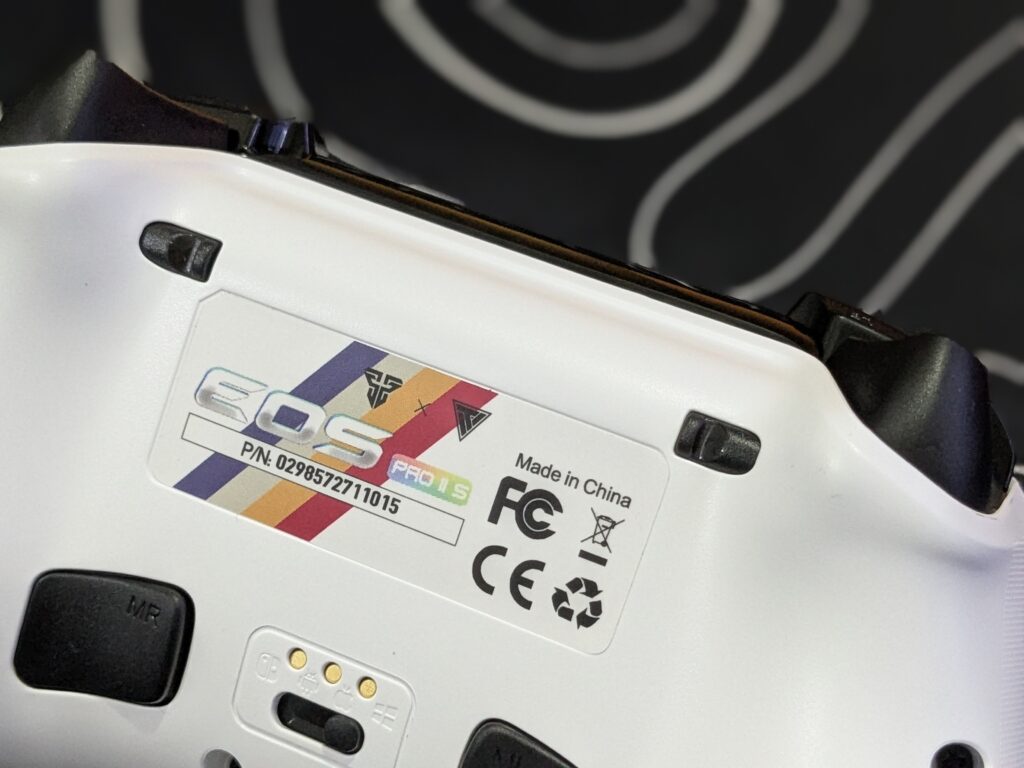
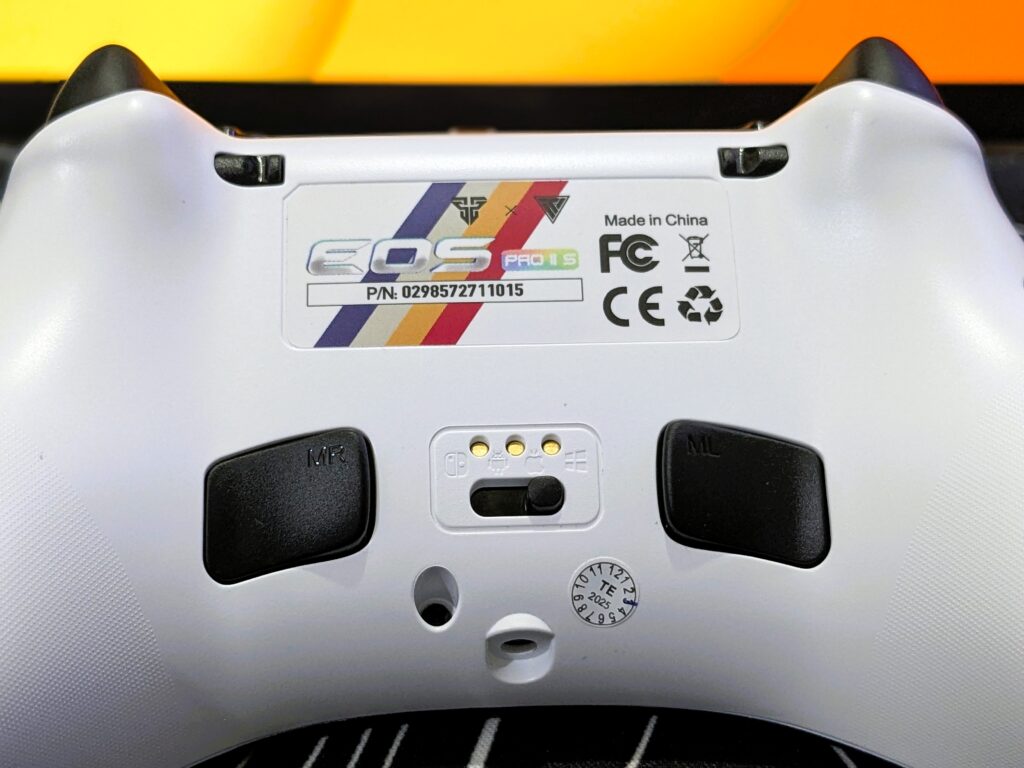
On the back side, you get small trigger stoppers on the top. These help make the trigger press shorter. It’s useful in racing and shooting games. You can set them as you like. In the centre, there’s the EOS II Pro S name, serial number, and charging pins. It also has a mode switch and two buttons (MR, ML) that you can program, and at the bottom end, there is a 3.5mm audio port. These features make the controller more useful and ready for many games.
D-pad
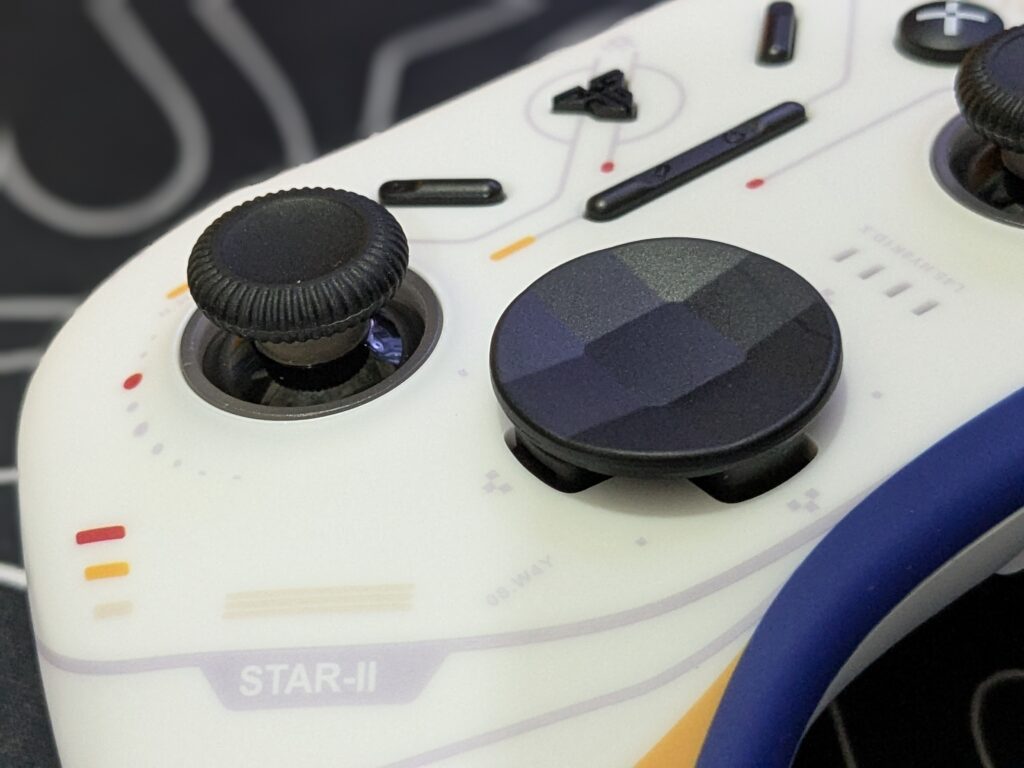
The FANTECH EOS II PRO S comes with three different D-pad styles. You can choose the one you like — dish-style like Xbox or classic cross. I personally like the cross design.
The D-pad is mechanical, so it clicks right away when pressed. It’s fast and helps with games that need quick moves, like Celeste. It also handles diagonals very well.
But one thing to note — it’s loud. The clicking sound is louder than most other buttons, except L1 and R1. If you play at night or around others, this might bother someone nearby.
Face buttons
The face buttons work well and respond every time. But they have a bit of squish before clicking. This is due to the mechanical switches inside.
If you press buttons quickly in games, you may not notice it. But if you like to feel the exact click point, it might not be perfect for you.
Thumbsticks
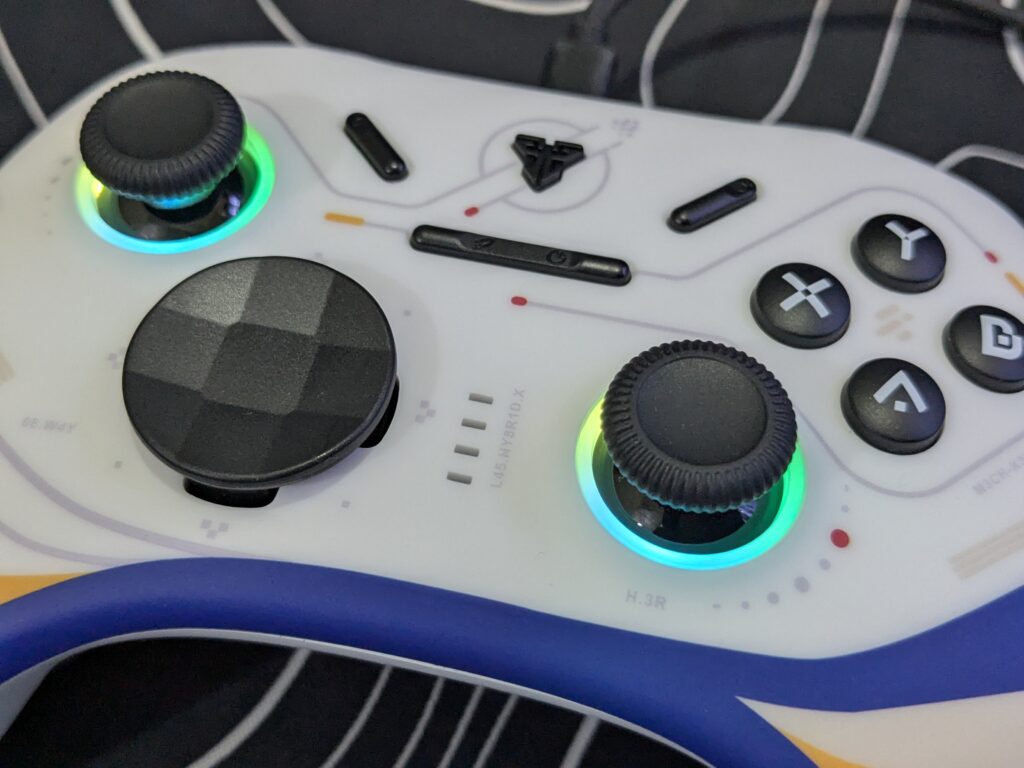
The controller uses TMR sticks, which are made to avoid drift, just like Hall Effect sticks. TMR also uses less power and has less signal interference.
During testing, the sticks felt very smooth and accurate. They may not feel too different from regular sticks, but they improve the experience overall.
RGB lighting
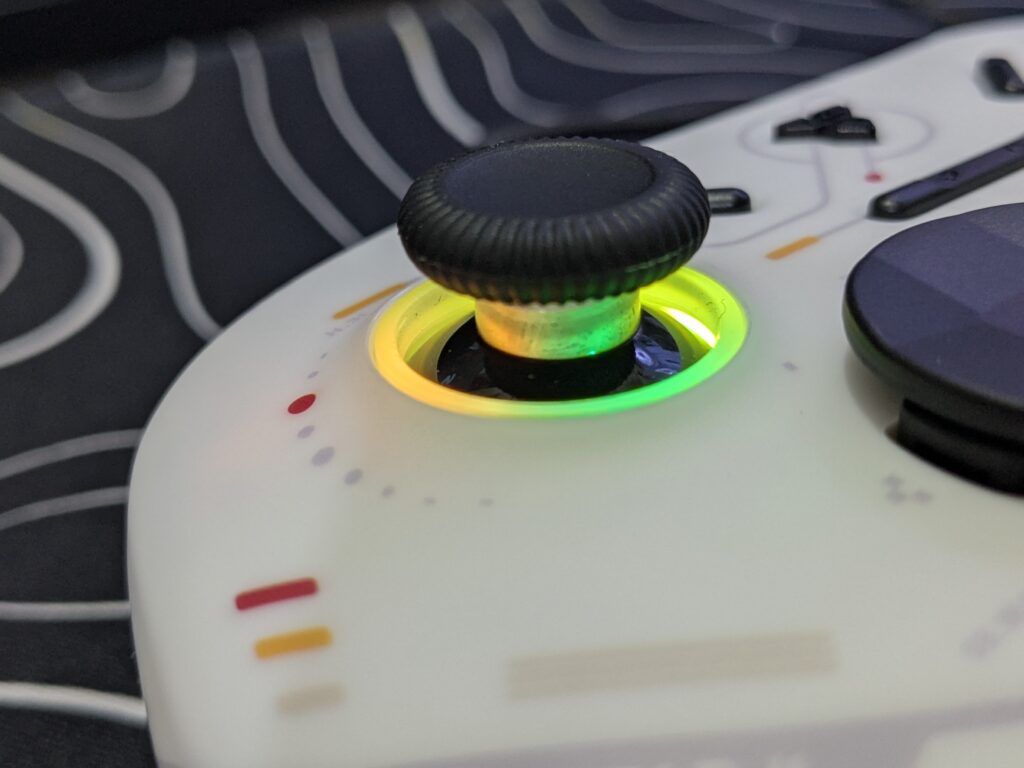
The Fantech EOS II Pro S has RGB lighting only inside the thumbsticks, just like we’ve seen in some other controllers before. You can change RGB modes by pressing the Start button and the D-pad left. To control brightness, press the Select button and use the D-pad up or down. It’s a small but cool feature. Along with many other good options, the RGB box is also checked here.
User experience
My time with the FANTECH EOS II PRO S has been great. It was easy to use right out of the box. I just switched to the right mode, turned it on, and it worked — no extra setup needed.
The controller worked on all the devices I tested — PC, iPad, and even a handheld. Some other controllers don’t connect well with every system, but this one had no issues. That made the experience very smooth.
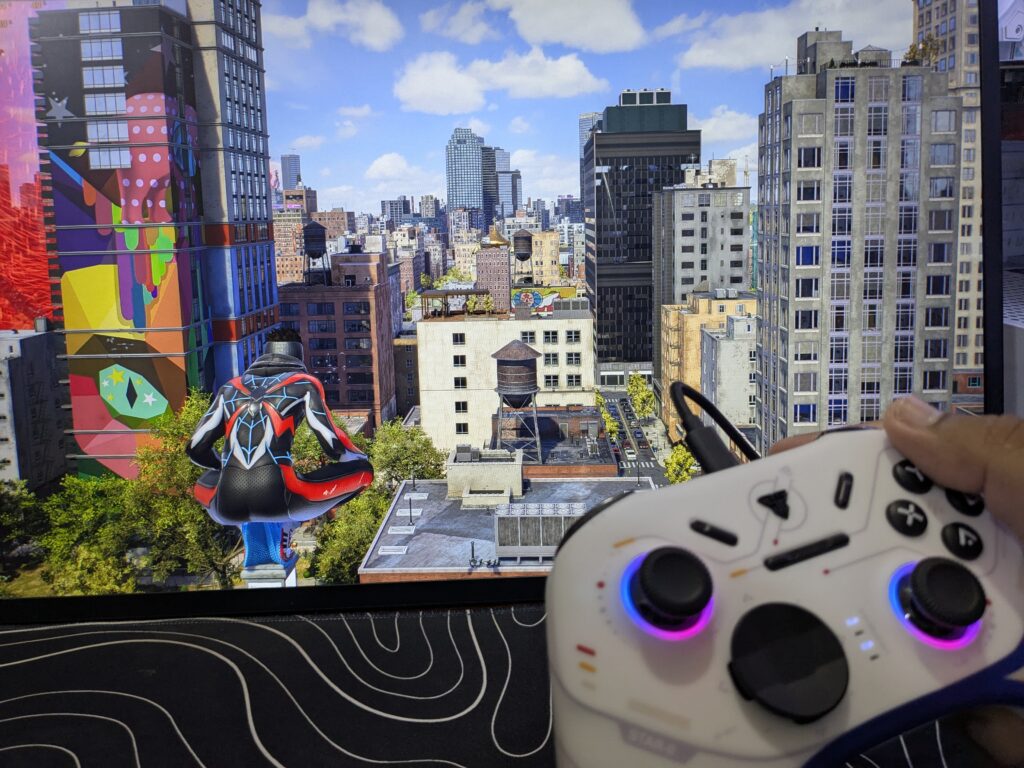
I played two of my favourite games — Spider-Man 2 and God of War: Ragnarök. I always enjoy these with a controller, and the EOS II PRO S felt perfect for both. The buttons and sticks felt fast and accurate.
You can also customise the controller. It includes three D-pad styles, two stick sizes, and O-rings to adjust the feel. There are also rear paddles and macro buttons, which you can set how you like.
One thing to note — there’s no PC software. So, you need to learn the button shortcuts to change settings. It takes a little time, but it works fine once you get used to it.
Connectivity and battery
The FANTECH EOS II PRO S supports Tri-Mode connectivity. You can use it in three ways:
- Bluetooth
- 2.4GHz wireless (with USB dongle)
- Wired (USB-C cable)
In both wired and 2.4GHz modes, the PRO S version supports up to 1000Hz polling rate, which gives faster response for competitive gaming.
At the bottom of the controller, there’s a switch to change modes. You can set it for PC, Android, iOS, or Nintendo Switch. But the switch labels are a bit hard to read because they are white-on-white.
Like other Fantech gamepads, there is no power-off button. The controller goes to sleep on its own after some time if not used.
The battery in the EOS II PRO S is also better than the base model. It has a 1000mAh battery, while the non-S version only has 600mAh. This means longer play time before charging.
Final verdict of the FANTECH EOS II PRO S
After using the FANTECH EOS II PRO S, I’m quite impressed with how much it offers. The space-inspired design adds a premium, sci-fi look. Though the shell is all plastic and smooth, the grip feels solid and comfortable. Some might prefer texture, but I didn’t find it slippery.
The mechanical buttons and D-pad are clicky, though the D-pad is a bit loud. The thumbsticks offer good control with smooth tension during action scenes.
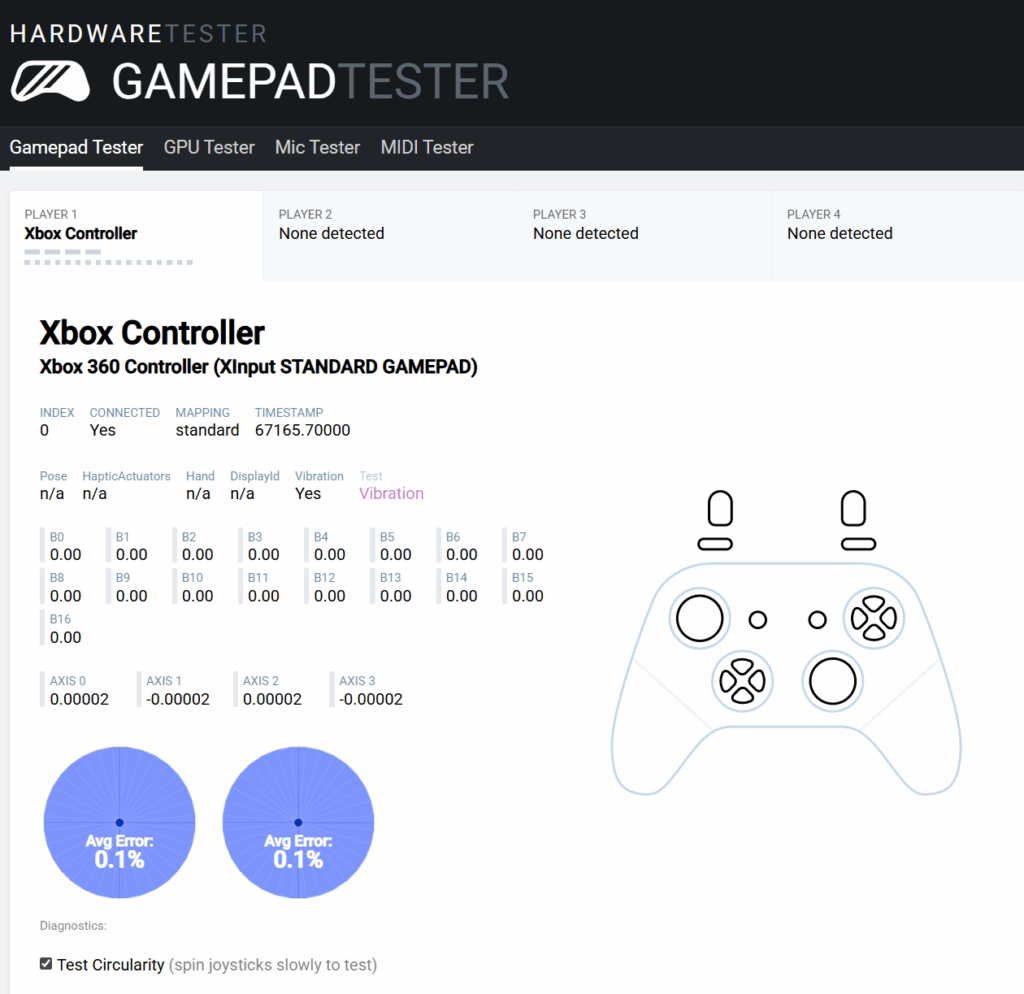
Switching between devices was simple. I mainly tested it on PC using the 2.4GHz dongle, which worked flawlessly. I also connected it to an Android phone and checked its input response using a gamepad tester — while I didn’t test any games on mobile, the performance seemed solid with no compromises. The 1000Hz polling rate on this S version made the PC gaming response feel very snappy.
Features like swappable D-pads, macro support, and rear paddles add value. I did miss PC software, but shortcuts worked fine. Battery life is solid, too. The 1000mAh battery easily handled long play sessions.
Overall, EOS II PRO S isn’t just full of features — it delivers in real use. If you play across devices and want a stylish, smooth controller with strong performance, it’s a solid pick.
For more hands-on hardware reviews like this one for the FANTECH EOS II PRO S, click right here.

3 comments
doesn’t work on xbox 360
No we are aware. The site does state it is only compatible with PC/Steam, Switch, iOS, MacOS, tvOS, Android, Tesla Vehicles, Cloud Gaming/Game Pass. It just uses the old 360 design, and so when connected to testing software, it’s the closest design to test it for.
No we are aware. The site does state it is only compatible with PC/Steam, Switch, iOS, MacOS, tvOS,
Android, Tesla Vehicles, Cloud Gaming/Game Pass. It just uses the old 360 design, and so when connected to testing software, it’s the closest design to test it for.