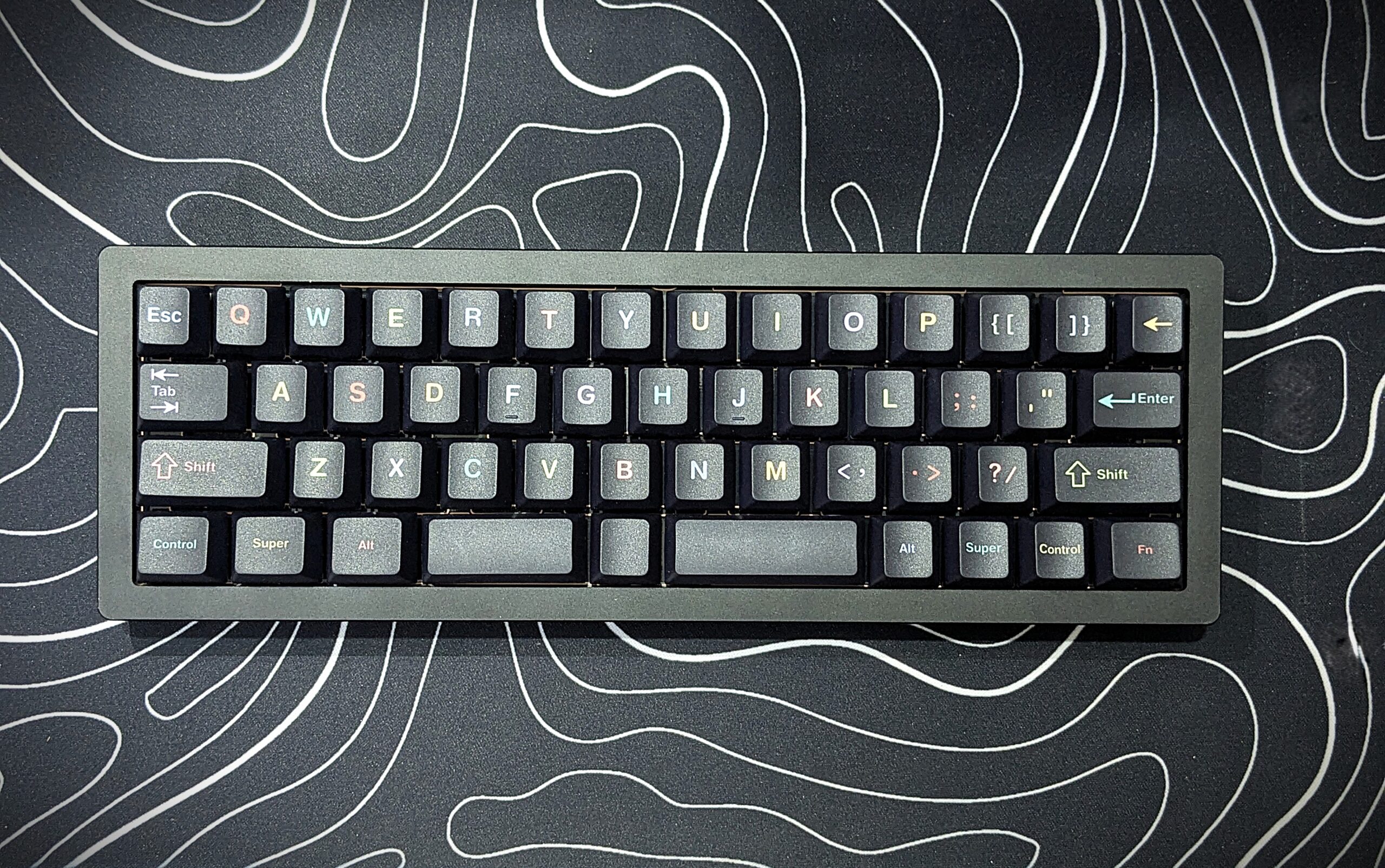
When it comes to keyboards, most people are used to full-size models or at least the smaller TKL (tenkeyless) ones. But sometimes a brand decides to do something very different. That is exactly what EPOMAKER has done with the EPOMAKER Tide49. This keyboard is not like the others you may have seen before. It is small, heavy, and very unique in design.
Unboxing
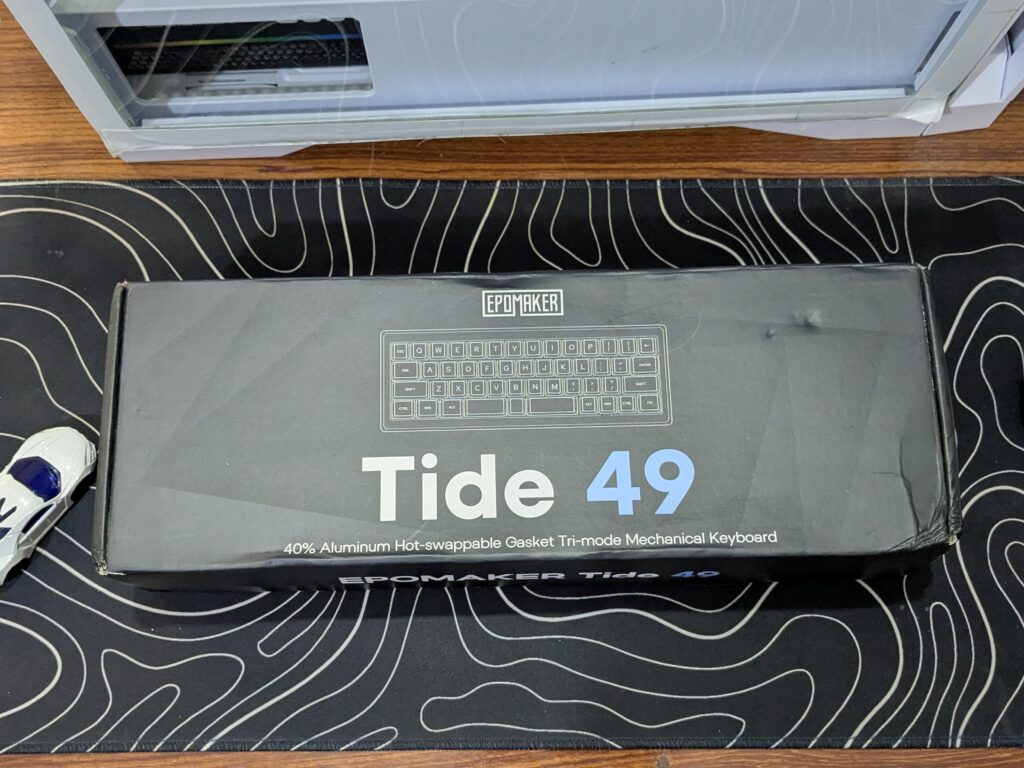
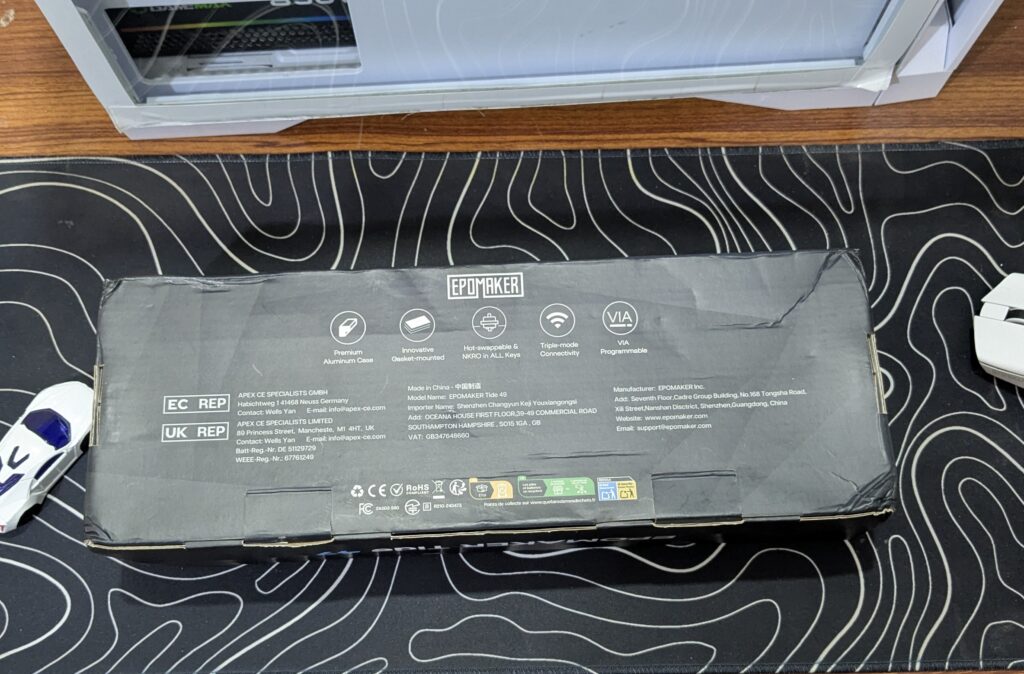
The EPOMAKER Tide49 comes packed in a black cardboard box. The box design looks simple but stylish, with a line drawing of the Tide49 keyboard on the front and the branding printed in large bold fonts. On the back, you’ll find the list of main features, some basic information, and the brand’s address. The box quality feels a little on the lower side and can get a bit worn during shipping, but it does the job.
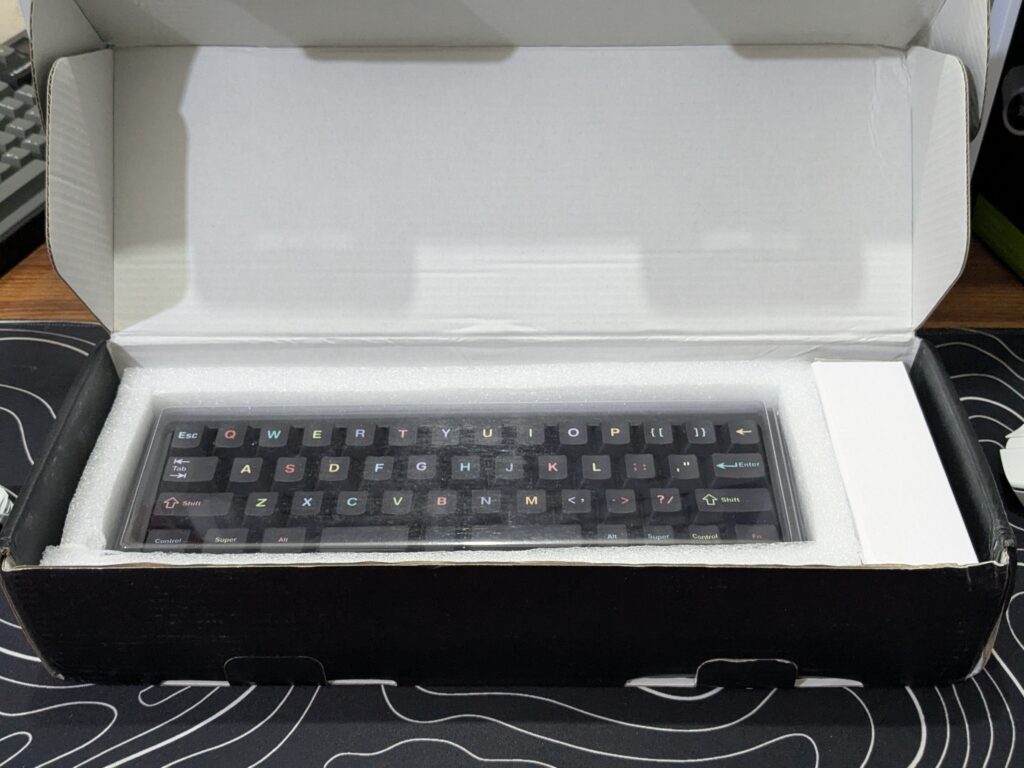
Opening the box, the keyboard itself is wrapped in a clear plastic dust cover and protected with soft foam around it.
On the side, there’s a smaller accessories box neatly placed. Inside this, you’ll find a good set of extras: a USB Type-A to Type-C cable, two extra switches, a keycap puller, a switch puller, a small screwdriver, a metal L key, and the user manual.
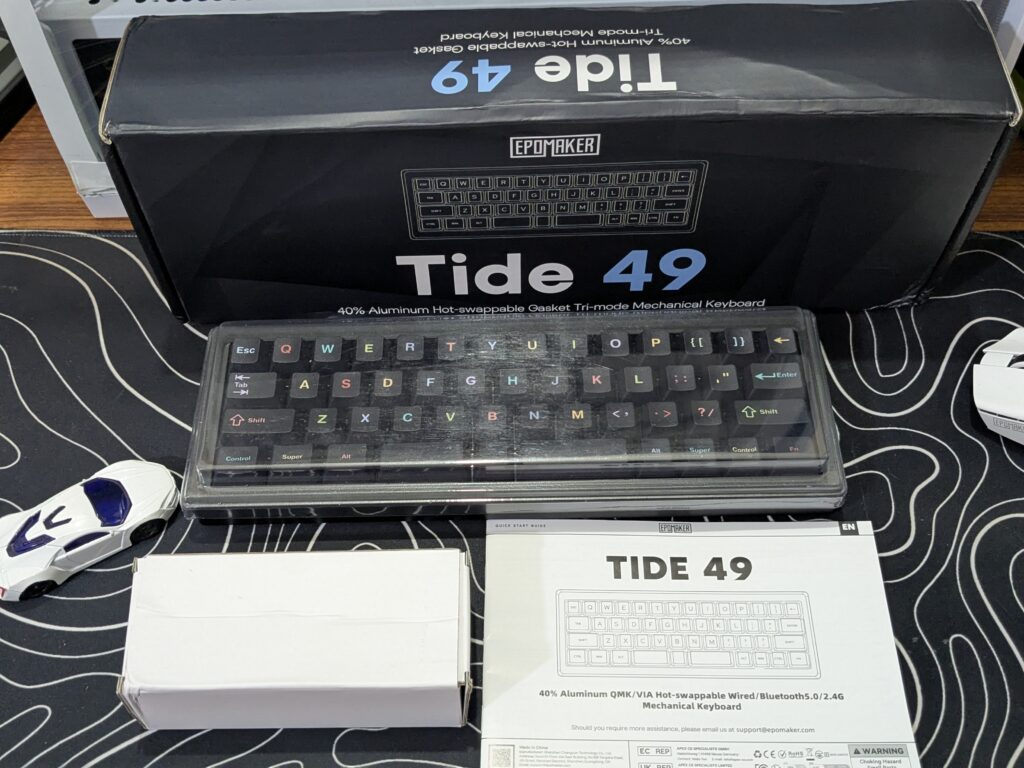
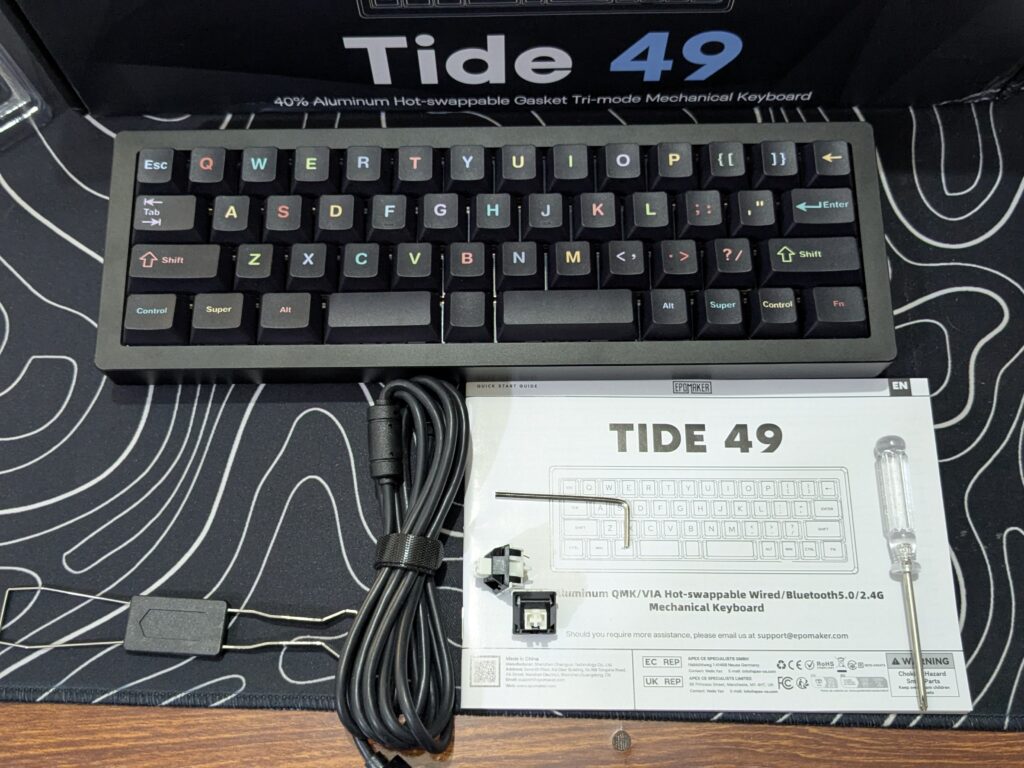
This gives you everything you need to get started right away, along with tools for future maintenance or customisation. The first impression while unboxing is that EPOMAKER has thought about both protection and practicality.
EPOMAKER Tide49 keyboard specifications
| Feature | Details |
|---|---|
| Product | EPOMAKER Tide49 |
| Layout | 49 keys (compact layout) |
| Dimensions | 283 × 95 × 38.4 mm |
| Weight | Around 1 kg |
| Case material | 6063 aluminium |
| Keycaps | Double-shot PBT (colourful legends, non-shine-through) |
| Switches | EPOMAKER Zebra (hot-swappable) |
| Connectivity | USB-C (wired), Bluetooth (3 devices), 2.4 GHz dongle |
| Cable | 1.8m braided USB-C to USB-A |
| Polling rate | 1000 Hz (wired) |
| Lighting | Per-key RGB with multiple effects |
| Software | VIA / QMK support, up to 6 layers |
| Accessories included | 2 spare switches, keycap puller, switch puller, screwdriver, metal L key, USB-C cable, dongle, user manual |
A closer look
Taking a closer look at the EPOMAKER Tide49, it is clear that this keyboard is built differently from the usual compact models.
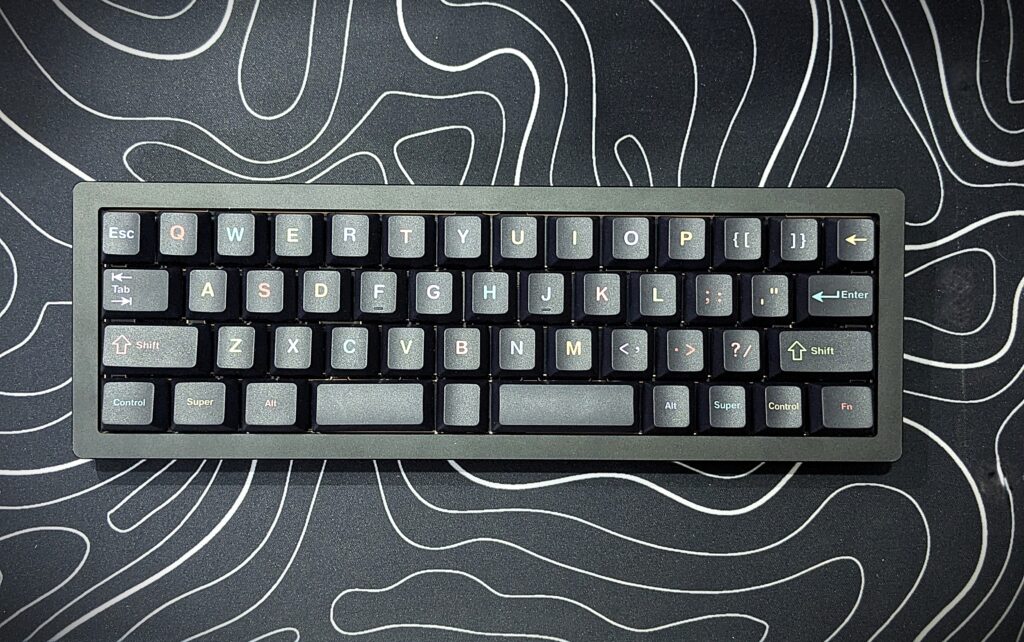
The case is made of 6063 aluminium, which gives it a solid and premium feel. It measures 283 × 95 × 38.4 mm, so it’s very narrow and saves a lot of desk space. Even with its small size, the keyboard is heavy, weighing around 1 kg. Looking at its size, the keyboard feels like a heavy block, giving it a solid and durable presence on the desk.
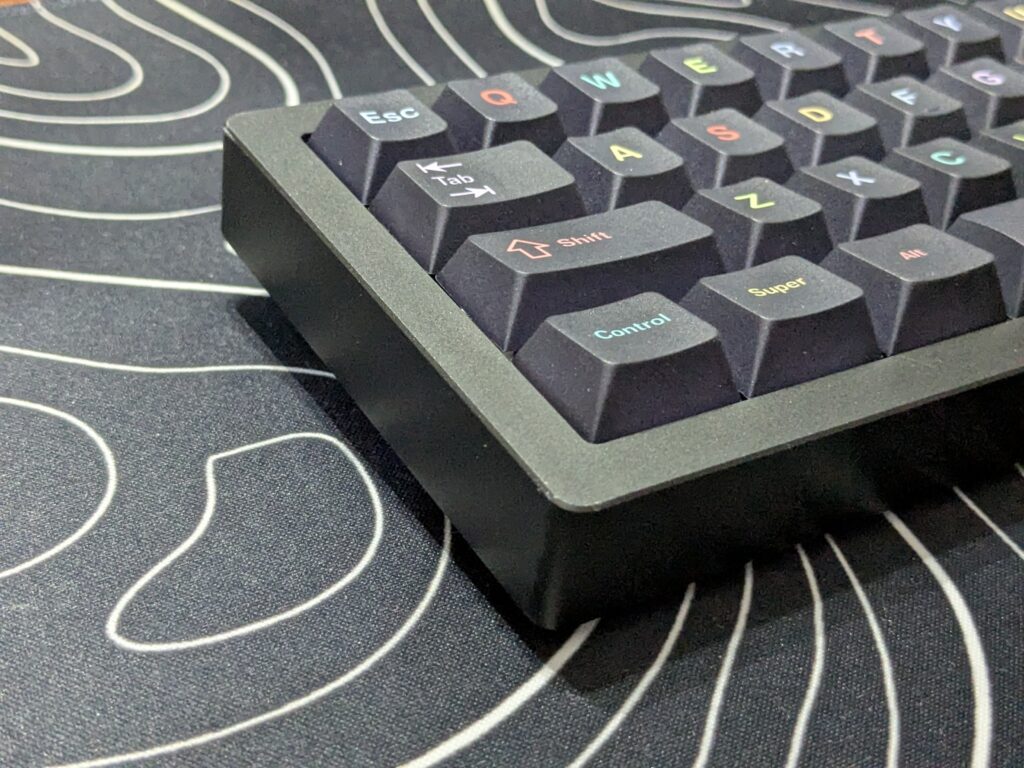
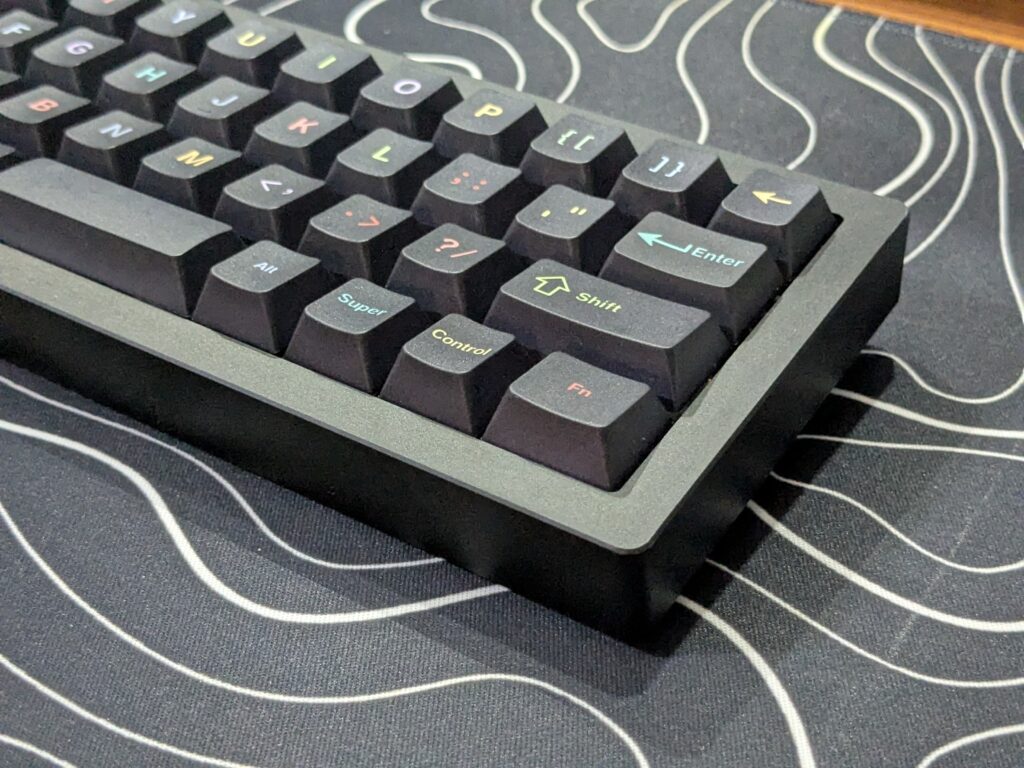
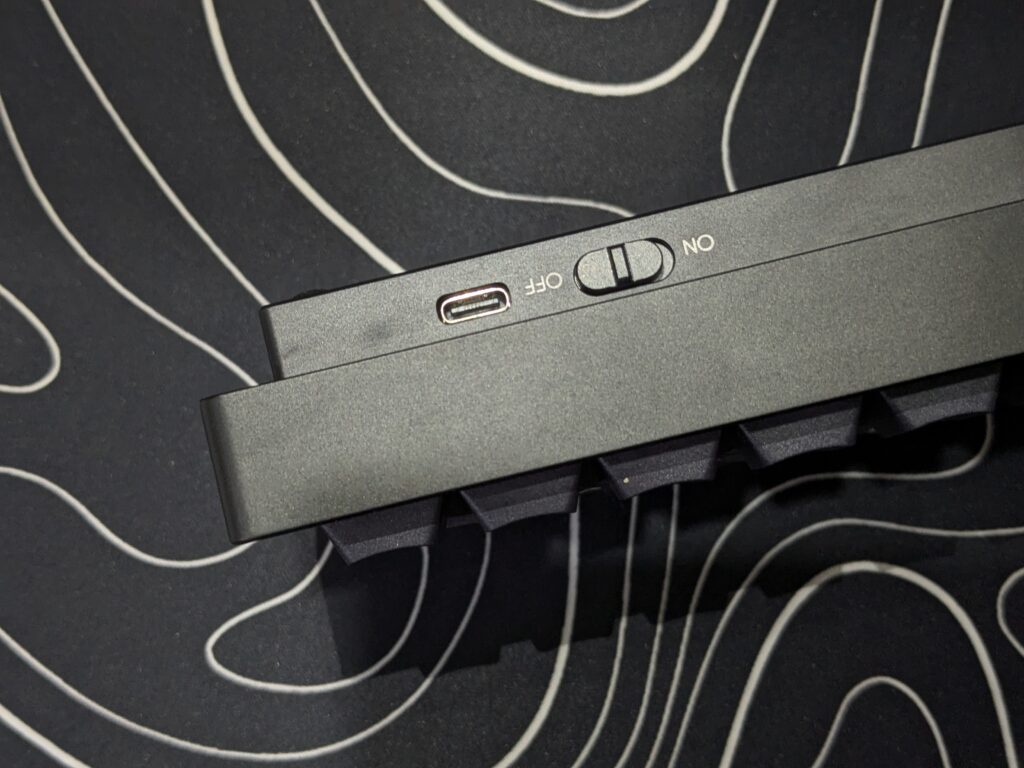
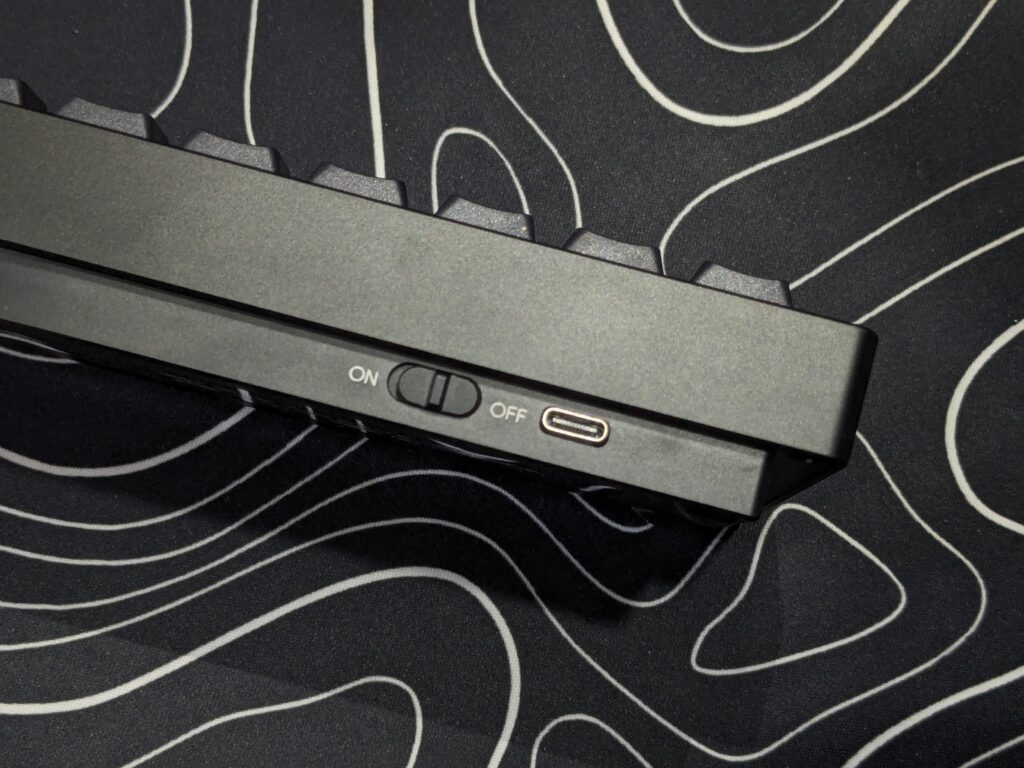
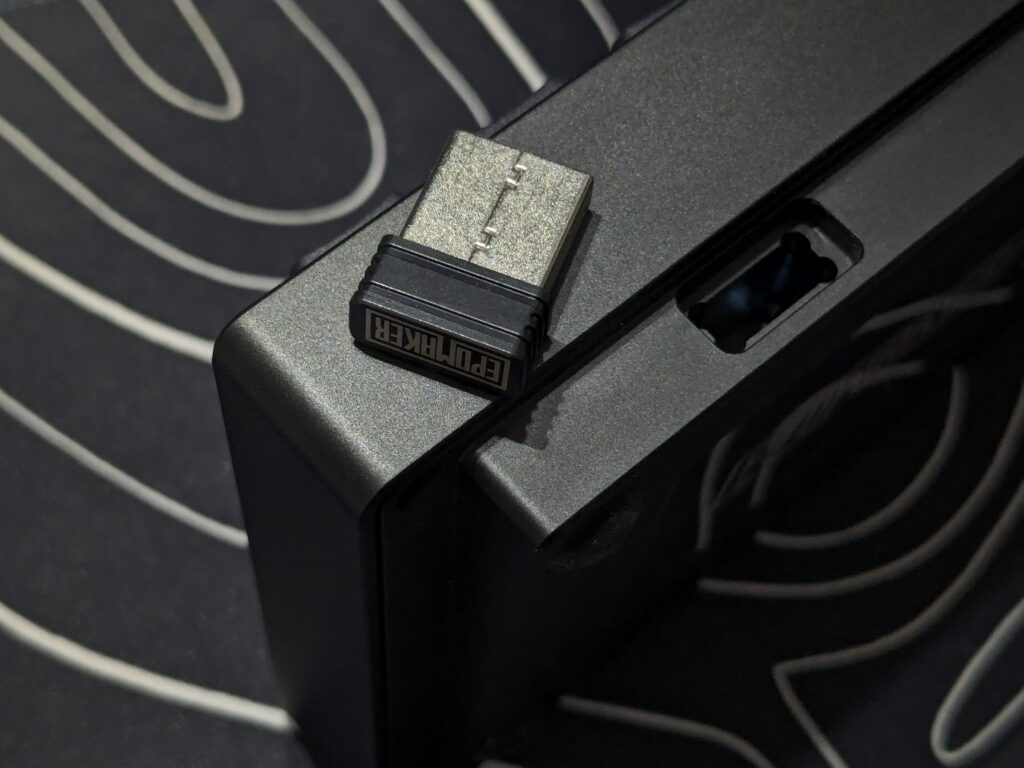
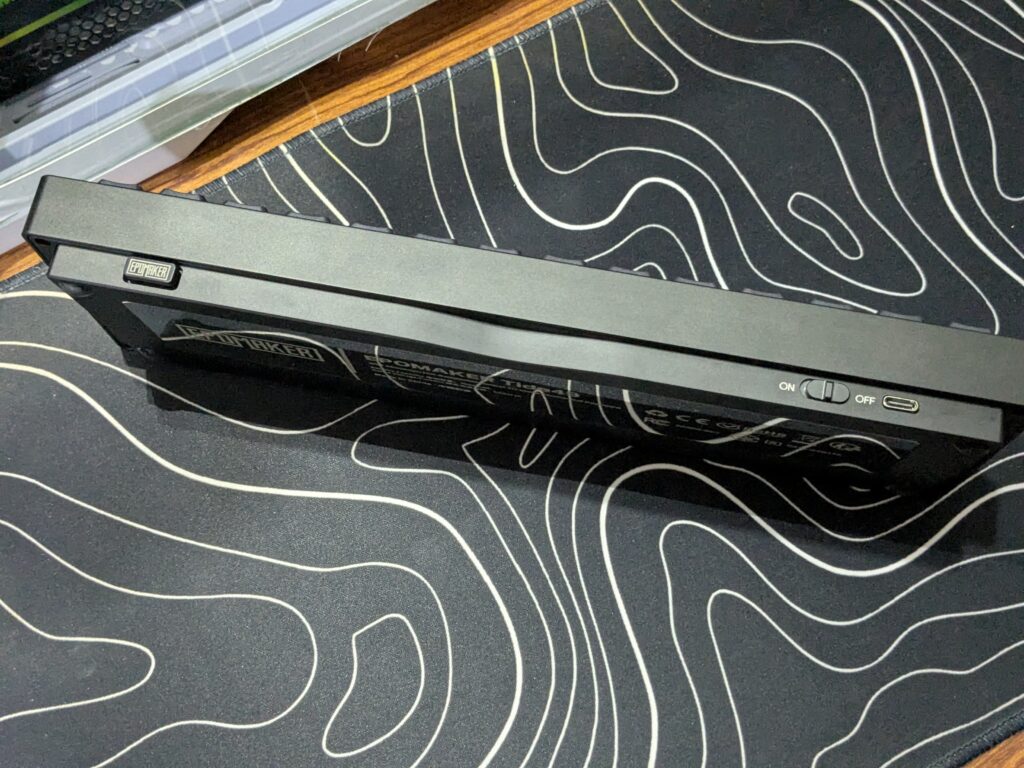
The keyboard’s body comes in full black, giving it a clean and modern look. On the back side, you’ll find a power on/off switch, a slot to store the USB dongle, and the Type-C port for wired connection.
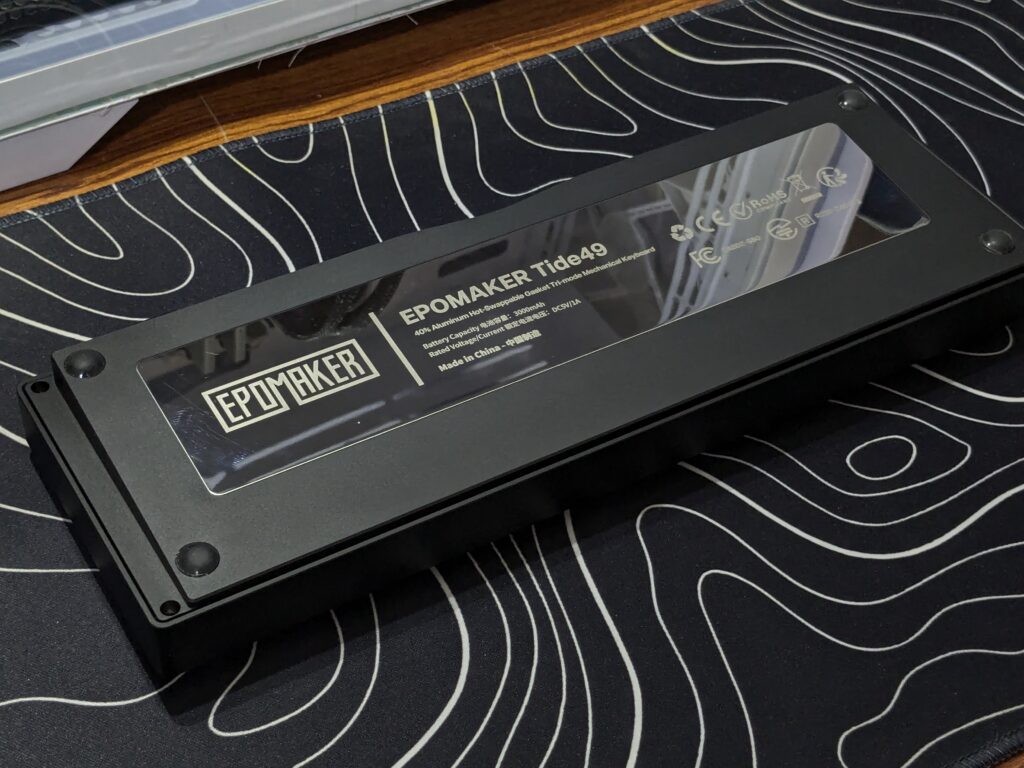
Flipping it over, the first thing that catches your eye is the shiny, glossy metal nameplate that stretches almost across the entire side at the bottom, adding a stylish touch. Around the corners, there are round rubber feet. These help the keyboard stay in place on your desk, though their height is not very high, so the typing angle remains fairly flat.
The key layout stands out because it only includes the alphabet keys, punctuation marks, and a few necessary function keys like Enter, Backspace, Control, Alt, and the Super key. There are no number keys, arrow keys, or function row, which makes the Tide49 look minimal but also very unique. The double-shot PBT keycaps are tough and long-lasting, ensuring the letters don’t fade with use.
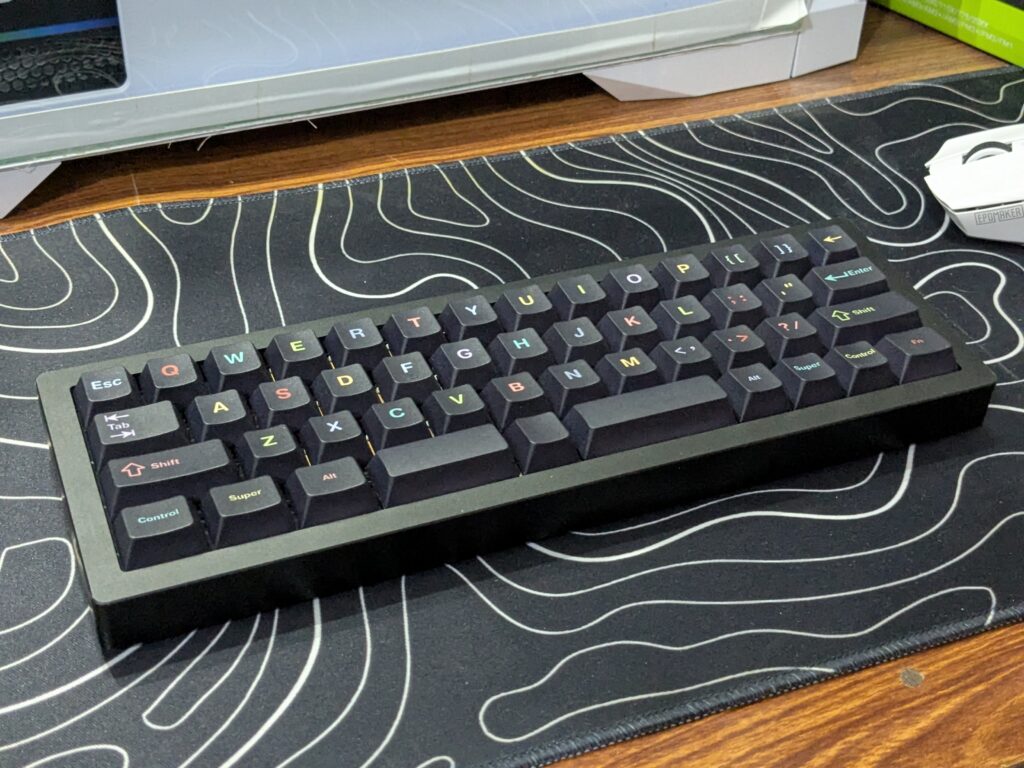
Overall, the Tide49 feels strong, compact, and designed with a mix of durability and style.
Keycaps and switches
The EPOMAKER Tide49 has only 49 keys. This makes it very compact and different from normal keyboards. The keycaps are made from double-shot PBT plastic. They are strong and will not fade or wear out quickly. The surface feels slightly textured, which gives a better grip while typing.
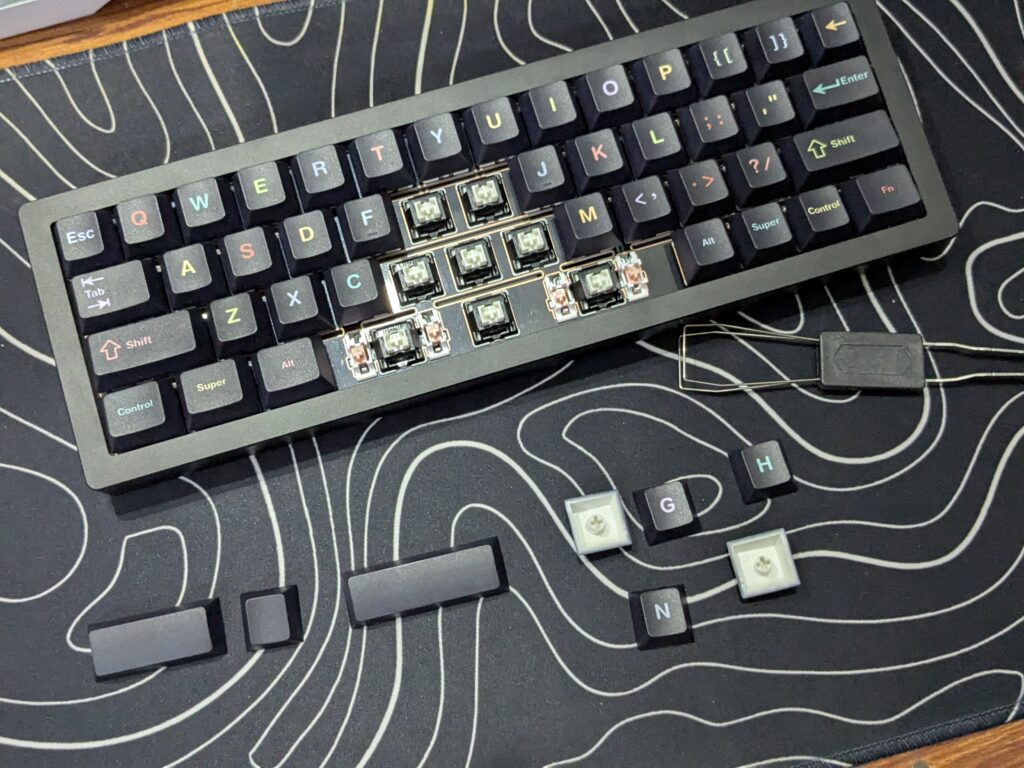
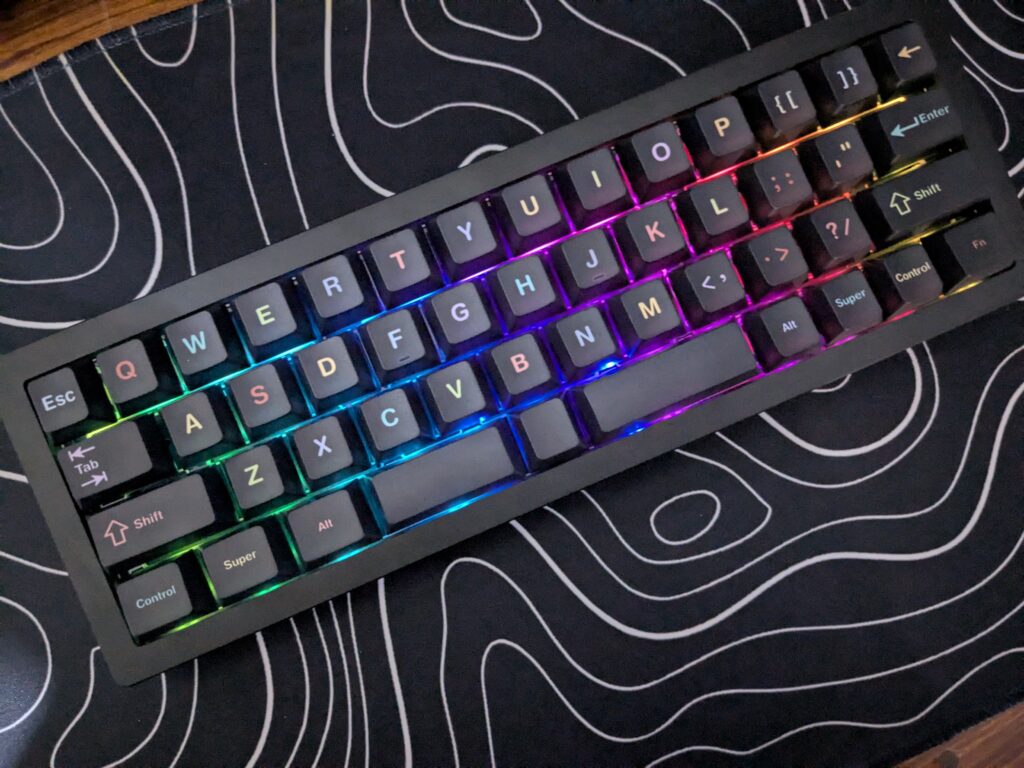
The legends on the keys are colourful. This adds a bright and playful look to the keyboard. They are not shine-through, so the RGB lights do not pass through the letters. Instead, the glow spreads around the edges of the keycaps. This gives the board a soft and stylish underglow effect.
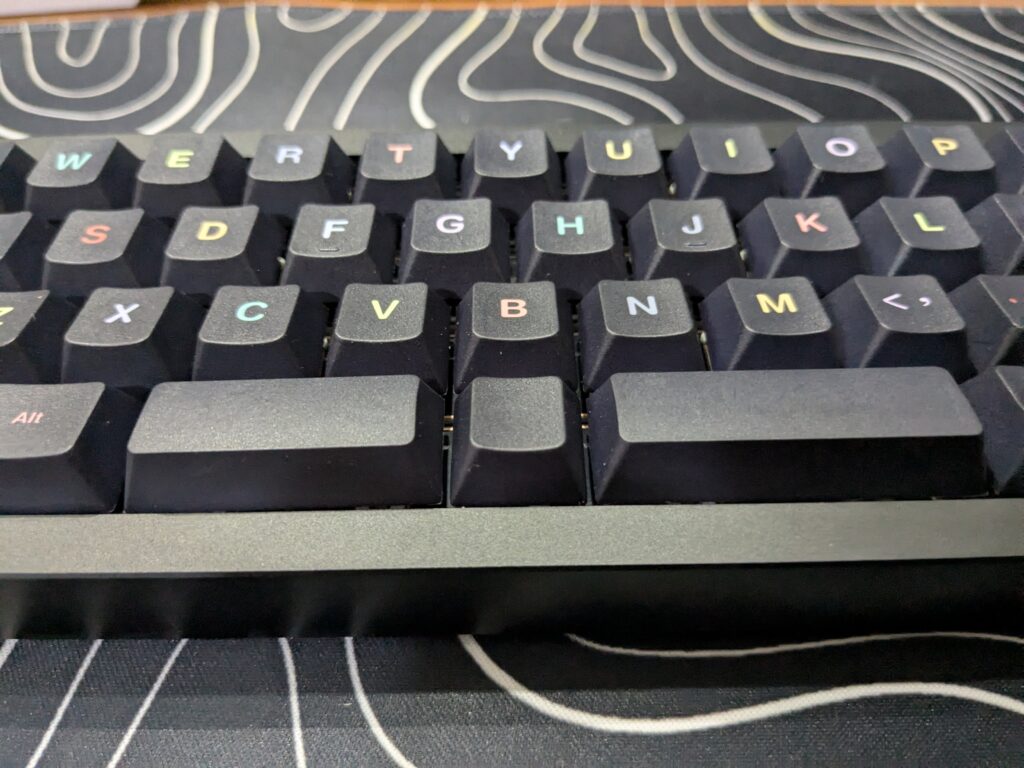
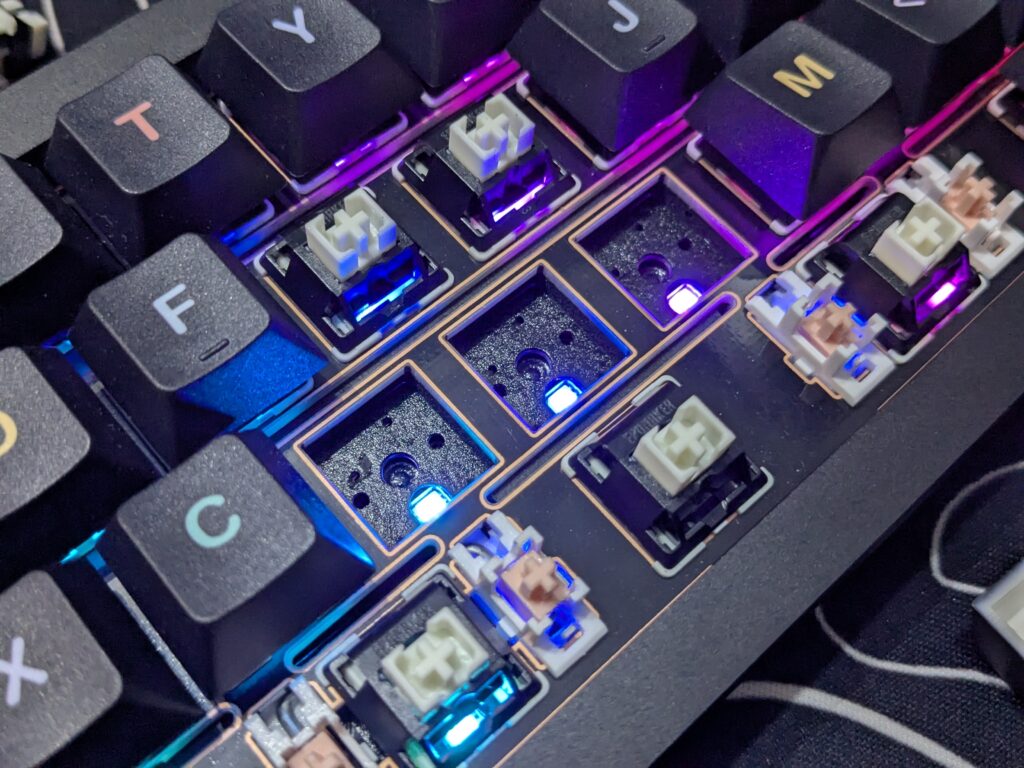
The keyboard uses EPOMAKER Zebra switches. These switches feel smooth and light to press. They make a gentle sound that is not too loud. The switches are also hot-swappable. This means you can pull them out and replace them with other switches without soldering.
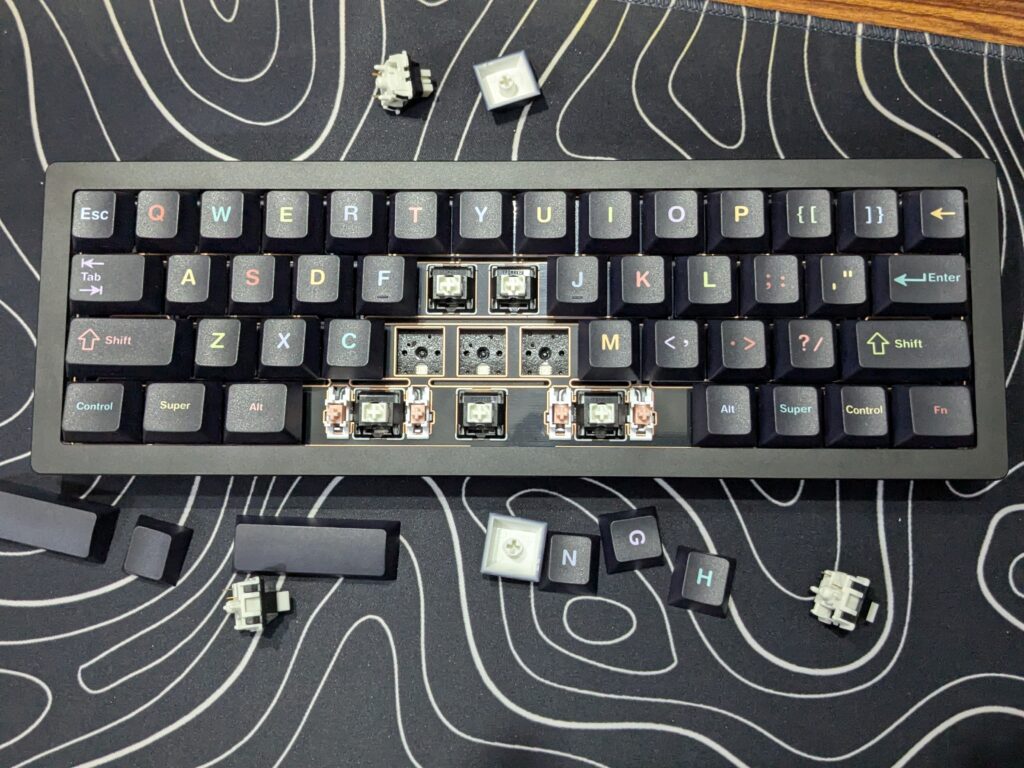
EPOMAKER adds two extra switches to the box. These spares are useful for testing or replacing if needed. Together, the 49 colourful keycaps and Zebra switches make the Tide49 durable, fun, and easy to customise.
RGB lighting
The EPOMAKER Tide49 has per-key RGB lighting. Each key lights up on its own, with many colours and effects to choose from. Since the legends are not shine-through, the glow spreads around the keys instead of shining through the letters. This gives the board a soft and stylish underglow effect.
You can control the lighting with simple shortcuts:
- FN + Enter: Turns the backlight on or off.
- FN + ,<: Changes the backlight colour.
- FN + .>: Switches between lighting effects.
- FN + /? and FN + Right Win: Adjust brightness (up and down).
- FN + Right Alt and FN + Right Ctrl: Change the speed of the effects (slower or faster).
The RGB lighting also works as an indicator for battery and connection status. This makes the feature both attractive and useful.
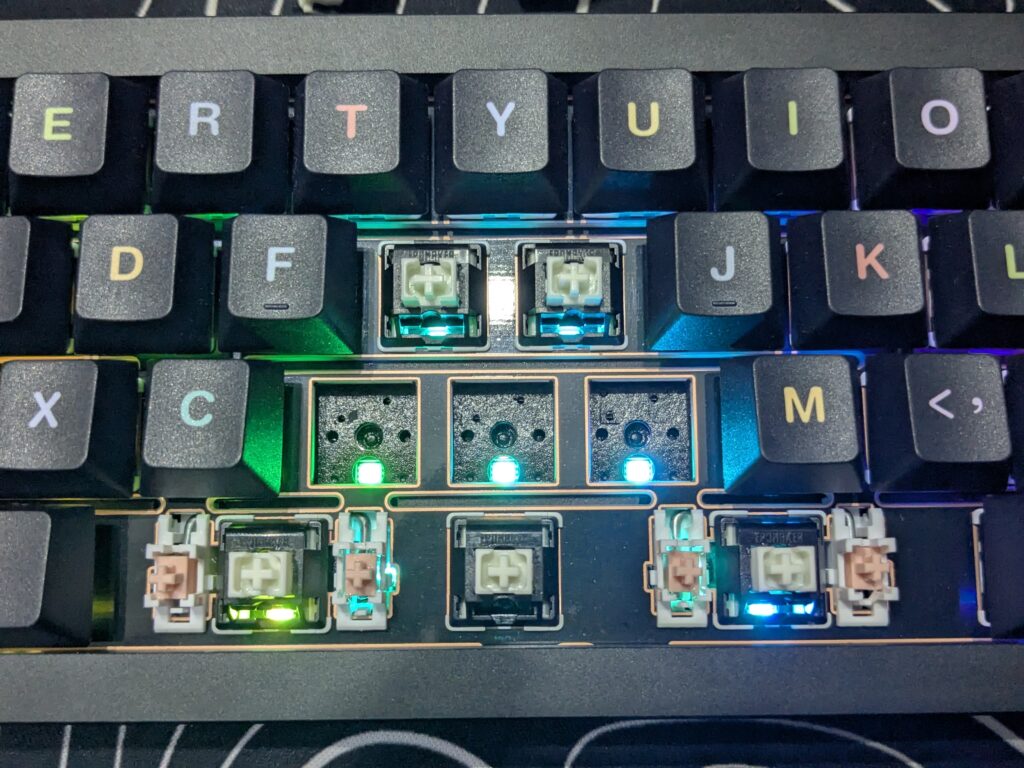
Overall, the lighting system gives the Tide49 a modern touch. It looks bright on the desk and lets you add your own style while using the keyboard.
Software
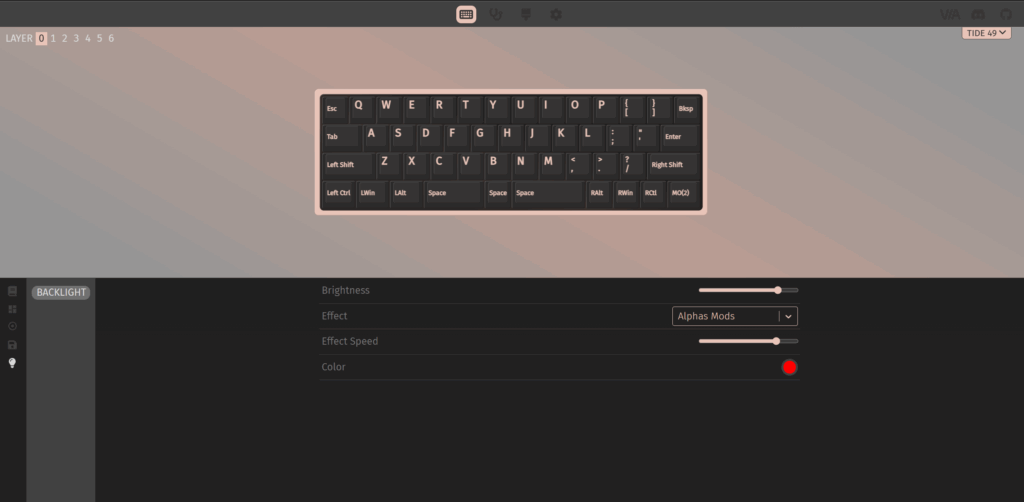
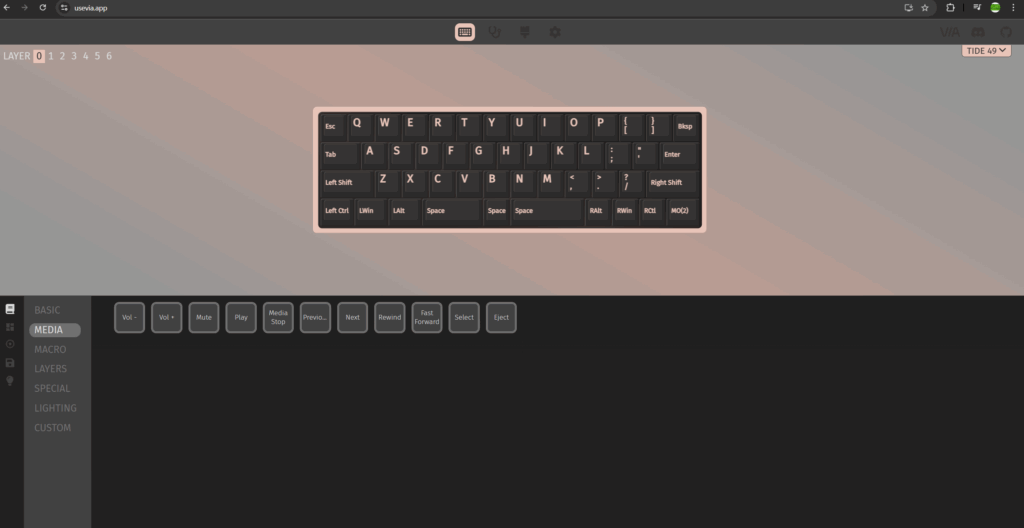
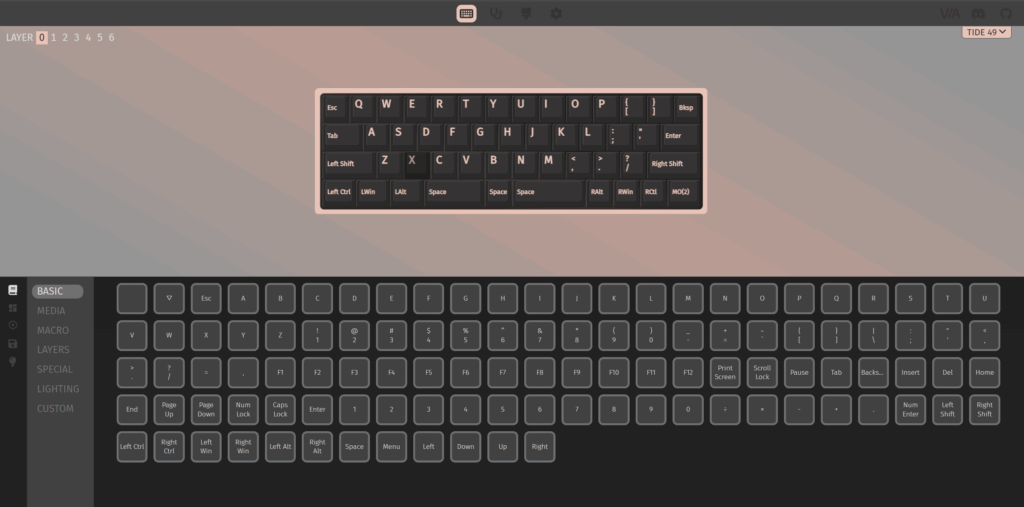
The EPOMAKER Tide49 works with VIA and QMK software. Both are powerful tools that let you fully customise the keyboard. You can remap any key, create macros, and save different profiles. The keyboard supports up to six layers, so you can set it up for different tasks like gaming, work, or smart home control.
There is also a special button in the middle of the spacebar. With the software, you can assign this button to any function or shortcut you like. This makes the Tide49 very flexible.
The software is web-based and easy to use. Once connected, changes happen instantly without restarting the keyboard. This makes experimenting with layouts quick and simple.
Overall, VIA/QMK support makes the Tide49 far more powerful than it looks. Even though it has only 49 keys, you can unlock endless options through customisation.
Connectivity
The EPOMAKER Tide49 offers four ways to connect. You can use the USB-C cable for a stable wired connection. The cable is 1.8m long and braided, so it feels strong and flexible.
If you prefer wireless, the keyboard has Bluetooth. You can pair it with up to three devices at once. Switching is simple with shortcuts: FN + A/S/D. This makes it easy to use the keyboard with a laptop, tablet, or phone.
There is also a 2.4 GHz wireless mode. The small dongle comes in the box and even has its own storage slot on the back of the keyboard. You can switch to this mode by pressing FN + F.
The keyboard also includes a power switch on the back to save battery when not in use. With these options, the Tide49 is flexible and ready for many devices.
User experience
Using the keyboard daily feels smooth and satisfying. The keys are stable, and each press registers without delay. The weight gives a solid base, so it does not slide around while typing or gaming. The switches feel responsive and comfortable even during long sessions. The RGB lighting adds a fun touch, and the easy shortcuts make it simple to adjust. For gaming, the 49 keys are enough and perfectly suit a minimal setup. For office work, however, it takes a little time to get used to the missing number keys. Overall, the experience feels reliable, steady, and enjoyable for both work and play.
Final thoughts on EPOMAKER Tide49
The EPOMAKER Tide49 is a very interesting keyboard. It’s not for everyone, its 49-key layout and lack of number row or arrow keys take some getting used to. But if you want something compact, heavy, and different, it delivers.
It feels strong in the hand and on the desk, thanks to its aluminium body and solid build. The colourful keycaps, smooth Zebra switches, and good software support (VIA/QMK) let you customise it in many ways. The multiple connectivity options (USB, Bluetooth, and 2.4 GHz) make it flexible too.
For gamers or people with minimal setups, it’s more than enough. For office work, especially if you use numbers or arrows often, there will be a learning curve.
At its price point, the Tide49 offers excellent value for those who want a premium compact keyboard. If you like minimalism, durability, and customisation, it’s definitely worth considering.
Want more information on the Tide49? Check out the official EPOMAKER website. If you order one, why not read more hardware reviews while you wait for it to arrive? Just click here to check out our latest ones.