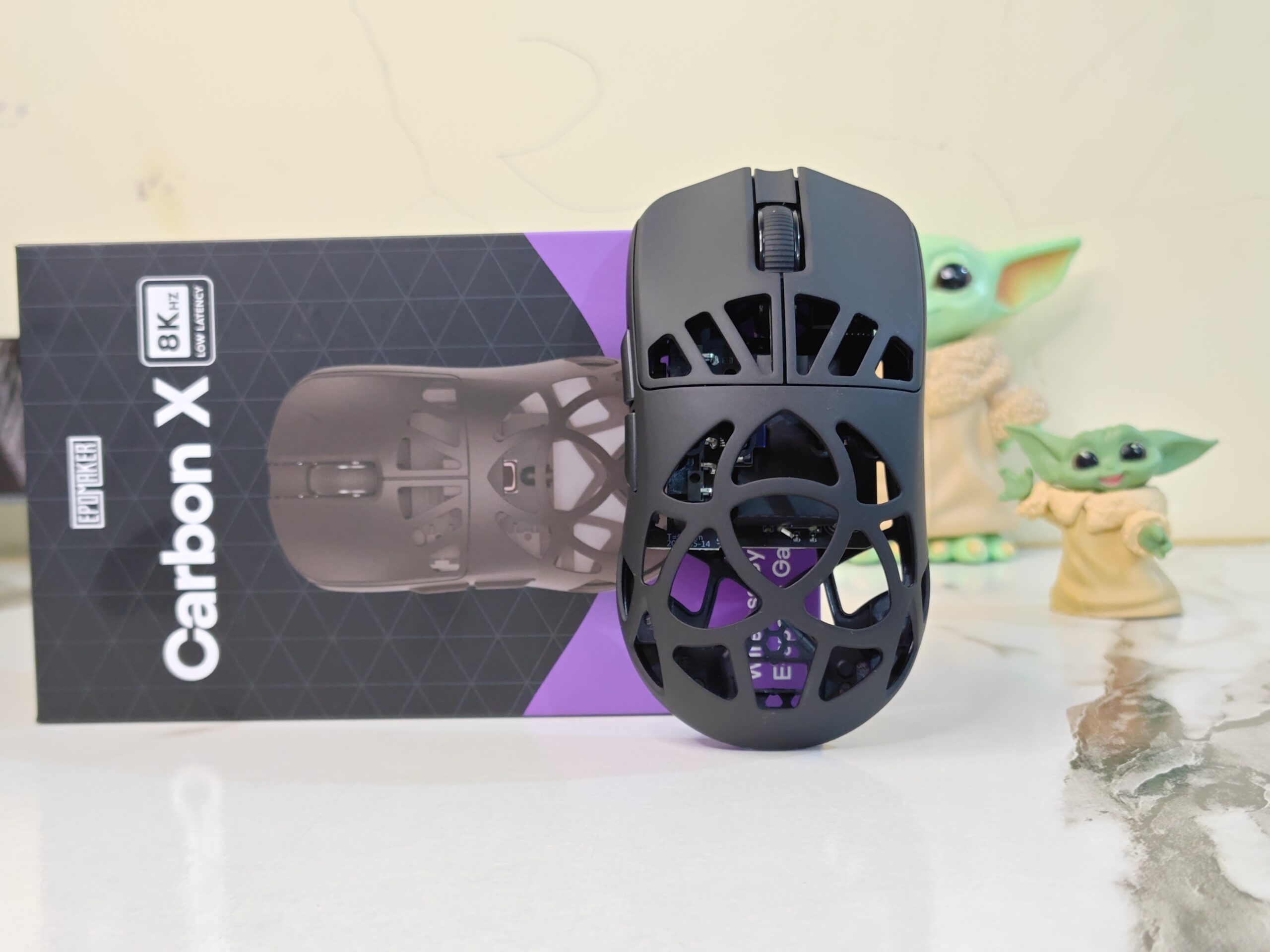
EPOMAKER has been in the mouse market for some time now with its Click series, and the new CarbonX marks the brand’s move into the flagship segment. Known mainly for its keyboards, EPOMAKER is now clearly expanding its focus to cover high-performance mice as well.
The EPOMAKER CarbonX is designed for both gaming and daily work, with a strong focus on speed, comfort, and lightweight design. It uses a carbon fibre shell and weighs just 50 grams, making it easy to handle during long sessions. Along with fast performance and flexible connectivity, the EPOMAKER CarbonX aims to show EPOMAKER’s growing experience beyond keyboards.
Unboxing
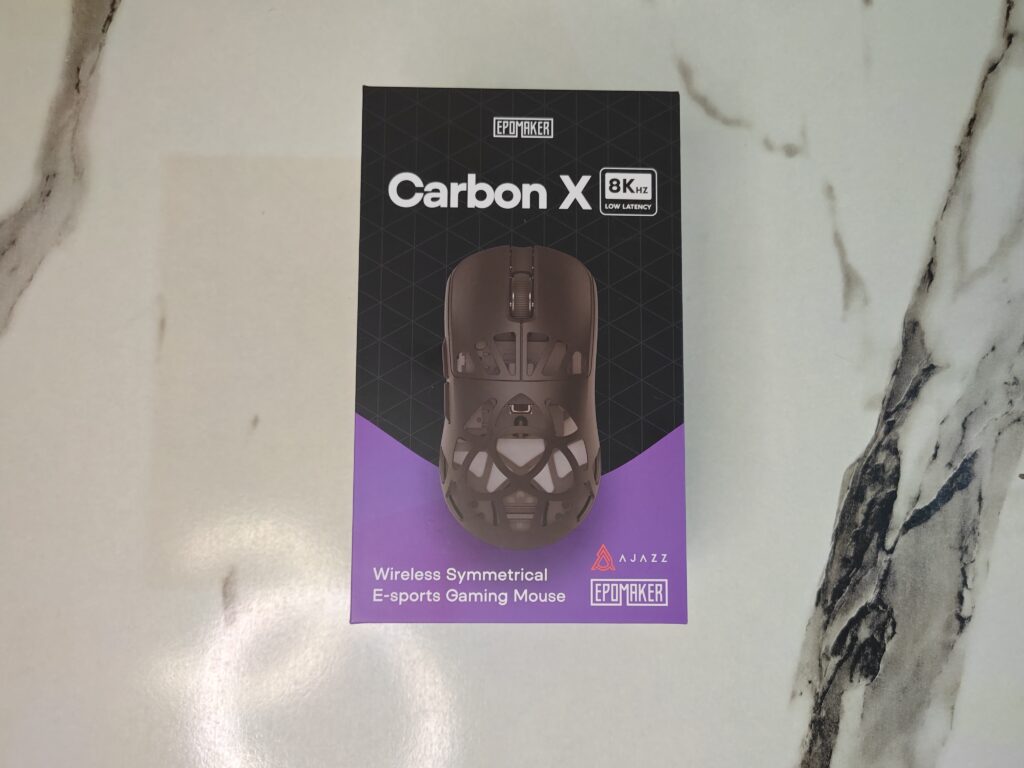
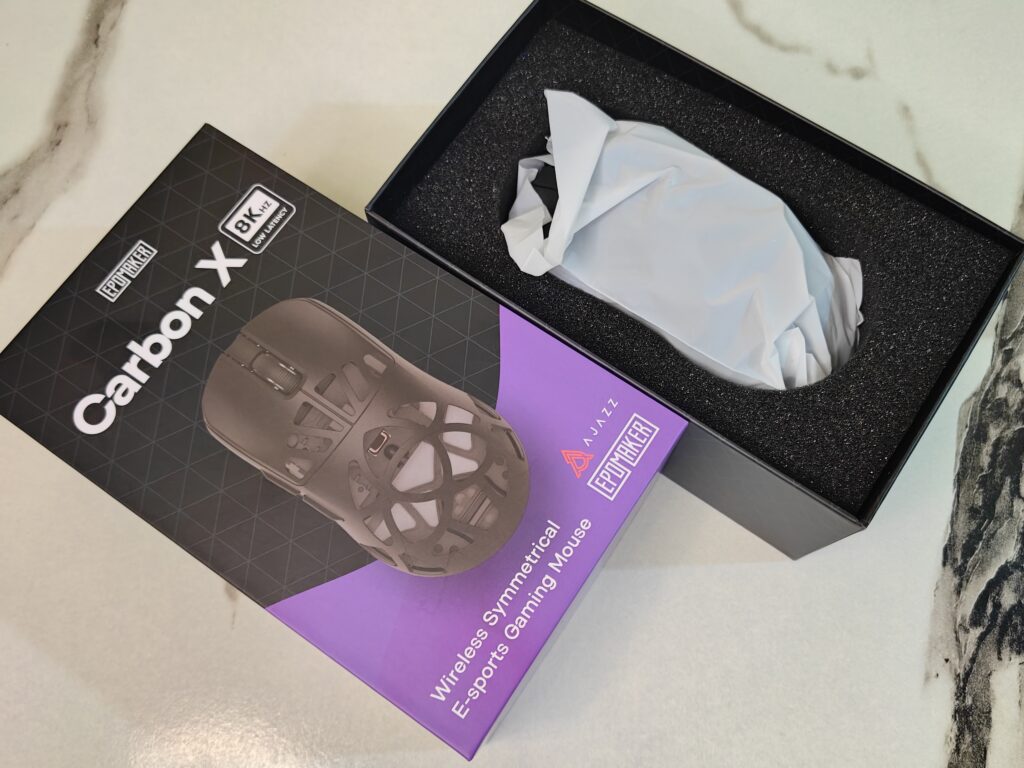
The EPOMAKER CarbonX comes in a simple and clean box. The mouse image is printed on the front. An 8KHz badge shows its fast performance. The EPOMAKER CarbonX name stands out clearly. The box also carries EPOMAKER and AJAZZ logos, with a small purple accent for style.
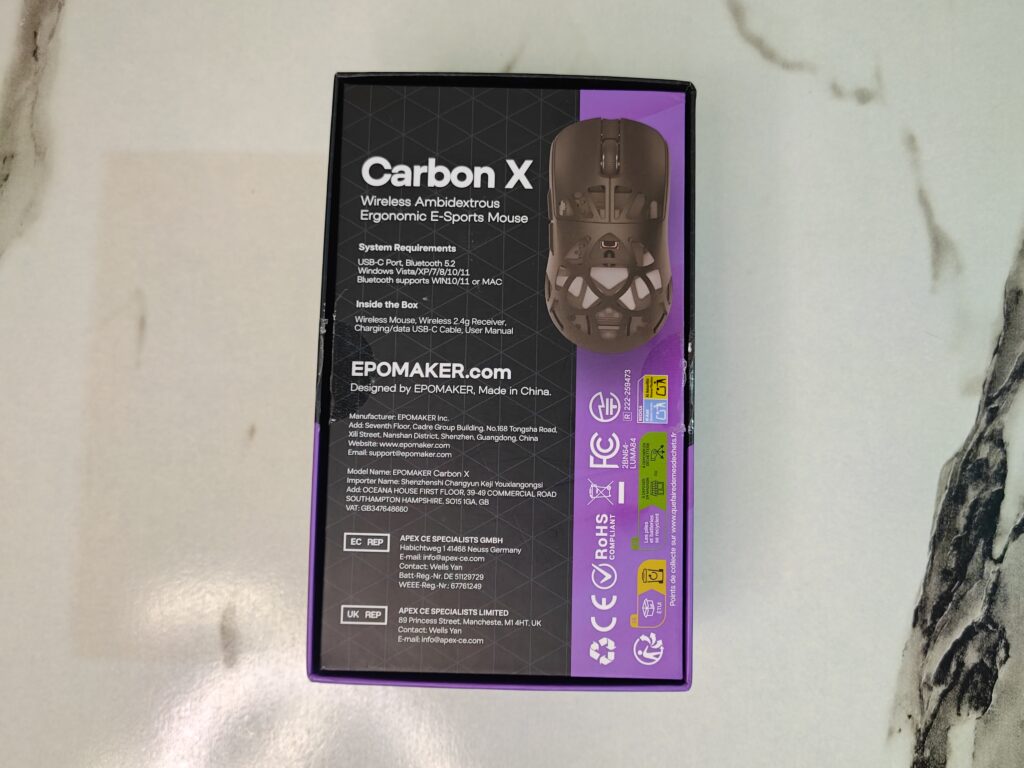
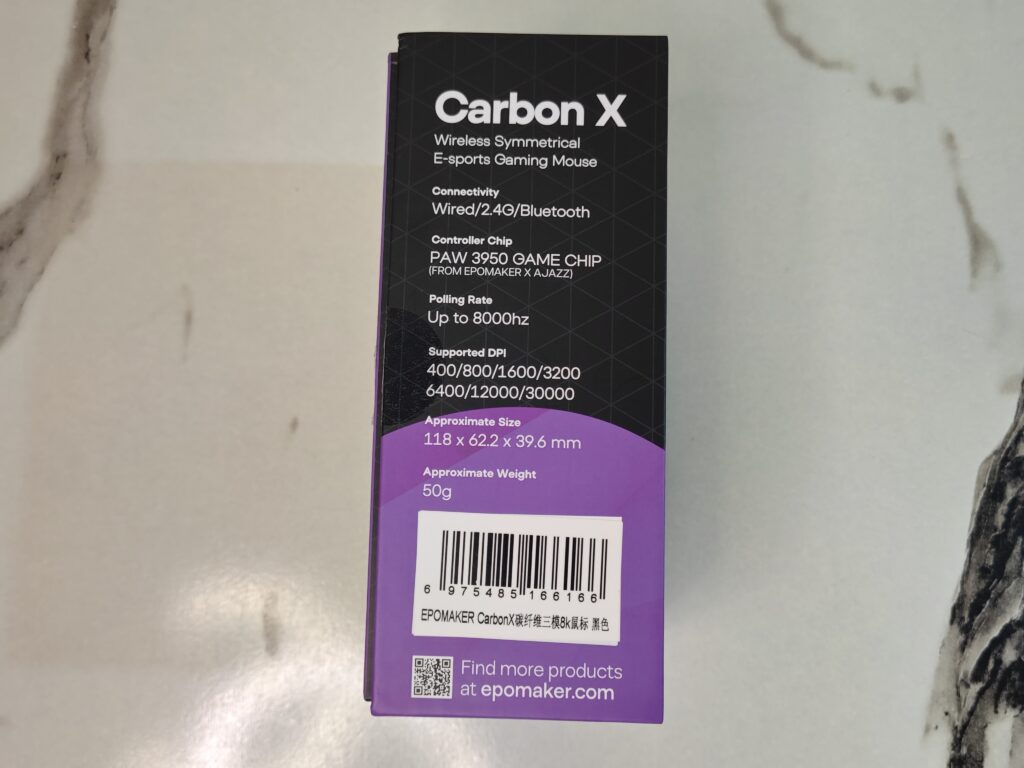
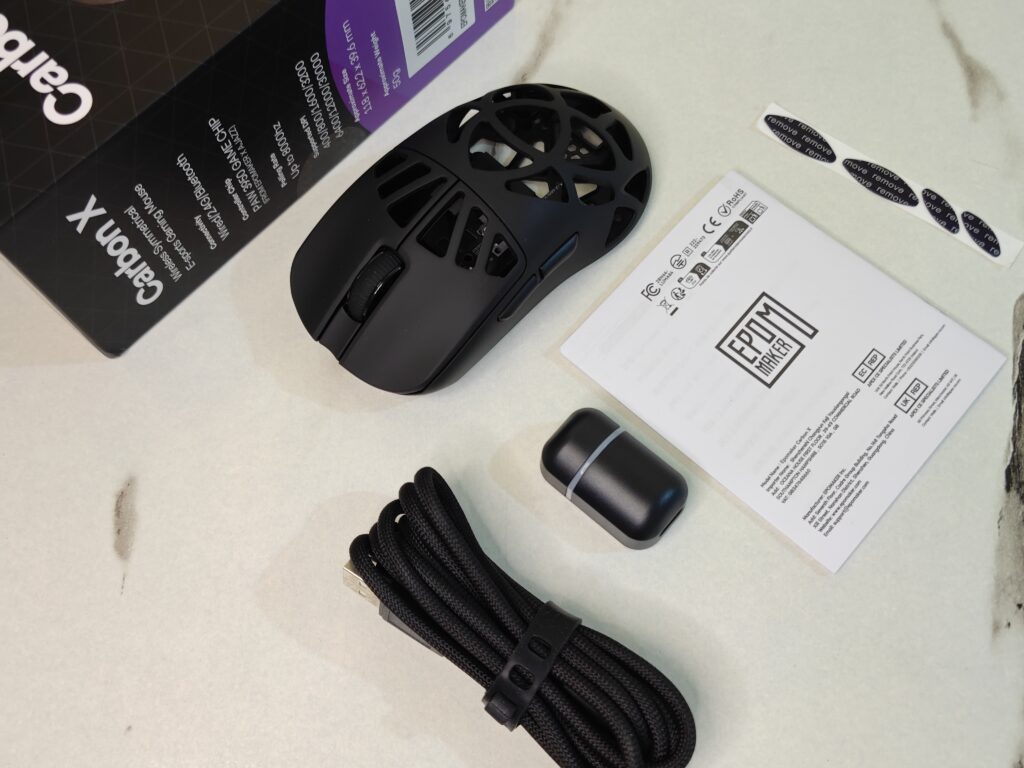
The back and sides focus on quick details. They show the mouse shape and key features. You can see the wired, 2.4GHz, and Bluetooth modes listed. The box also mentions the PAW 3950 sensor, the 50g lightweight body, and adjustable DPI levels. Size and polling rate are also printed for a fast overview.

Inside, the mouse is well protected. It is wrapped in a plastic cover and placed in foam. The box includes an 8KHz wireless receiver, a USB-A to USB-C cable, spare skates, and a user guide. Everything feels tidy and secure.
EPOMAKER CarbonX mouse specifications
| Specification | Details |
|---|---|
| Model | EPOMAKER CarbonX |
| Case material | Carbon fibre shell |
| Connection | Tri-modes (2.4GHz wireless, Bluetooth, USB-A to USB-C cable) |
| DPI | 7 adjustable stages: 400, 800, 1600, 2400, 3200, 5000, 30000 |
| IPS | 750 IPS |
| Acceleration | 50g |
| CPI | 30000 |
| FPS | 20000 |
| Sensor | PAW3950 |
| LOD | 0.7mm, 1mm, 2mm |
| Polling & report rate (2.4G / USB) | Default 1000Hz, adjustable: 125Hz, 250Hz, 500Hz, 1000Hz, 2000Hz, 4000Hz, 8000Hz |
| Polling/report rate (Bluetooth) | 125Hz |
| Latency (wired) | 0.35ms |
| Latency (Bluetooth 3.0 / 5.0) | 10ms |
| Latency (2.4G wireless) | 0.4ms |
| Battery | 300mAh |
| Compatible OS | Windows, macOS, Linux |
| Software | Online software (Chrome-based browser recommended) |
| Size | 11.8 × 6.22 × 3.96 cm |
| Weight | Around 50g |
A closer look
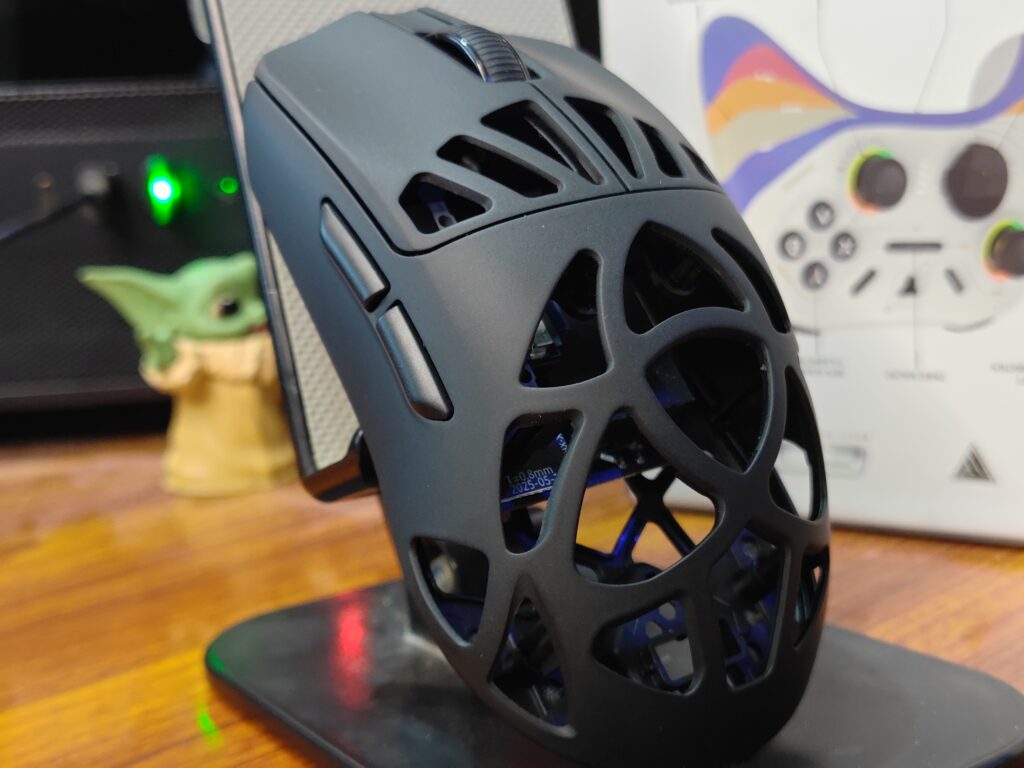
The EPOMAKER CarbonX feels light the moment you pick it up. It weighs around 50 grams. The size is compact and easy to handle. The shape feels natural in the hand. This helps during long gaming or work sessions.
The body uses a carbon fibre shell. It keeps the mouse strong but very light. The honeycomb design can be seen on the top and bottom. This helps reduce weight and improve airflow. You can also see parts inside the mouse through the cutouts.
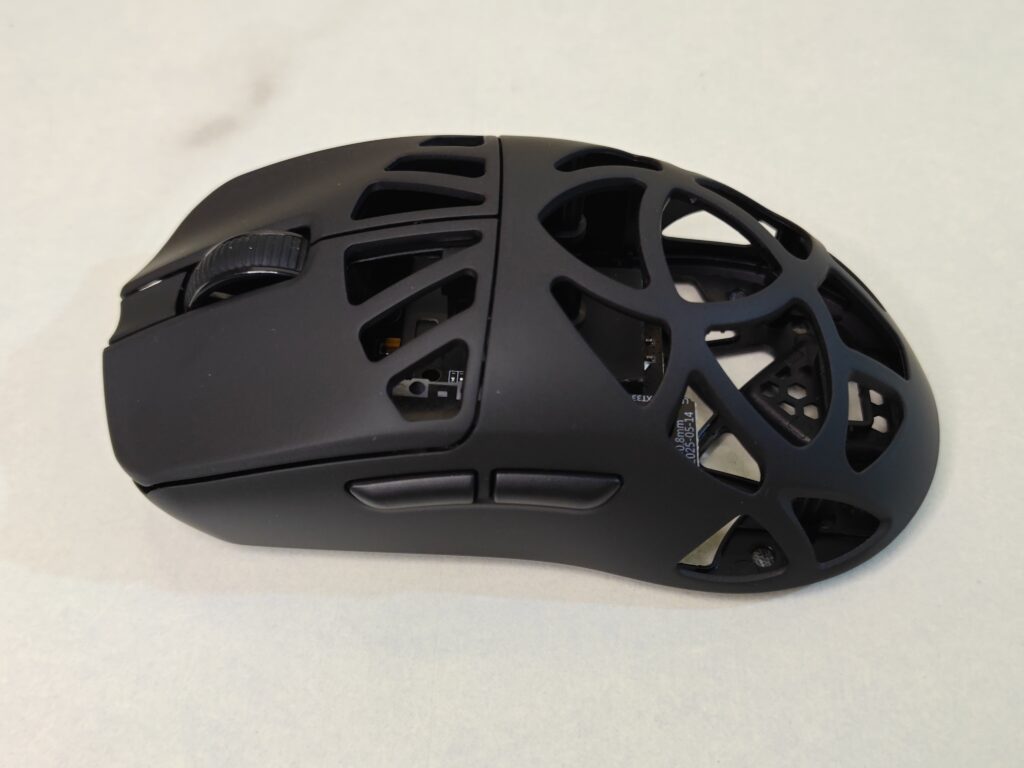
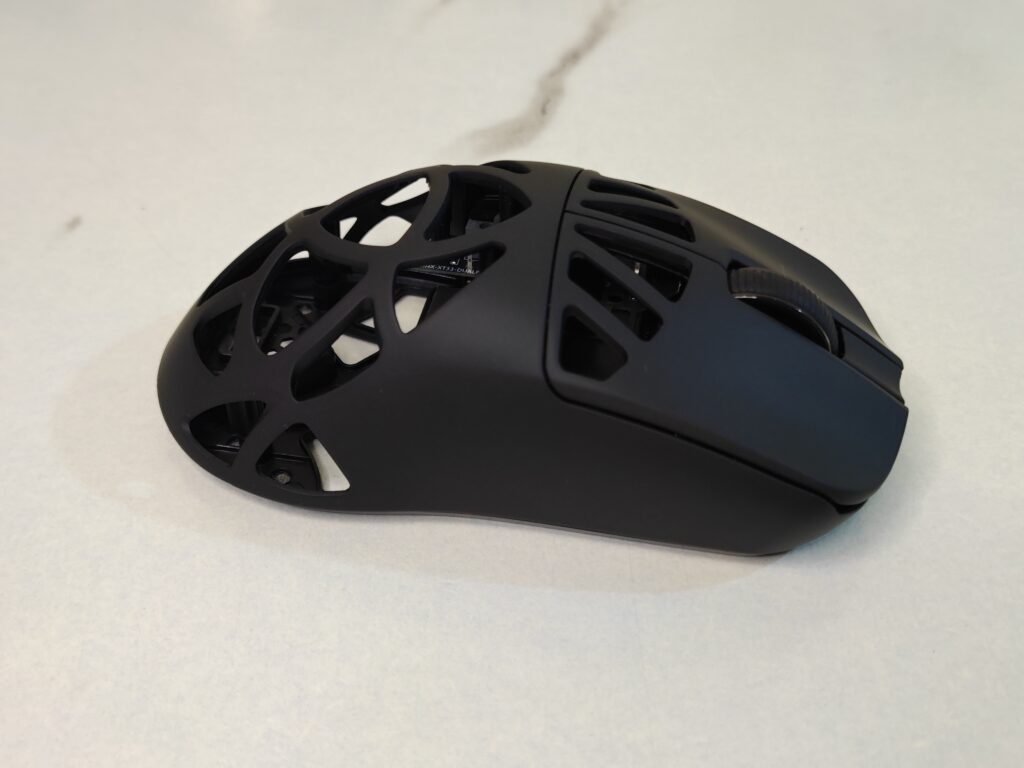
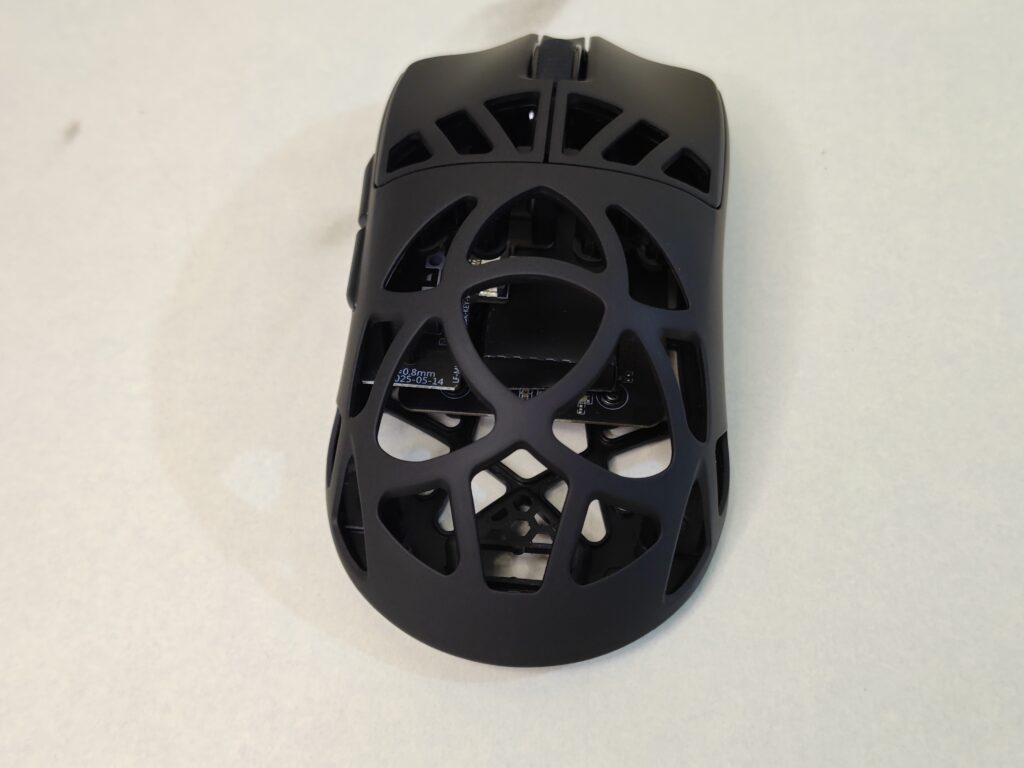
The shape supports different grip styles. Palm, claw, and fingertip grips all work well. The sides have a light texture for better control. Your thumb and fingers rest comfortably without slipping.
The main buttons feel quick and clean. They use optical switches. Clicks feel sharp with almost no delay. There is no loose feeling when pressing. This makes the mouse good for fast games and daily use.
The scroll wheel sits in the centre. It has a rubber finish with small ridges. Scrolling feels smooth and controlled. The click is firm and accurate. A small LED under the shell shows battery and connection status.
Two side buttons are placed on the left. They are easy to reach. The buttons feel solid and responsive. The curved side helps the thumb rest naturally during use.
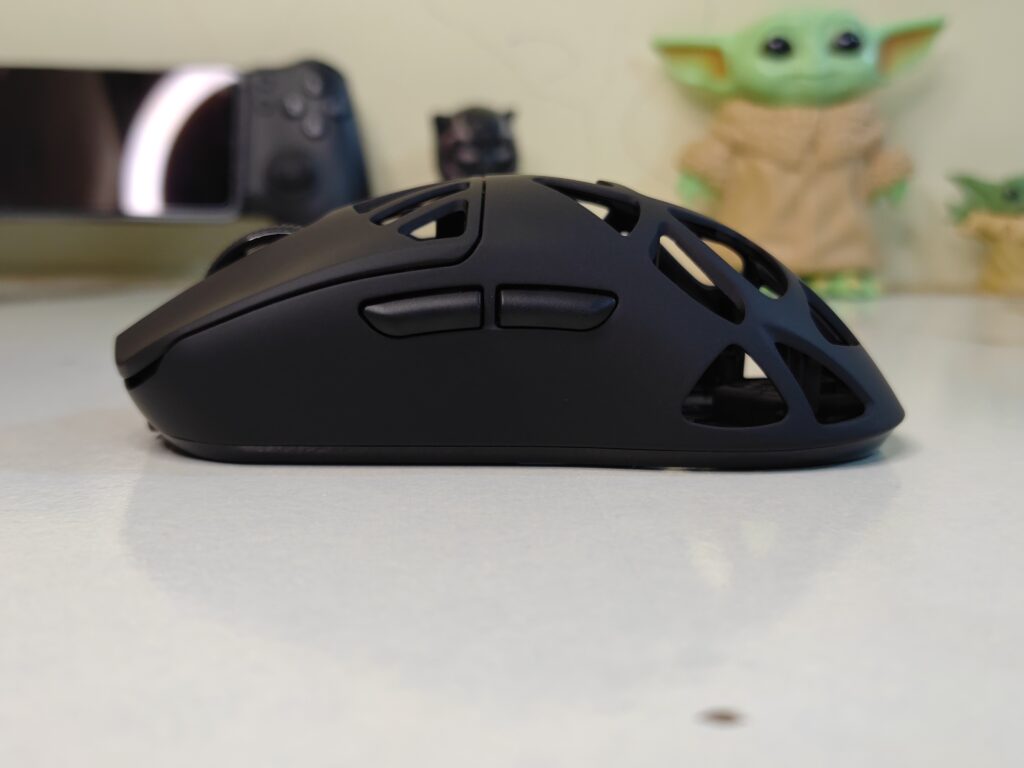
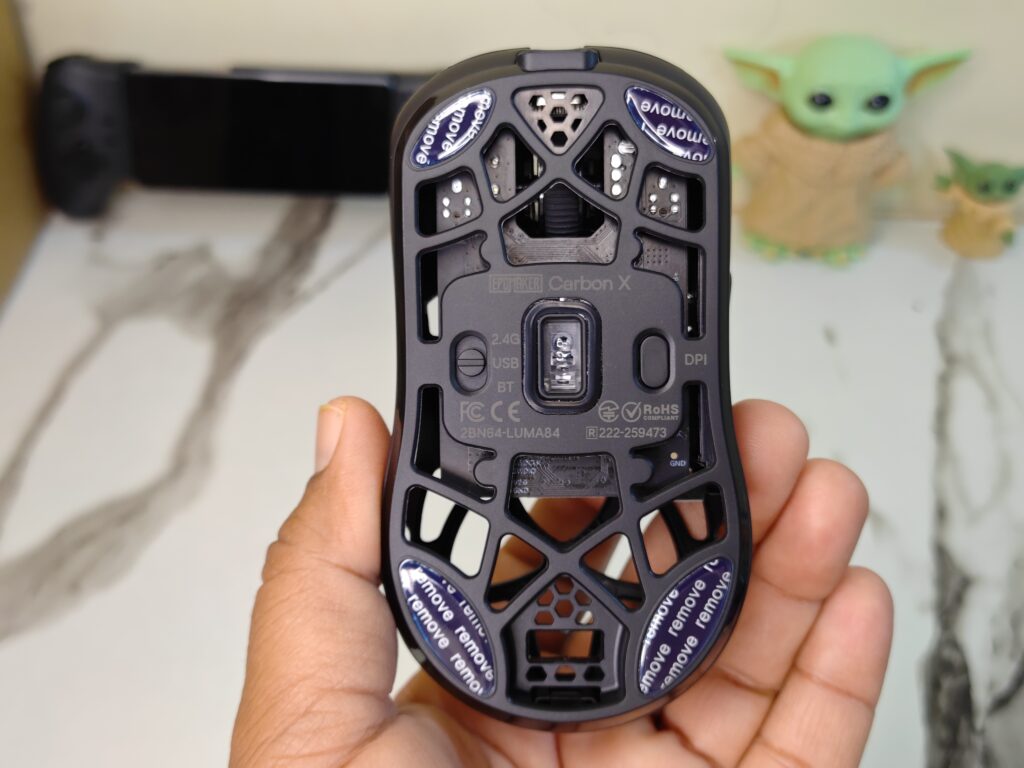
At the bottom, the sensor is placed in the centre. Mode switches for wired, 2.4GHz, and Bluetooth are clearly marked. PTFE skates on all corners help the mouse glide smoothly on most mousepads.
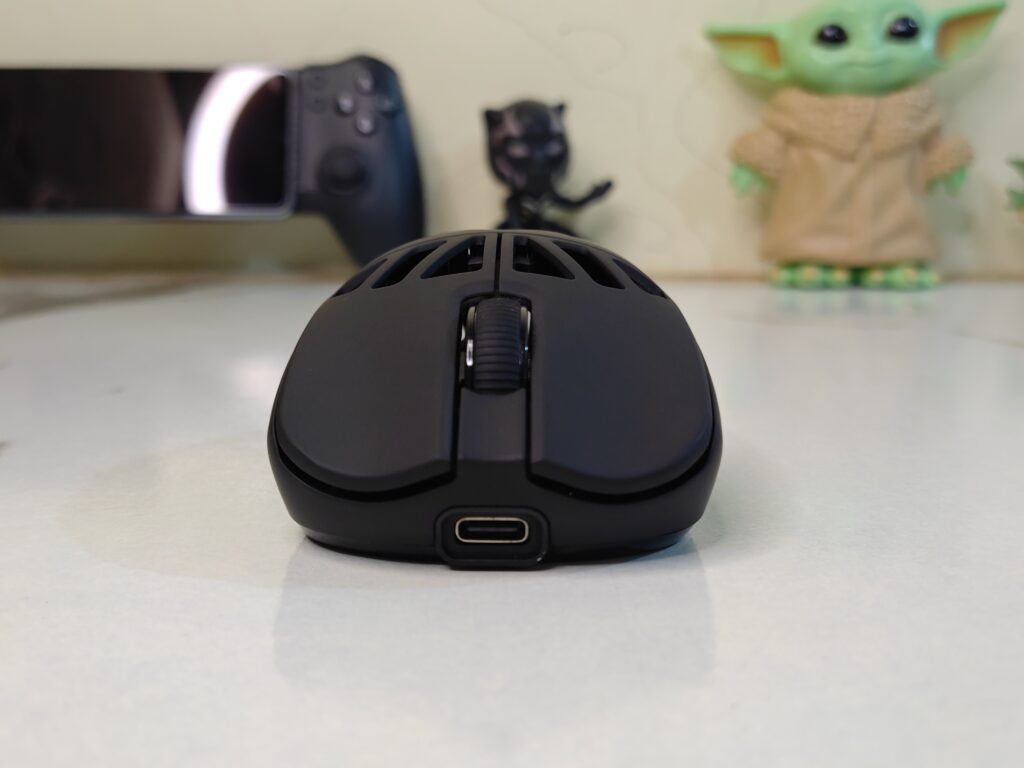
The USB-C port is placed at the front. You can use the mouse while charging. In wired mode, it switches to full 8000Hz polling. This gives fast and stable performance.
Dongle
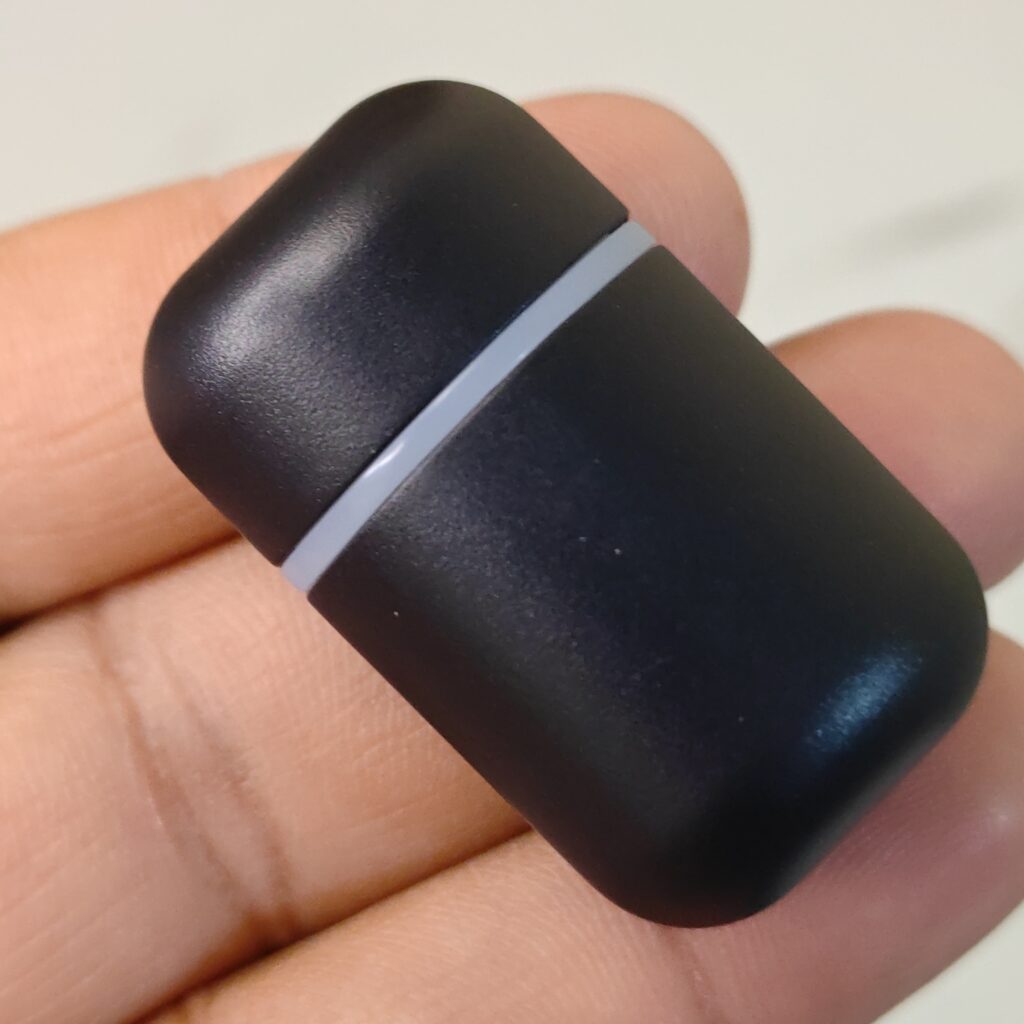
The EPOMAKER 2.4GHz dongle is small and easy to use. It is made from matte black plastic. The edges feel smooth. Its size is close to a USB flash drive, so it does not take up much space on the desk.
A thin RGB ring sits around the middle. It adds a simple visual touch. When the dongle is active, the light turns green. This shows the connection is ready.
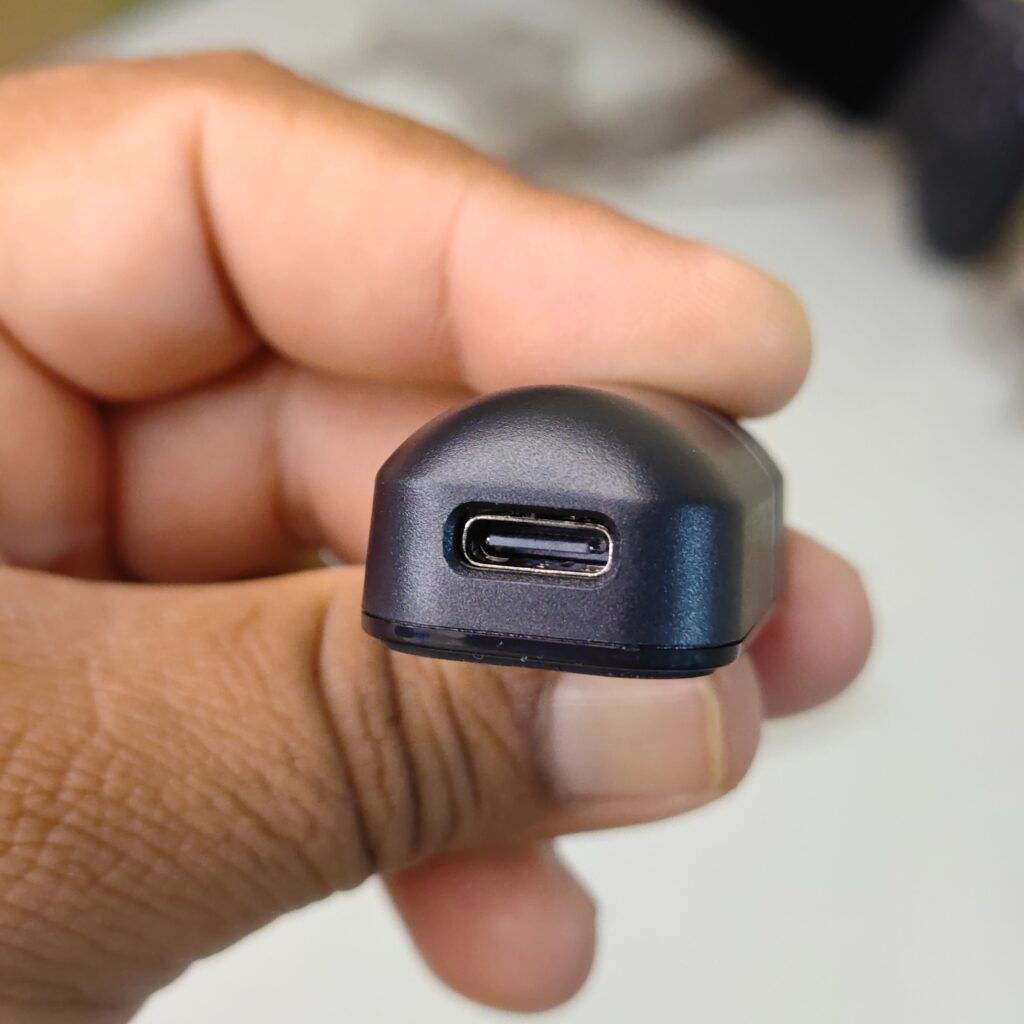
The dongle uses a USB-C port. It connects with a USB-A to USB-C cable. This lets you place it closer to the mouse for a stronger signal. It helps avoid dropouts during use.
In wireless mode, the polling rate starts at 1000Hz. You can increase it up to 8000Hz using the software. This improves smoothness and response. When used with a cable, latency drops to about 0.35ms. Movements feel fast, clean, and precise.
Connectivity and Battery
The EPOMAKER CarbonX offers three ways to connect. You can use wired, 2.4GHz wireless, or Bluetooth. A small switch on the bottom lets you change modes quickly. The mouse works with Windows, macOS, Linux, and even gaming consoles, making it easy to use across different setups.
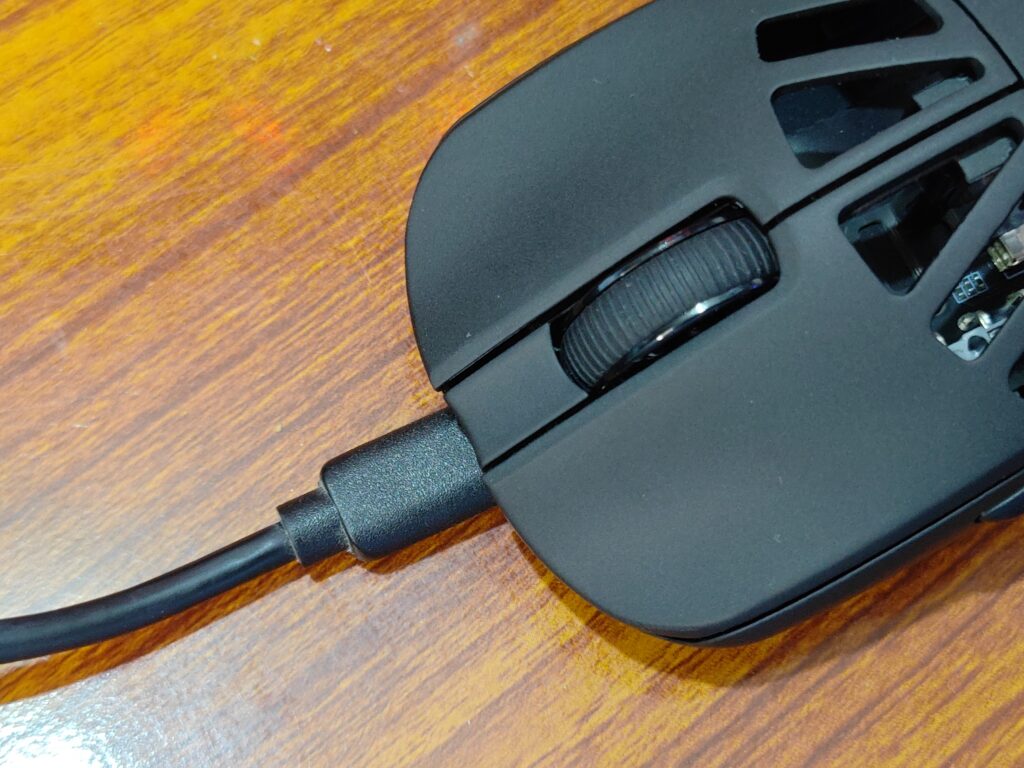
Wired mode uses a USB-C cable and also charges the battery at the same time. In 2.4GHz wireless mode, the EPOMAKER CarbonX mouse connects automatically when the receiver is plugged in. This mode feels fast and stable, which is great for gaming. Bluetooth mode is useful for laptops and tablets. Hold the left button, right button, and scroll wheel to pair, then select the mouse from the device list. Charging should only be done through a computer USB port.
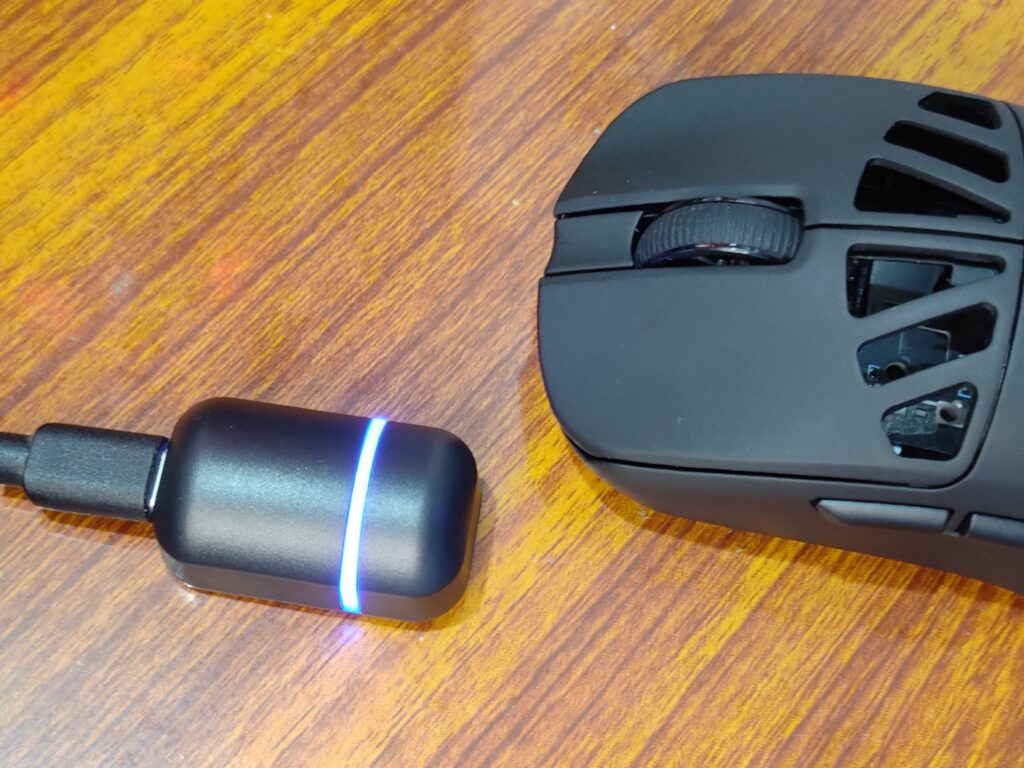
The mouse uses a 300mAh battery. In daily use, it lasts around three to five days, even at high polling rates. Charging takes about two hours. A yellow light shows battery status, with blinking for low power and a solid light during charging. Once the light turns off, the battery is full.
Software
The EPOMAKER CarbonX does not use a normal desktop app. Instead, all settings are handled through a web browser. You do not need to install anything. This keeps the system clean and simple. To use the software, the mouse must be connected with a USB cable. Once connected, you open EPOMAKER’s Control HUB Web and start changing the settings.
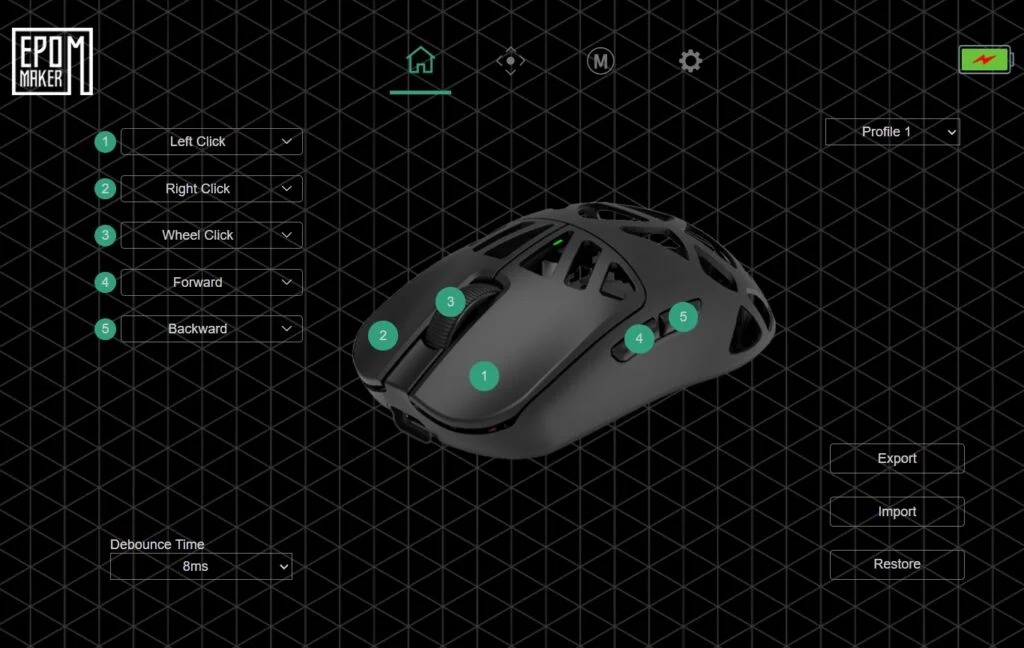
The software layout is clear and easy to understand. Everything is placed neatly on a dark screen. Tabs at the top let you move between different sections. Button settings are handled using a mouse image on the screen. Most buttons can be remapped, except the main left click. You can assign shortcuts, media controls, or custom actions. Click response can also be adjusted, and different profiles can be saved for later use.
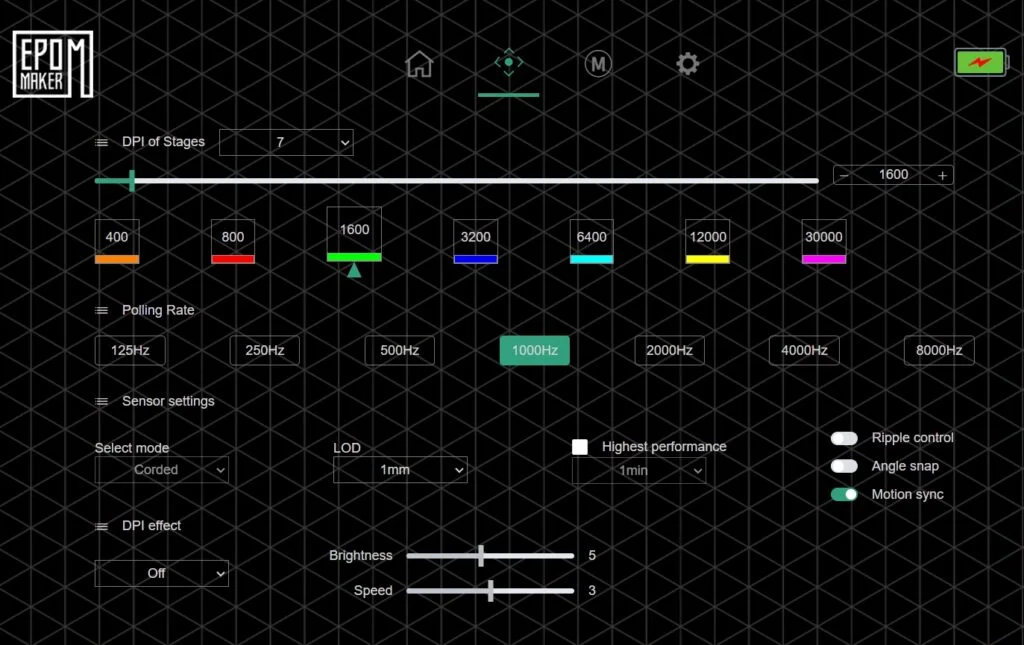
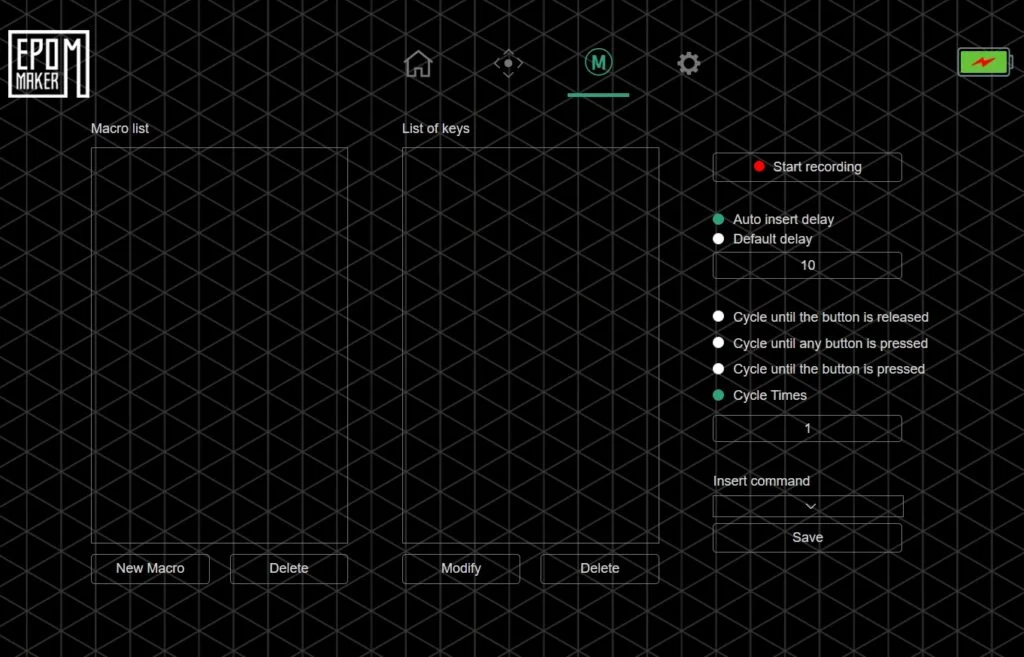
Performance settings are found in the aiming section. You can set up to seven DPI levels, from low to very high values. The polling rate can be changed up to 8000Hz in wired or 2.4GHz mode. Bluetooth stays at a lower rate. Other options include lift-off distance, motion control, and tracking stability. Macro tools are also included. They allow you to record repeated actions with simple timing control.
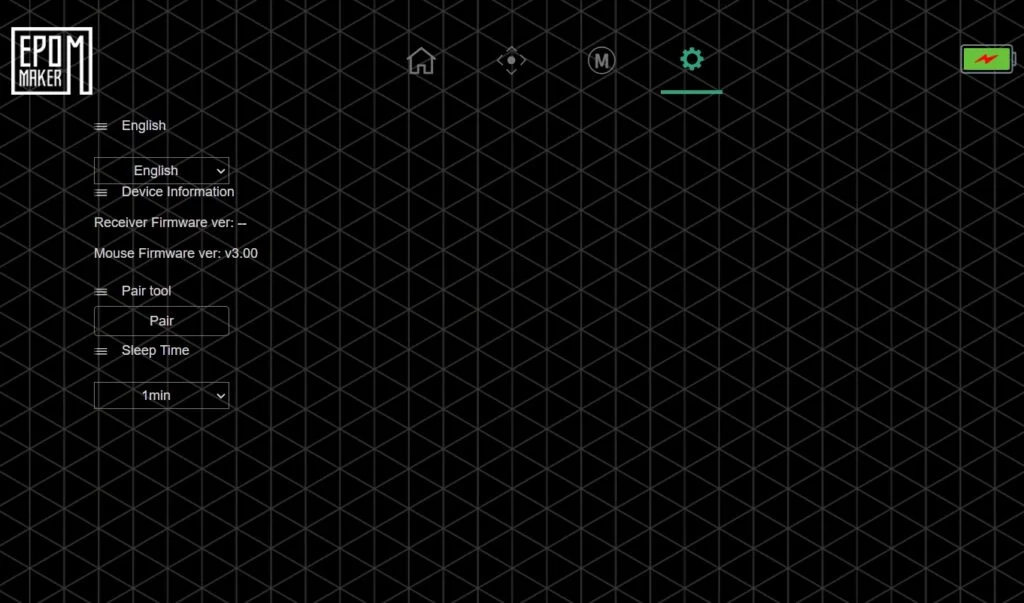
Device information is shown in a separate section. This includes firmware details and receiver pairing. All changes are saved directly to the EPOMAKER CarbonX memory. Once set, the mouse keeps these settings even when moved to another system.
Overall, the web-based software feels light and easy to use. It offers the tools most users need without adding extra load to the system.
EPOMAKER CarbonX mouse user experience
Using the EPOMAKER CarbonX mouse feels comfortable and light. It sits well in the hand and stays balanced during long sessions. The textured sides help with grip, while the smooth surface allows easy control. For daily work, the mouse feels quick and accurate. Cursor movement is smooth, clicks respond instantly, and scrolling feels controlled. Switching between wireless and Bluetooth modes is simple, and the connection remains stable with fast reconnection after sleep.
In games, the EPOMAKER CarbonX performs with good accuracy and control. Fast movements feel smooth, and there is no noticeable lag in wireless mode. The sensor tracks well on different surfaces, and the skates glide easily on both soft and hard pads. Sensitivity changes are easy through the web software. Battery life feels balanced for such a light mouse, and charging is quick. Being able to use the mouse while charging adds convenience. Overall, it delivers a smooth and reliable experience for both work and gaming.
Final verdict
Using the EPOMAKER CarbonX left a positive impression. The mouse feels fast and accurate in daily use. Cursor movement stays smooth, and tracking feels reliable in both work and games. The sensor performs well, and the high polling rate adds extra smoothness without issues.
The light carbon fibre body makes a big difference. It feels easy to move and comfortable for long sessions. The shape supports the hand well. Clicks feel clean and consistent, and the skates glide smoothly on different surfaces. Wireless mode stays stable, and switching to wired mode while charging is simple and practical.
What I liked most was how flexible the mouse feels. It works well across different devices and setups. The web-based software is easy to use and does not need installation. Battery life is fair for a lightweight mouse and does not get in the way. Overall, the EPOMAKER CarbonX feels like a well-made and dependable mouse that handles both work and gaming with ease.
Check out what EPOMAKER is offering on their official website here. For more hardware reviews like this, click right here.