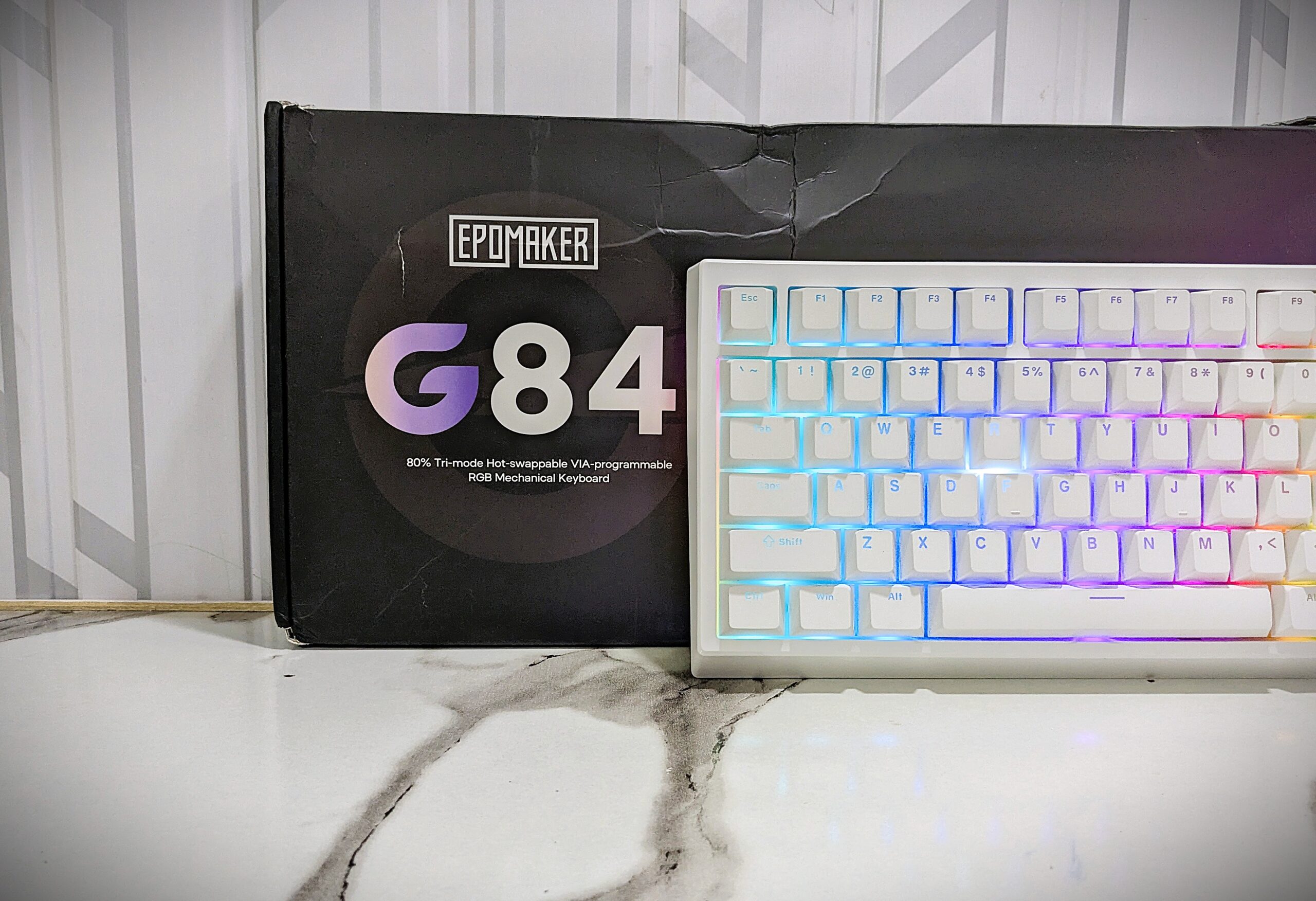
The EPOMAKER G84 is a compact 80% mechanical keyboard that looks modern, feels solid, and is great for both work and gaming. It belongs to the EPOMAKER G series, which includes the G84 and G84 HE models; this is the non-HE version. It came with our last-reviewed Tide49 keyboard, which I have used for quite some time.
Now I feel it’s the right time to talk about the G84 in detail. It offers a nice thocky sound while typing, smooth EPOMAKER Creamy Jade switches, and beautiful RGB lighting with shine-through keycaps. With its tri-mode connection, it’s easy to use on different devices and provides excellent performance for the price.
Unboxing
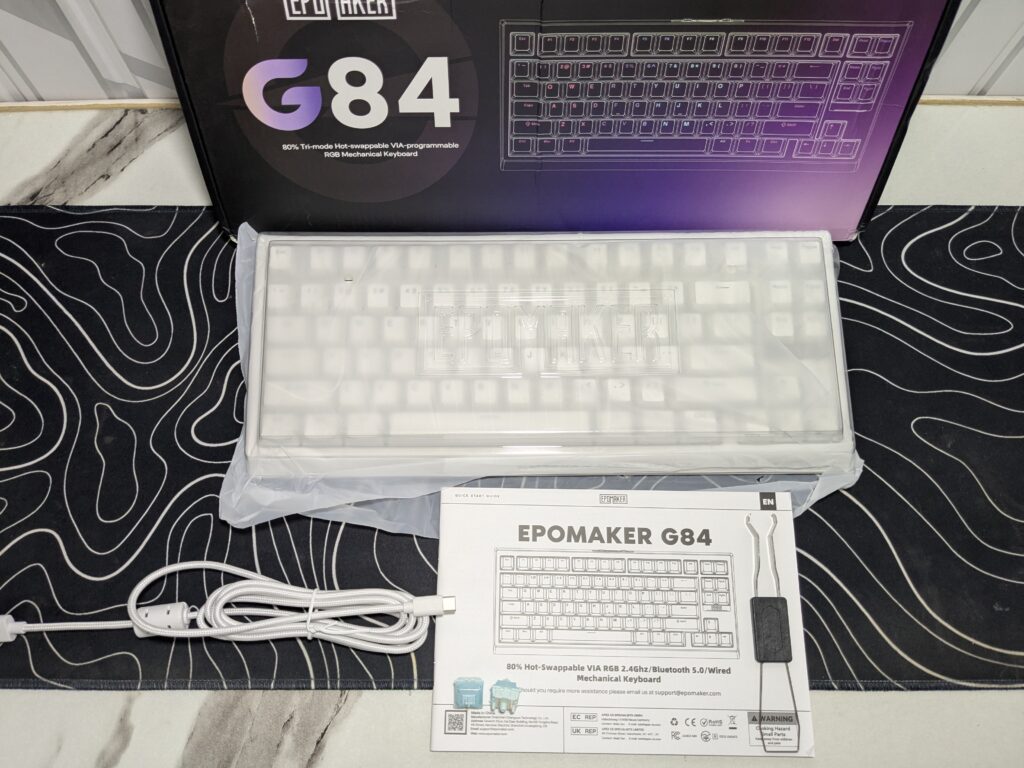
The EPOMAKER G84 comes in a neat rectangular box with a stylish matte black design. On the front, you can see the big G84 name in a pink and purple gradient that looks eye-catching. Below that, the box highlights its main features like “80% Tri-mode Hot-swappable VIA-programmable RGB Mechanical Keyboard.” There is also a simple keyboard outline on the right side, giving it a modern and clean look.
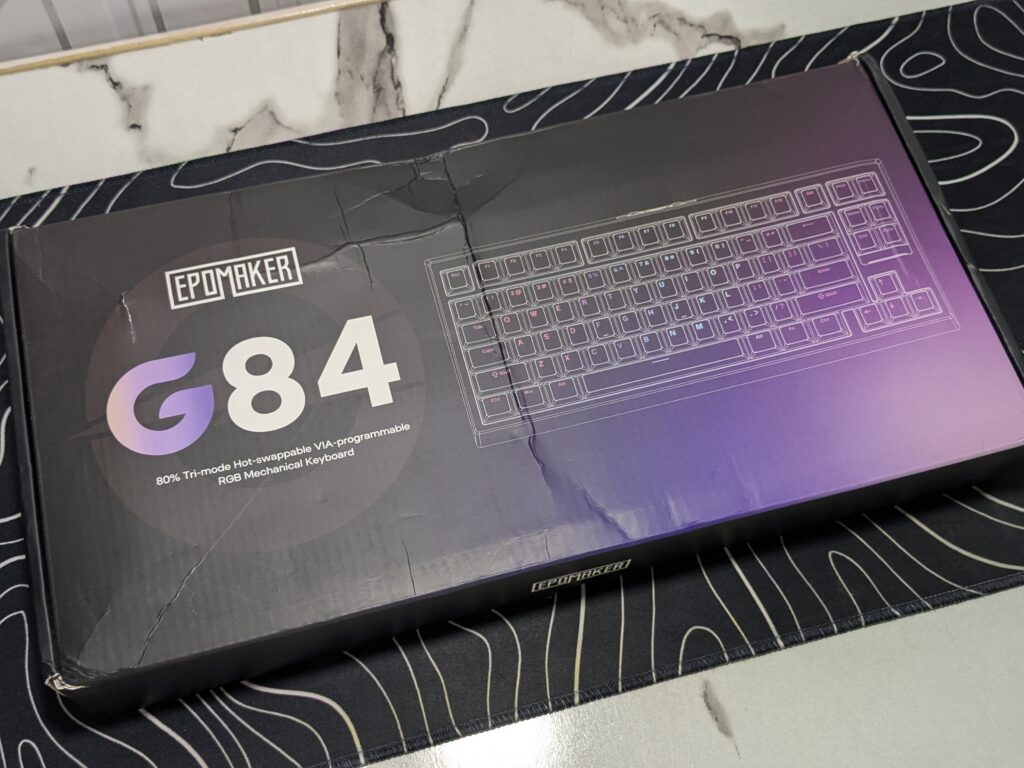
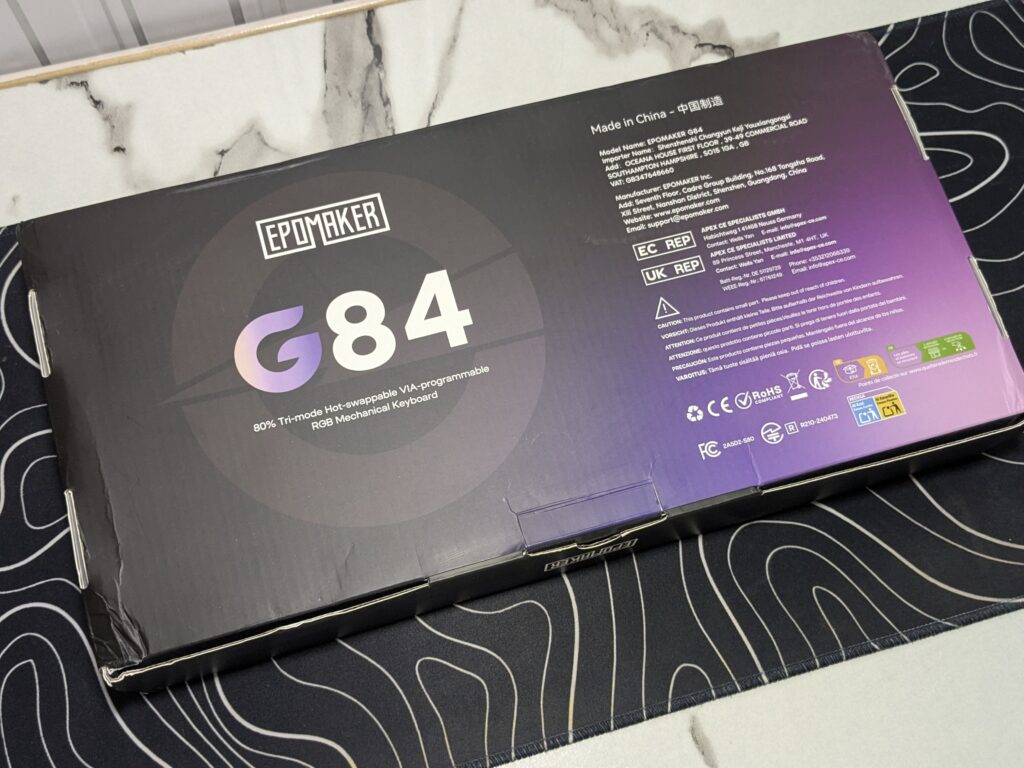
On the back, you will find company details, safety information, and where the keyboard is made. It also includes certification marks like CE and FCC. The box design looks premium and professional, though the one we received had some small creases from shipping.
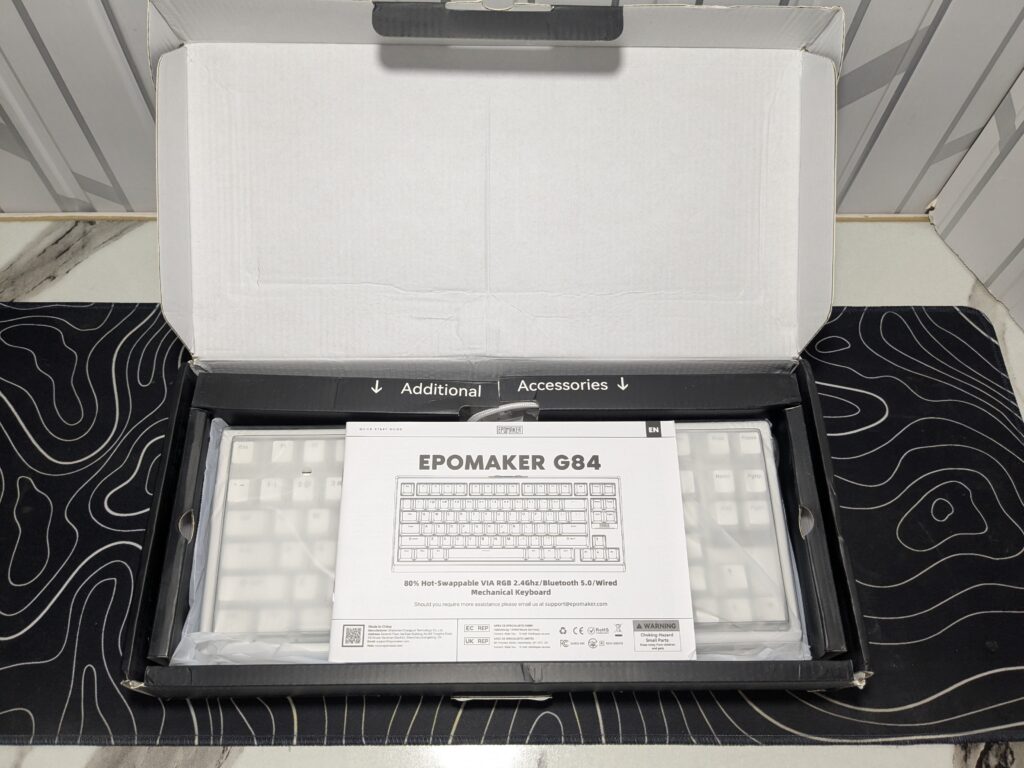
When you open the box, a user manual welcomes you first. The keyboard is nicely packed in a soft plastic sleeve with a dust cover for protection. Extra accessories are kept in a separate section, including a Type-A to Type-C cable, keycap puller and two spare switches. Overall, the unboxing experience feels pleasant. The box is a bit light, but it handled the shipping journey quite well.
Pricing
| EPOMAKER Official Store | $69.99 – Buy now |
Specifications

A closer look
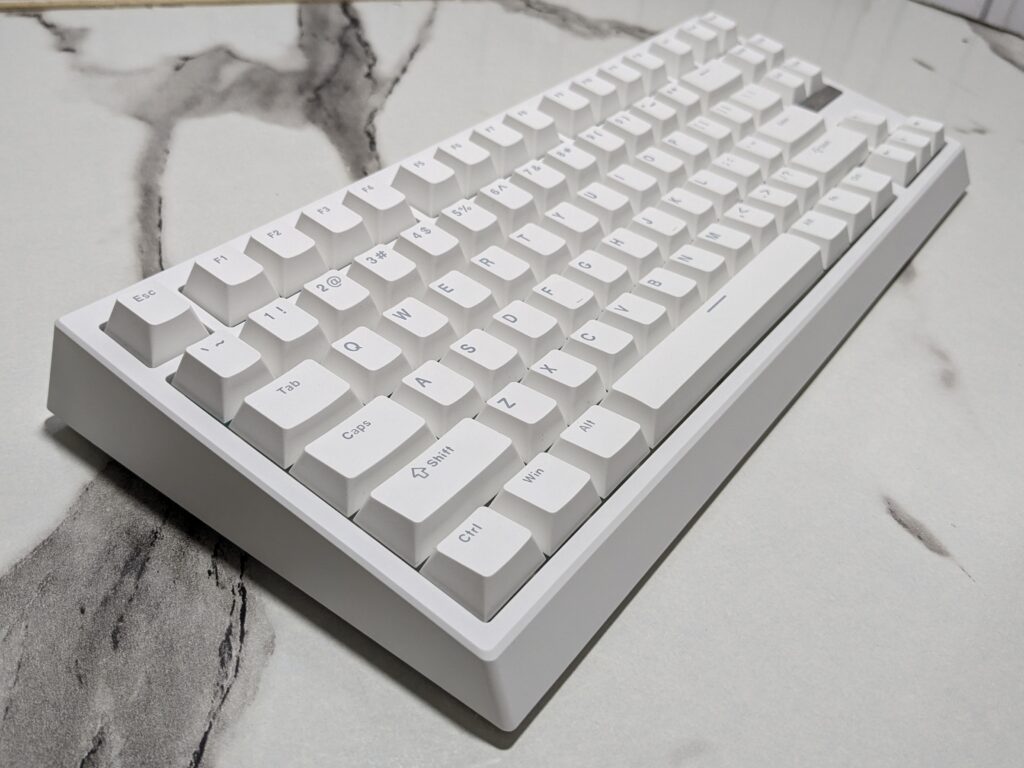
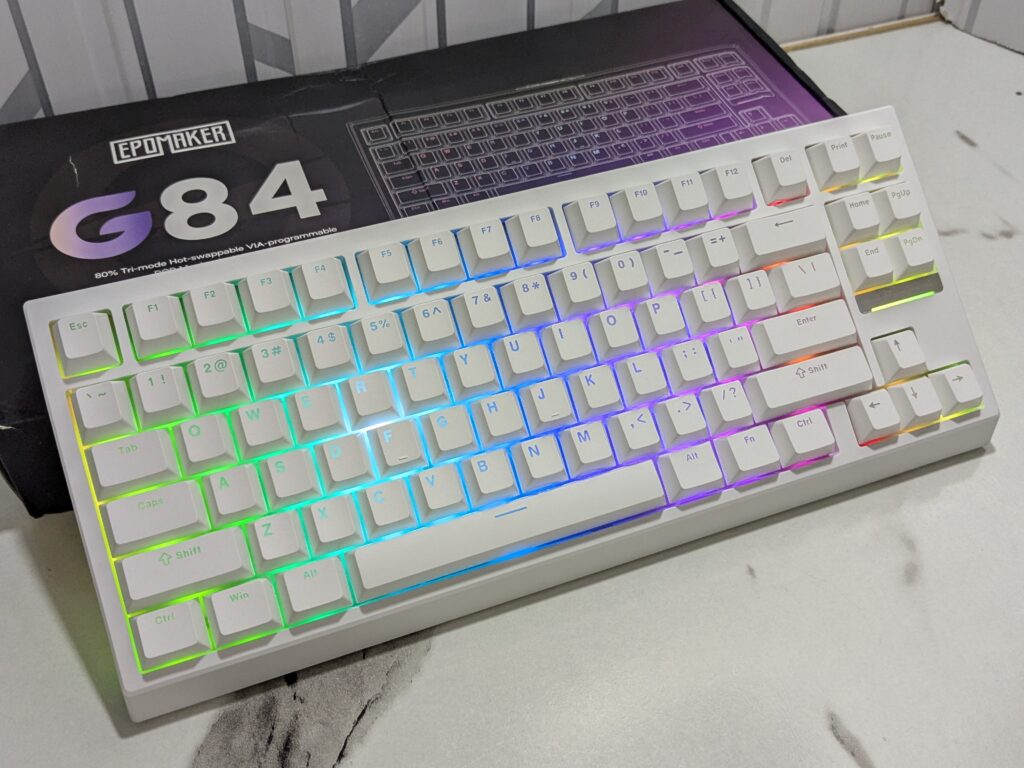
The EPOMAKER G84 is part of EPOMAKER’s G series and comes in three colour options: white, pink, and black. The one we have is the elegant matte white version. The keyboard has a total of 84 keys, following the 80% or Tenkeyless (TKL) layout that removes the number pad but keeps all essential keys for work and gaming. It weighs around 0.9 kg and measures 34.4 cm in length and 14.6 cm in width, making it compact yet comfortable to use.
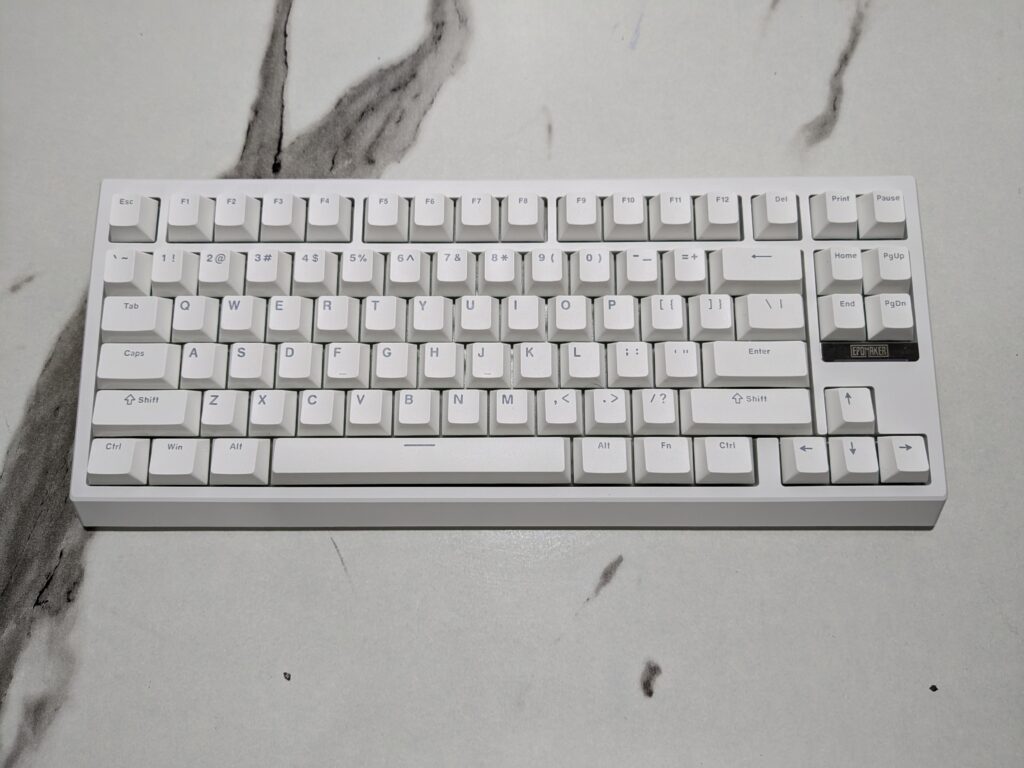
The design is clean and modern, with a smooth matte finish that gives it a premium look. The legends on the keycaps are printed in light grey or soft blue, creating a subtle contrast that is easy on the eyes. The case of the EPOMAKER G84 is made of strong plastic, which keeps it lightweight yet durable for everyday use.
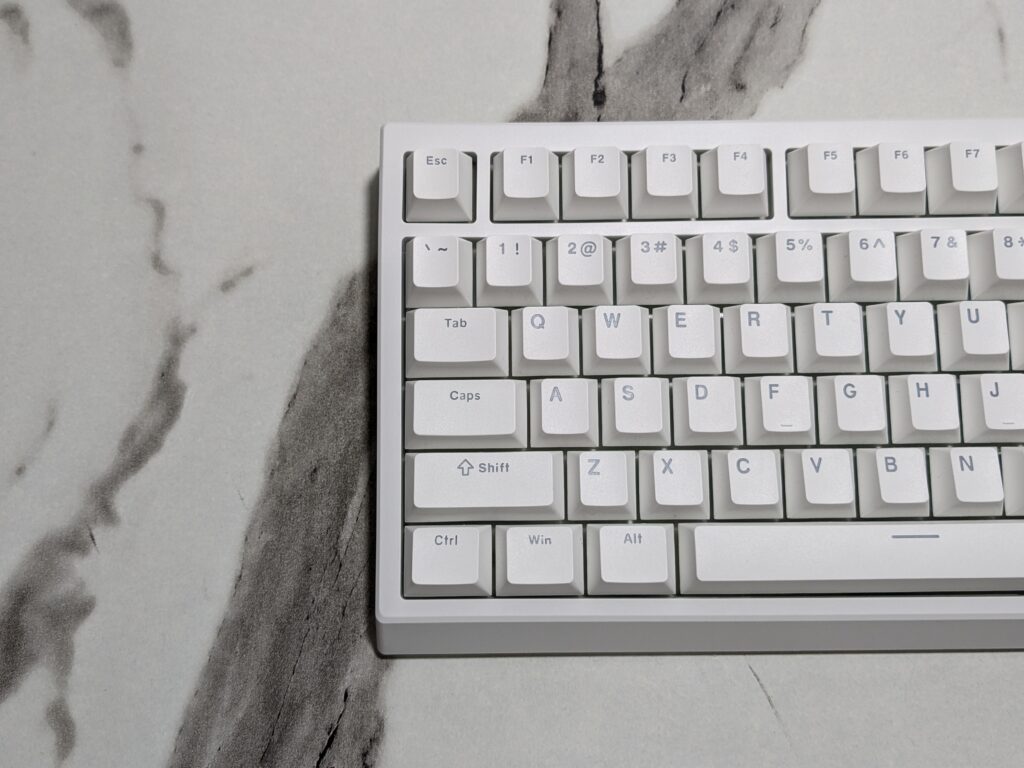
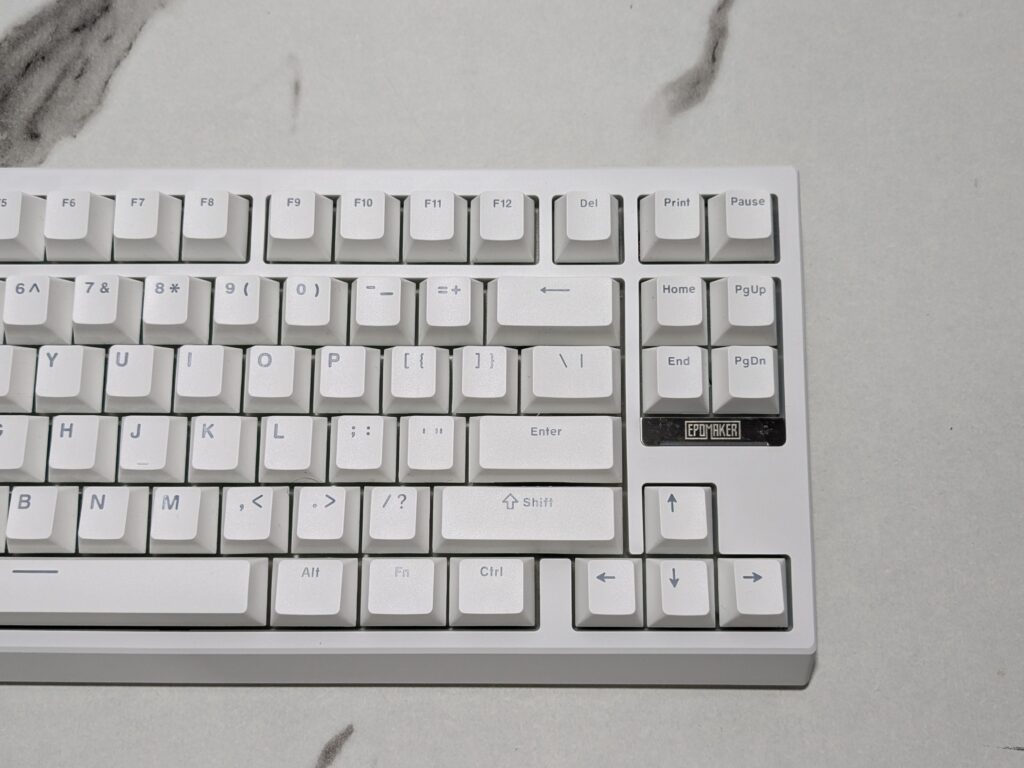
The EPOMAKER G84 has a special metal nameplate in the bottom-right corner instead of the usual right Ctrl key. It has a shiny silver-grey colour that looks nice with the matte white case. The EPOMAKER logo is written in bold black letters, giving it a clean and classy look.
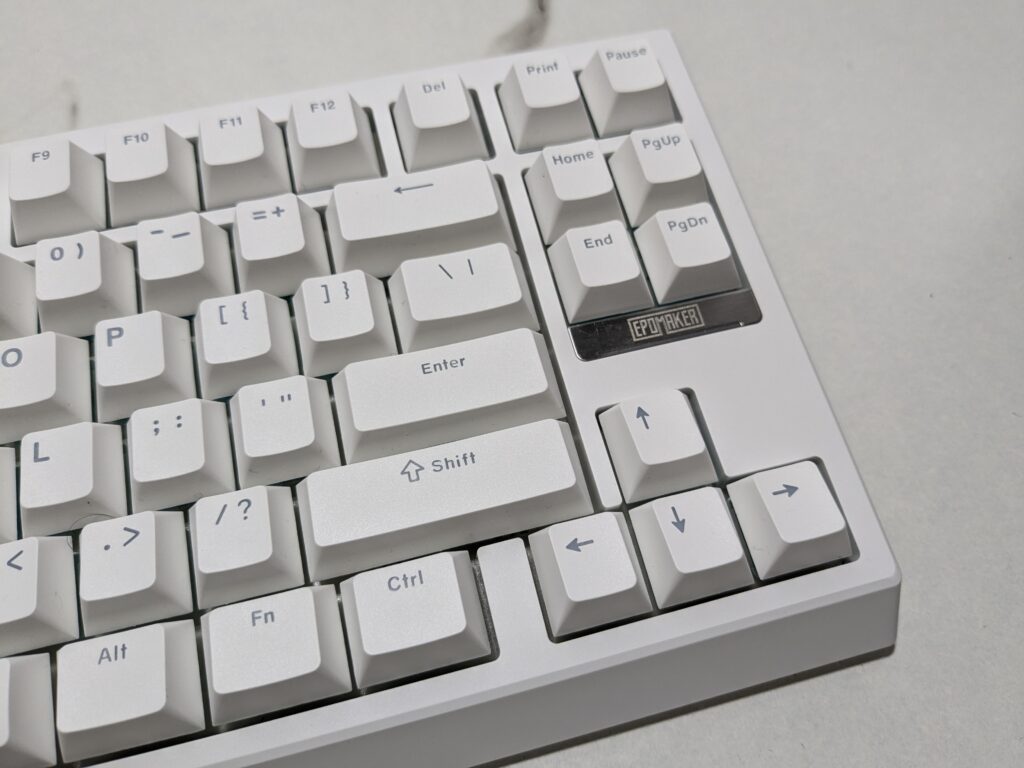
Both sides of the keyboard feature vertical RGB light bars that glow in multiple colours, adding a stylish effect to your setup. The bottom part is also matte white, with four rubber pads for grip and two adjustable flip-out feet so you can change the typing angle.
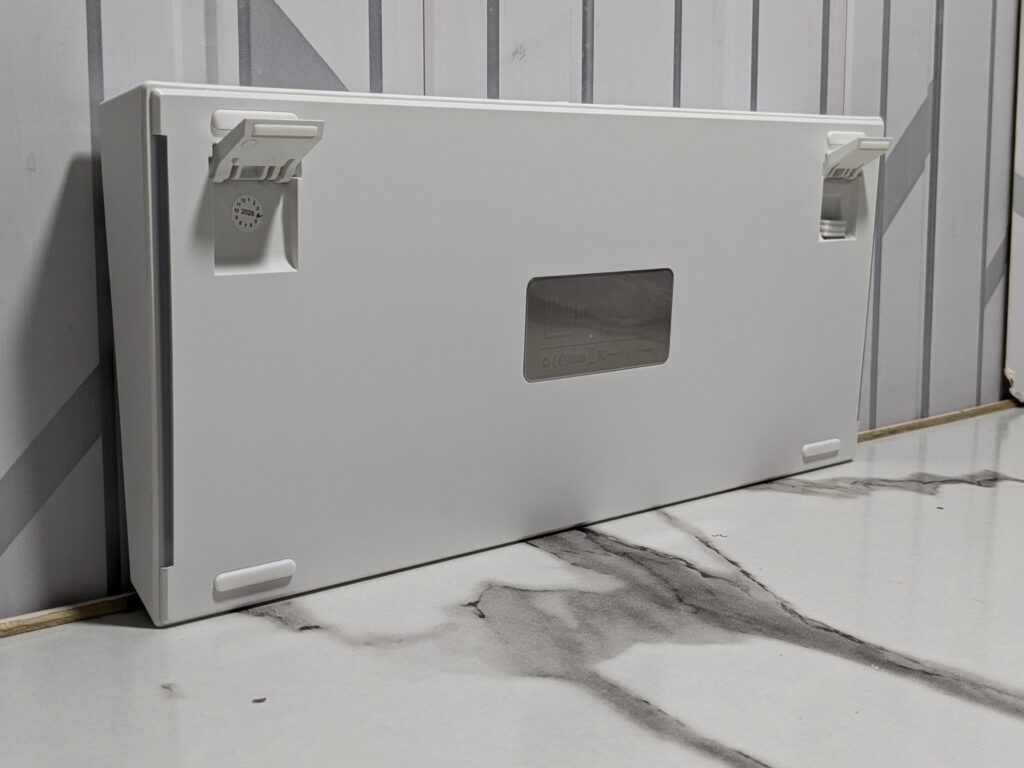
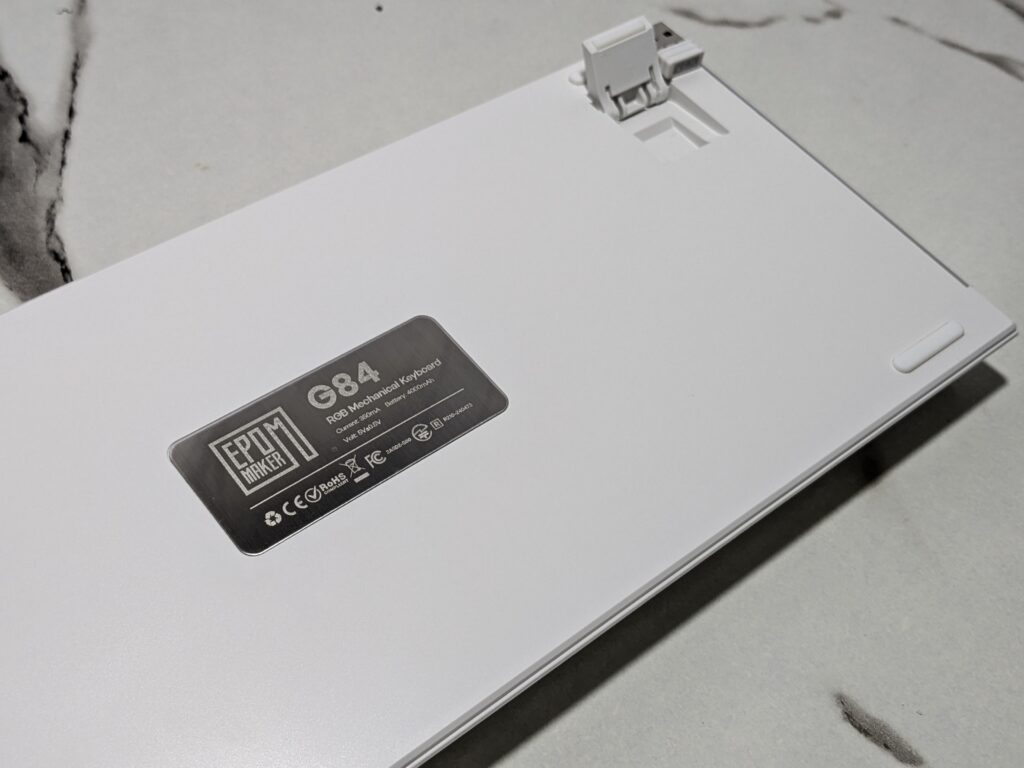
Overall, the EPOMAKER G84 feels sturdy, well-balanced, and beautifully designed, offering a good mix of simplicity, style, and comfort.
Keycaps
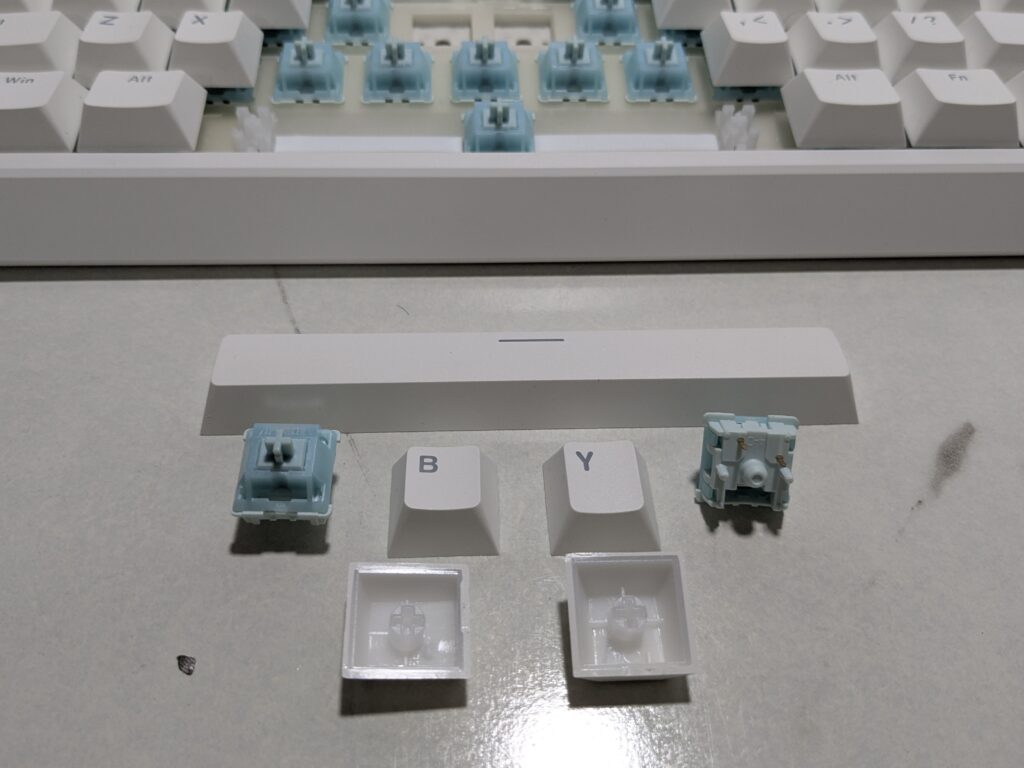
The EPOMAKER G84 comes with hot-swappable switches, smooth stabilisers, and cherry profile PBT keycaps that make typing comfortable and fun. All the keycaps are white, matching perfectly with the keyboard’s white case for a clean and elegant look. They are made of strong PBT material, which feels smooth and lasts a long time without fading or shining. The shine-through design lets the RGB lighting glow beautifully through each key, adding to its charm.
Switches
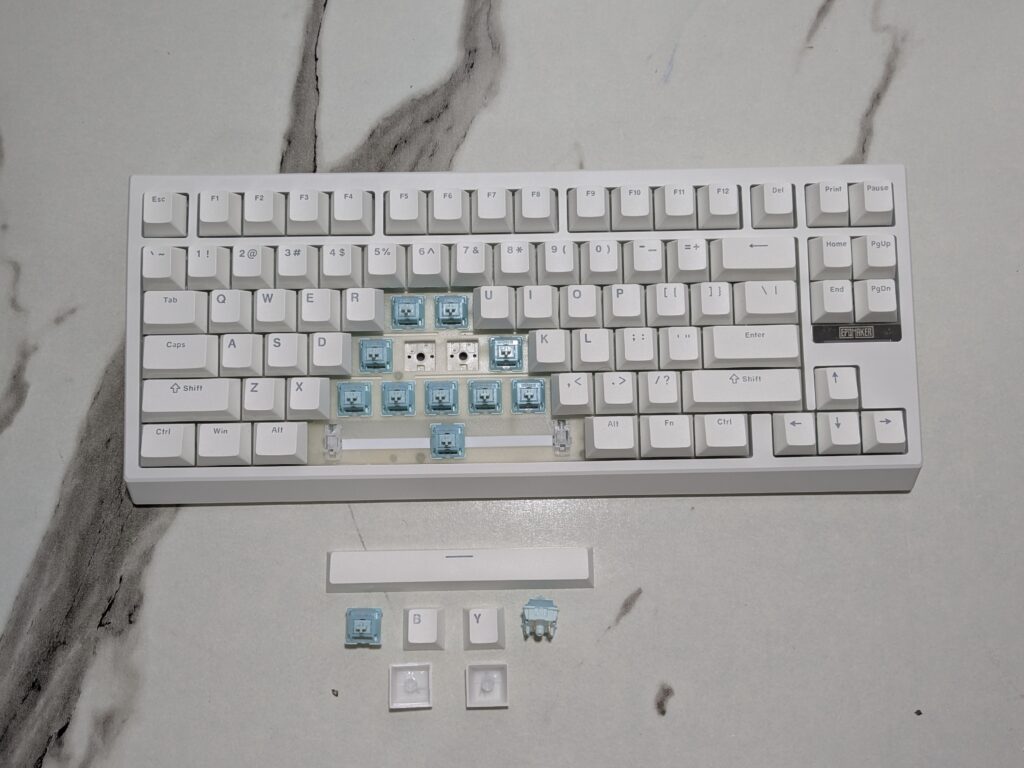
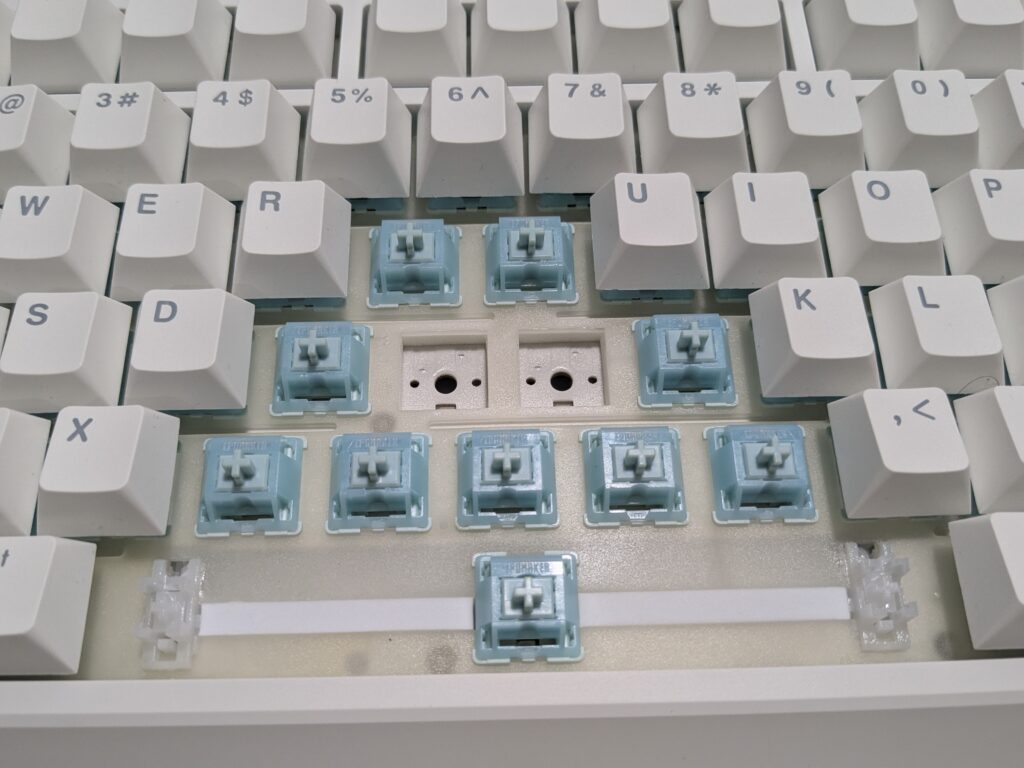
The EPOMAKER G84 uses EPOMAKER Creamy Jade switches, which are smooth, soft, and give a pleasant thocky sound while typing. These switches are pre-lubed from the factory, so they feel consistent and quiet right out of the box. The keyboard supports both 3-pin and 5-pin mechanical switches, making it easy to swap and customise your setup.
It also comes with well-tuned plate-mount stabilisers that keep the larger keys, like the spacebar and Enter key, steady and rattle-free. Combined with its hot-swappable design, you can easily replace switches without soldering, giving you full freedom to adjust the typing feel to your liking.
RGB lighting
The EPOMAKER G84 comes with bright, south-facing per-key RGB lighting that looks amazing in any setup. Each key lights up clearly through the durable PBT keycaps, which have front-printed transparent letters that stay bright and easy to read even in the dark. The RGB lighting is smooth and colourful, adding a nice glow to your desk whether you are working or gaming.
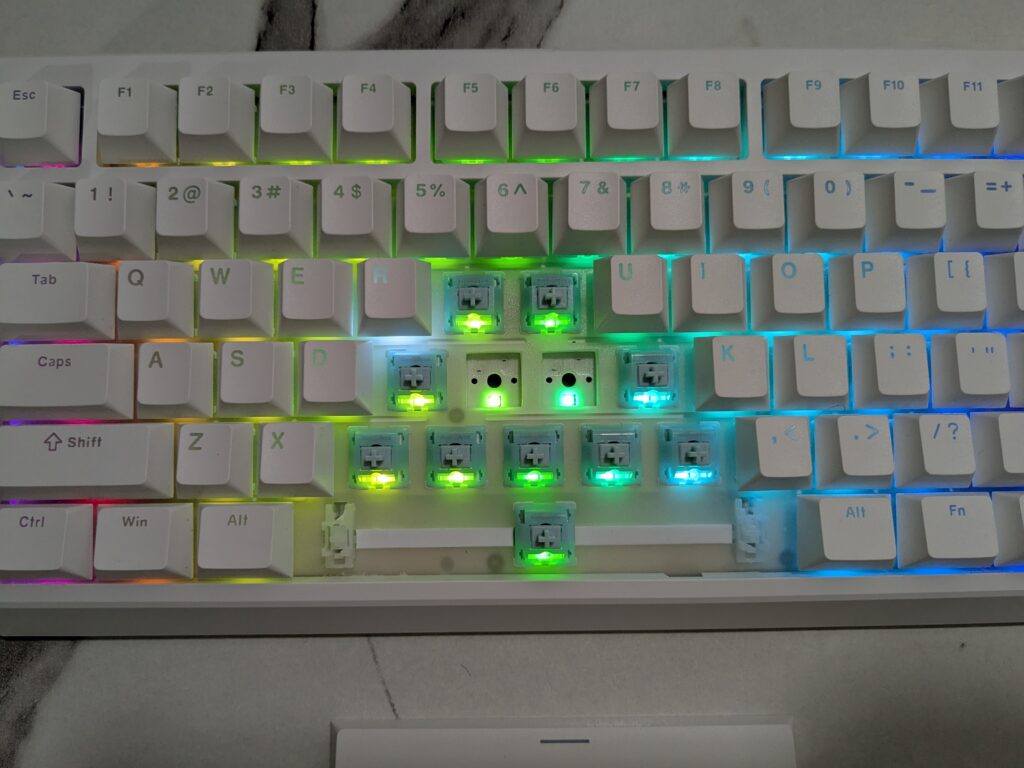
One of the standout features is the RGB nameplate on the front, which lights up beautifully and adds a cool accent to the keyboard’s design. Along with that, there are RGB light bars on both sides near the bottom, giving the keyboard a vibrant and modern look from every angle. The combination of these lights makes the G84 visually striking without being too flashy.
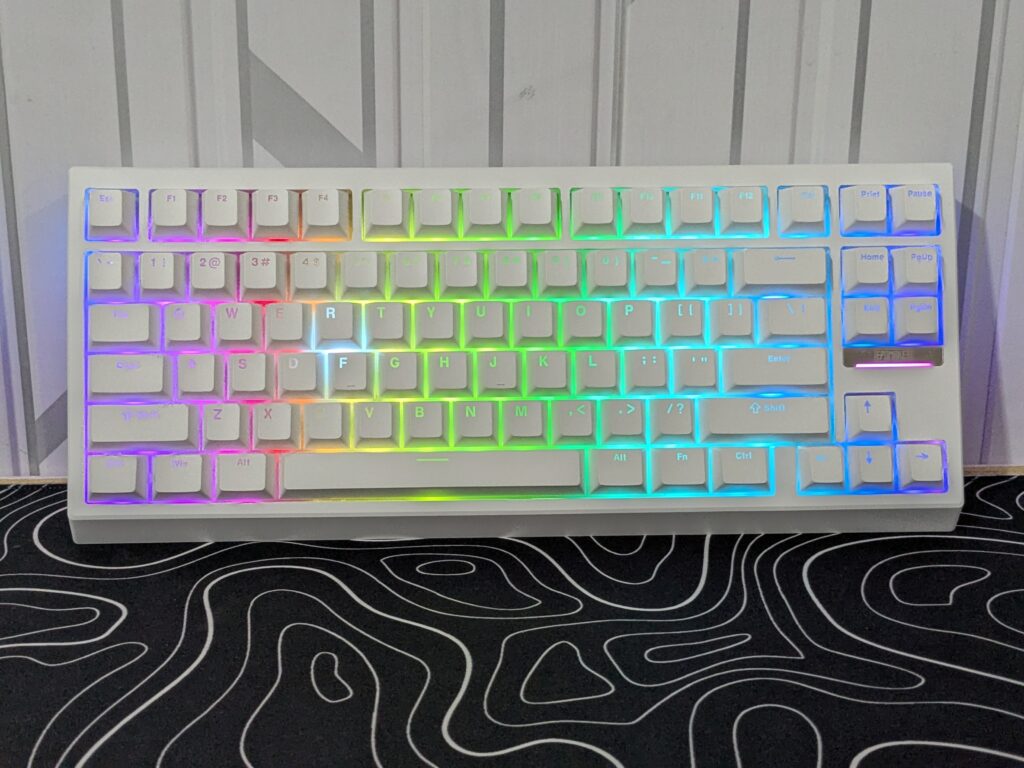
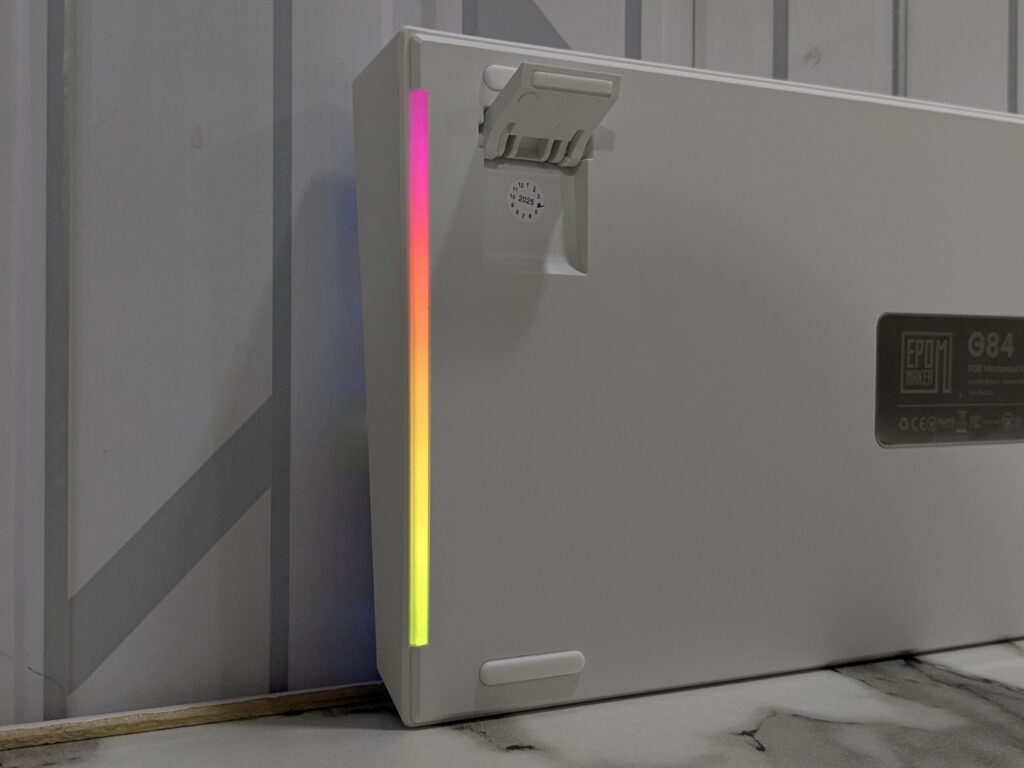
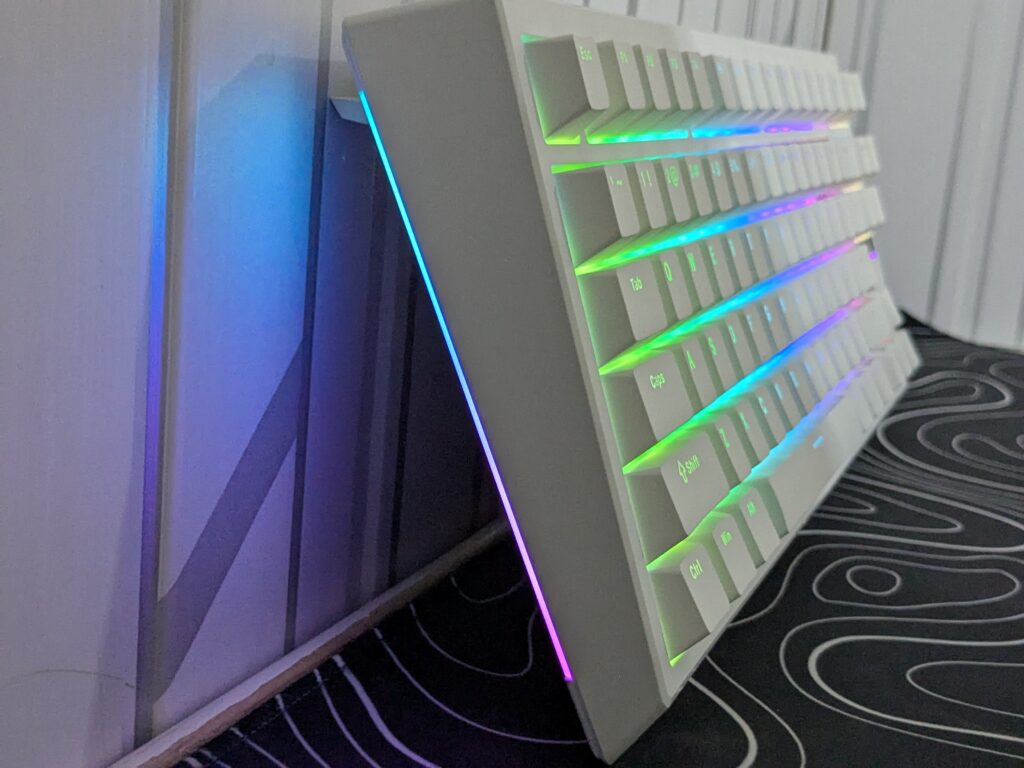
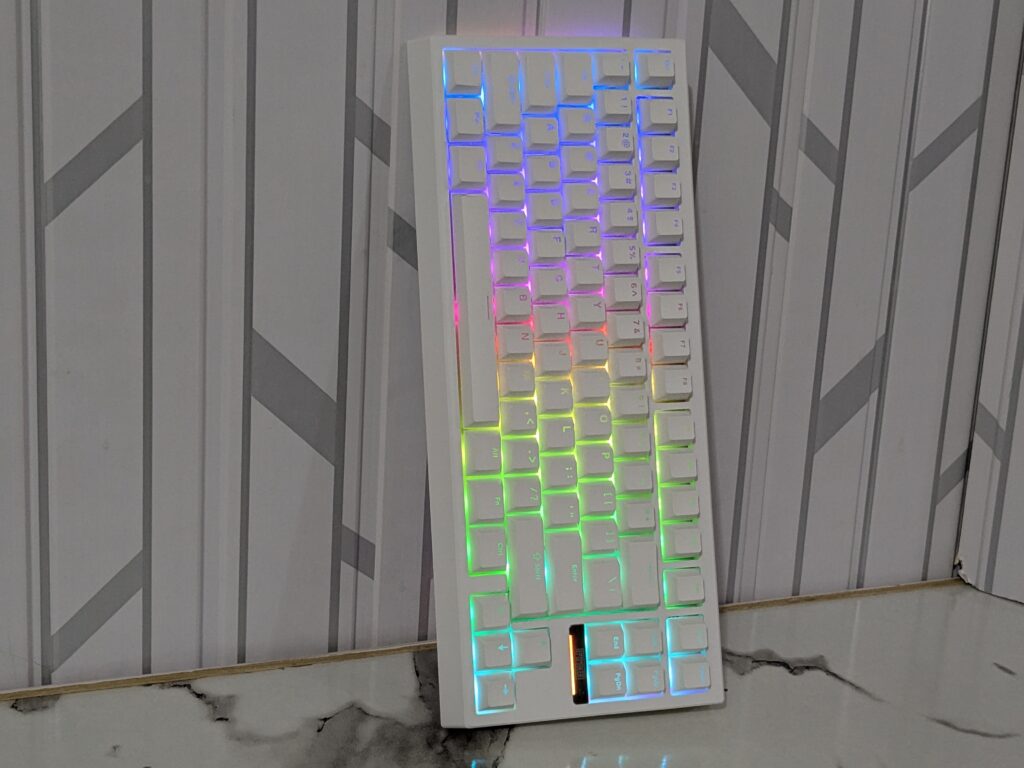
You can easily control all the lighting effects using simple shortcut keys:
- FN + Home: Turn all lights on or off
- FN + Backspace: Change RGB effects
- FN + \: Change RGB hue (for some effects)
- FN + PgUp/PgDn: Increase or decrease saturation
- FN + Del: Toggle side RGB light bars
- FN + End: Turn the logo nameplate light on or off
- FN + ↓ / ↑: Adjust brightness
- FN + ← / →: Adjust lighting speed
With these shortcuts, you can quickly switch between modes, colours, and speeds to match your mood or gaming setup. The EPOMAKERG84 truly brings your desk to life with its rich and dynamic lighting.
Battery
The EPOMAKER G84 has a 4000mAh battery. It lasts up to 15 hours with the backlight on. With the lights off, it can last up to 400 hours. To check the battery, hold Fn + Enter. The number keys 1 to 0 show the battery percentage. For example, if keys 1 to 6 light up, the battery is at 60%. All keys lit means the battery is full. The keyboard charges in both wired and wireless modes when plugged in.
Connectivity
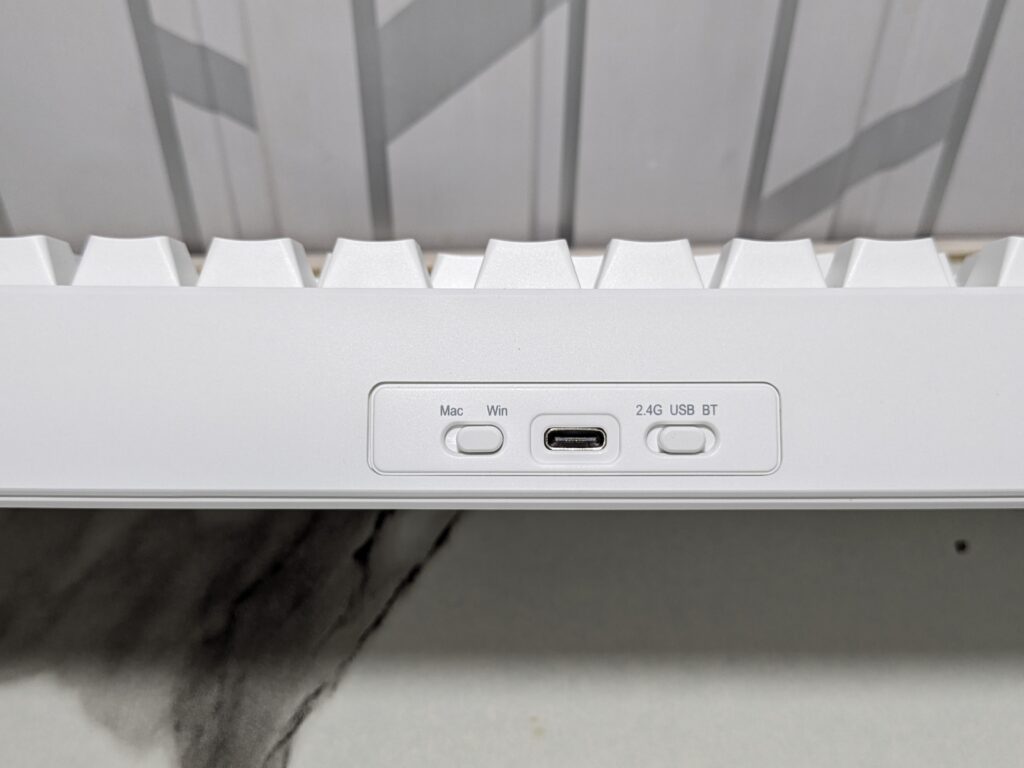
It has three ways to connect. You can use wired, 2.4GHz wireless, or Bluetooth 5.0. Switching between them is easy with the side toggle.
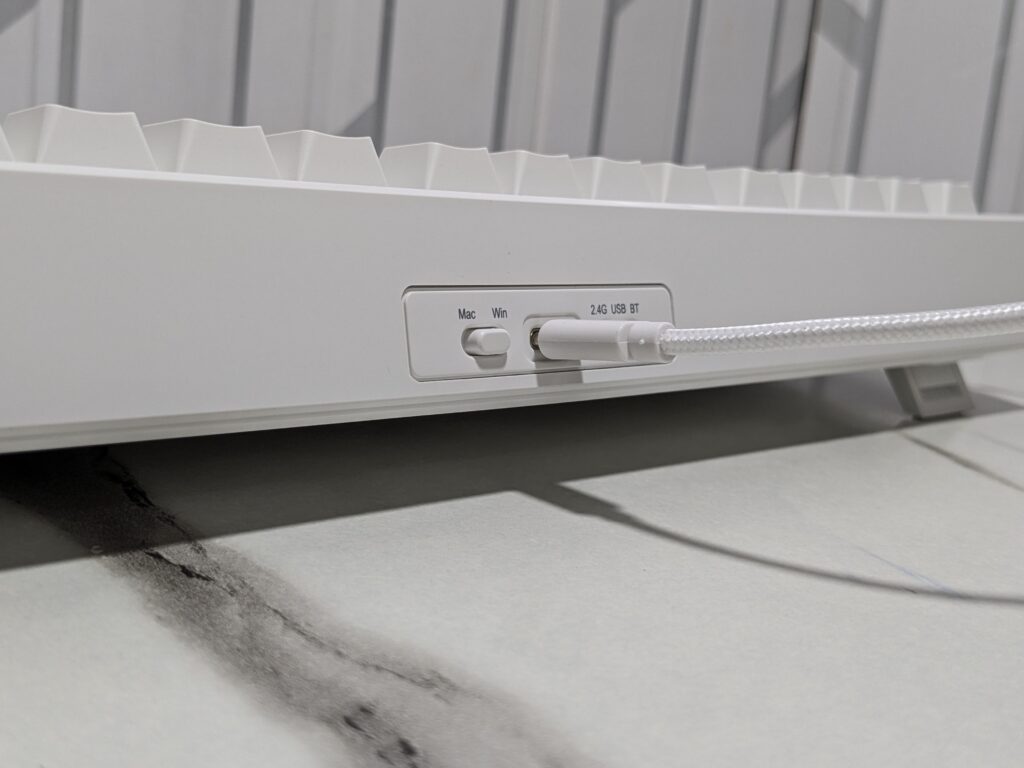
For Bluetooth, switch to the BT side. Hold Fn + Q, W, or E for 3 to 5 seconds until the light flashes. On your device, select “G84-1/2/3” to connect. Once connected, the light stops flashing. You can switch between three Bluetooth devices with Fn + Q, W, or E. When you hold Fn, the connected key lights up white.
For 2.4GHz wireless, switch to the 2.4G side. Hold Fn + R for 3 to 5 seconds until the light flashes. Plug the dongle into your computer. When the light stops flashing, it is connected. Holding Fn makes the R key glow white to show wireless mode.
For wired mode, switch to the USB side and plug in the cable. The T key lights up for a few seconds when connected. Holding Fn makes the T key glow white.
The EPOMAKER G84 works with Windows, macOS, Android, PlayStation 4 and 5, and Xbox. It is easy to use with almost any device.
Software
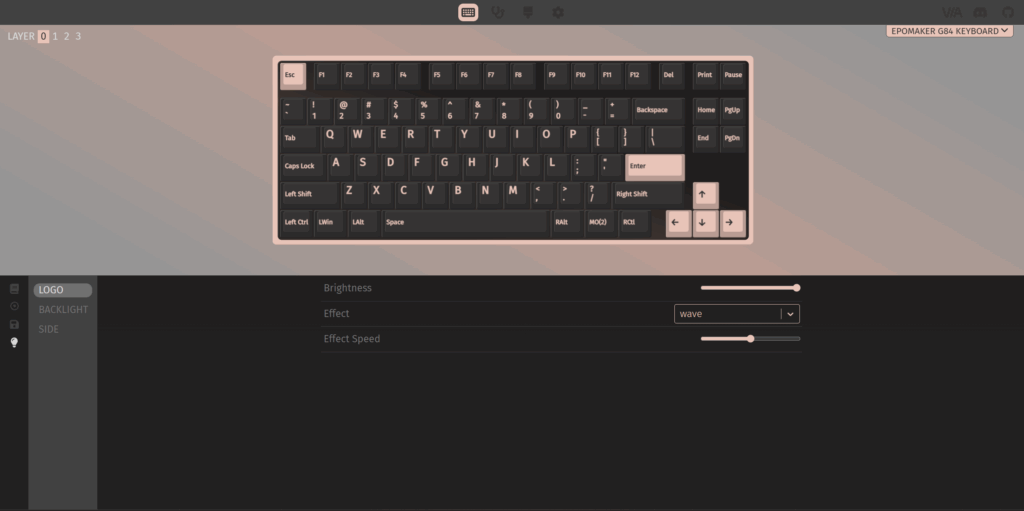
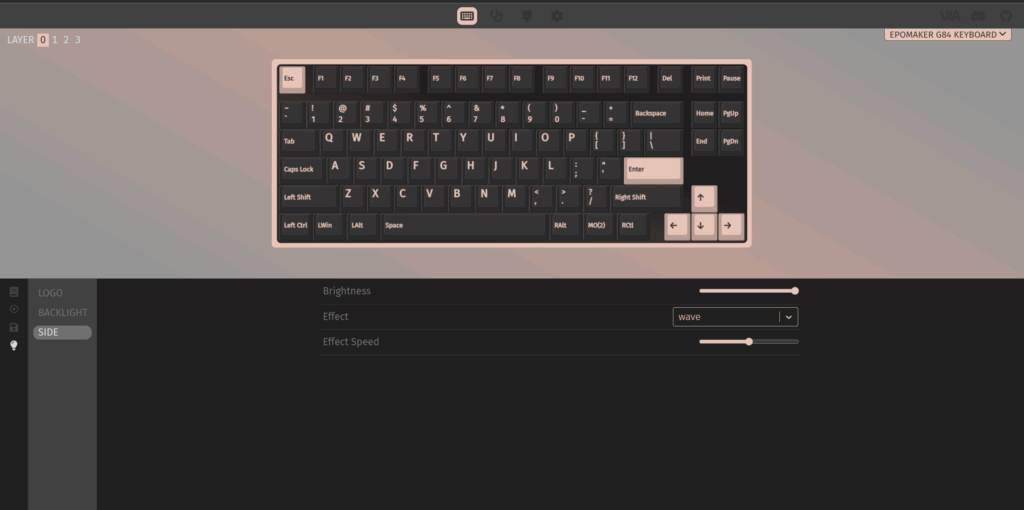
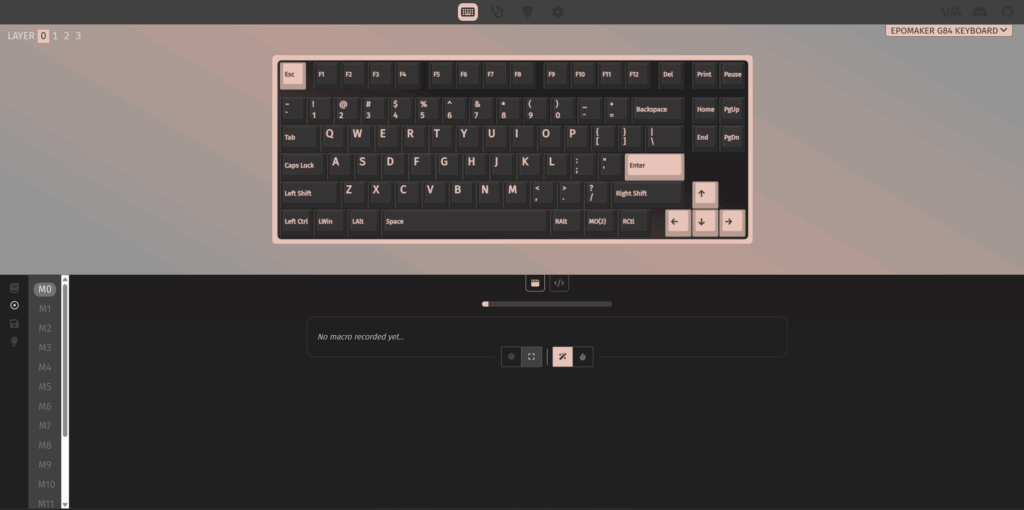
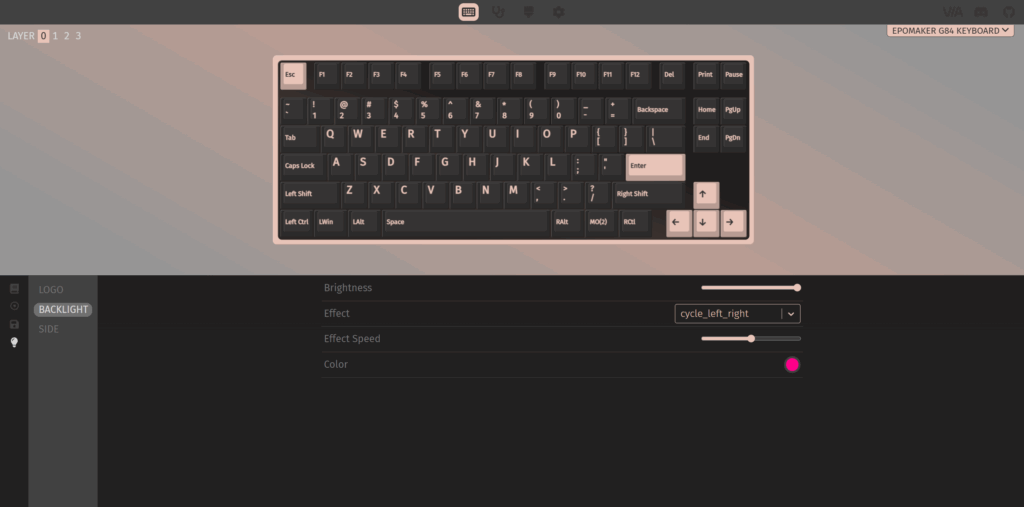
The EPOMAKER G84 works well with VIA Online Software and VIA Software 3.0.0, making it very easy to customise the keyboard. You can download the official JSON file from the product page on EPOMAKER’s website and use it with both the online and desktop software. This lets you change key functions, set macros, and adjust RGB lighting effects without any hassle.
The software is simple and user-friendly, so even beginners can use it easily. With VIA, you can save your settings directly to the keyboard, making it easy to switch computers while keeping your personalised setup. Overall, VIA adds great flexibility and makes the G84 very easy to personalise.
User experience
Typing on the EPOMAKER G84 feels smooth and comfortable. It has a gasket-mounted design with five layers of sound dampening, which makes typing quiet and pleasant. The pre-lubed switches give a creamy, soft feel with every press. Whether you are working or gaming, the keys respond quickly and feel satisfying under your fingers.
The G84 is also great for gaming. It has low-latency technology and anti-ghosting, so every keystroke is registered accurately, even during fast-paced action. The well-tuned stabilisers keep larger keys like the spacebar and Enter steady. With NKRO support, fast combos and complex moves are never missed. Overall, the G84 balances premium typing feel with reliable gaming performance, making it enjoyable for both work and play.
Final thoughts on EPOMAKER G84 keyboard
The EPOMAKER G84 is a compact and stylish mechanical keyboard from Epomaker’s G series. It comes in white, pink, and black. The version we tested is matte white. It has 84 keys in an 80% layout. It is easy to carry and fits small desks well. The case is made of solid plastic, and the keycaps are durable PBT in matching white.
The hot-swappable EPOMAKER Creamy Jade switches are smooth and soft with a nice thocky sound. The stabilisers keep larger keys like the spacebar and Enter stable and quiet. The shine-through keycaps show the RGB lighting clearly. The keyboard also has a glowing RGB nameplate and side light bars. You can easily control lighting with FN shortcuts or use VIA software for full customisation.
Typing feels soft and smooth thanks to the gasket-mounted design and five layers of sound dampening. Gaming is fast and accurate with low latency, anti-ghosting, and NKRO support. Connectivity is simple with wired, 2.4GHz wireless, and Bluetooth 5.0. The 4000mAh battery lasts long and can be checked with FN + Enter. The keyboard works with Windows, macOS, Android, PlayStation 4 and 5, and Xbox.
Overall, the EPOMAKER G84 is a compact keyboard that feels premium, looks stylish, and performs very well for both work and gaming. It is perfect for anyone who wants a high-quality keyboard without spending too much.
For more reviews, visit our hardware reviews section. To see all of EPOMAKER’s amazing keyboards, click here, and visit the official page for the EPOMAKER G84.