



Ah, NordVPN. We’re living in a world of almost need to utilise VPN services these days. Largely to circumvent strict laws that prohibit access to things without age verification and the use of photos. Agree with it or not, the internet is becoming safer in the eyes of the Government, but less free and more restricted.
All politics and opinions aside, VPNs are becoming the norm on all devices. Your reasons will vary as much as the products now available online. We’ve reviewed a few VPN services over time, including this very service back in 2021. And now we’re back for another NordVPN test to see if it has improved over the years.

NordVPN
When it comes to the VPN world, NordVPN is basically the Call of Duty of the industry. It’s everywhere, everyone’s heard of it, and it has a massive budget.
But as we know in the gaming world, popularity and strong marketing don’t always mean it’s the best.
I’ve been putting NordVPN through its paces over the last few weeks. Not just for browsing, but for the stuff that actually matters to us at FullSync.
Low-latency gaming, bypassing geo-blocks on streaming services, and making sure my data isn’t being harvested whilst I’m on public Wi-Fi.
The setup: Smooth sailing
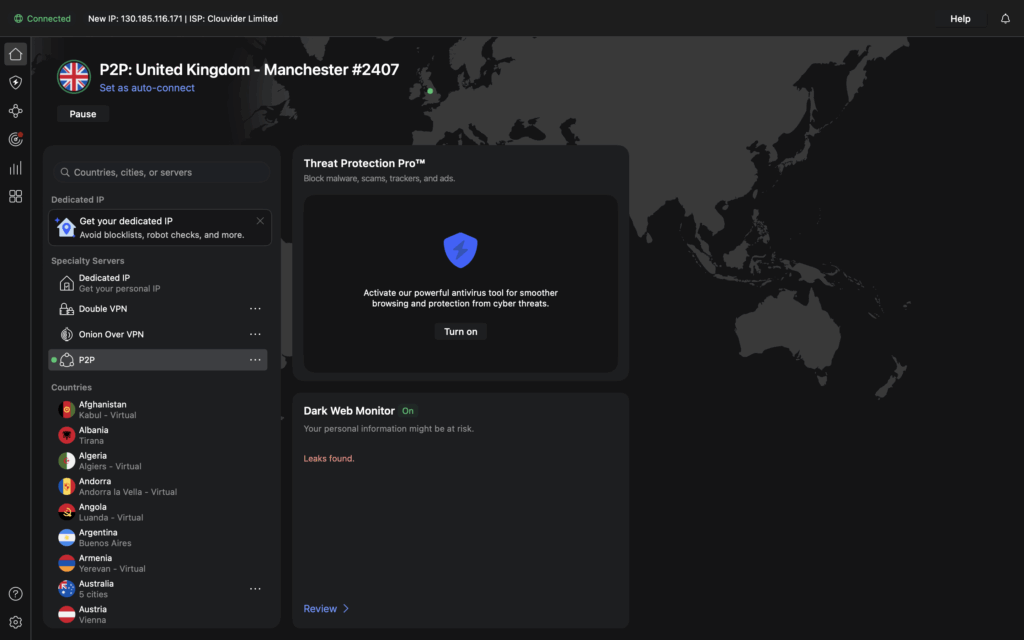
One thing NordVPN absolutely nails is the user experience. Whether you’re on Windows, Android, or even sticking it on your Steam Deck (via the Linux app or router setup), the interface is clean.
It uses a map-based UI which looks cool, but I’ll be honest—I usually just hit the “Quick Connect” button and let the app do the heavy lifting.
You can link up to 10 devices simultaneously now, which is a decent bump from their old limit. It’s enough to cover your PC, consoles, phone, and probably your partner’s devices too, without getting kicked off.
The one snag I’ve had with Nord VPN wasn’t their fault. But Sky Broadband actually block it on their routers by default. i had to put in a couple of exceptions to the web filtering.
Honestly, it took me longer to work out the issue than to resolve it. But those with less tech savvy may hit a hurdle immediately, so keep an eye out!

Gaming performance
This is the dealbreaker. If a VPN adds 50ms to my ping in Battlefield 6, it’s getting uninstalled.
NordVPN uses its own NordLynx protocol (built around WireGuard), and the speeds are, frankly, ridiculous. On my 1Gbps fibre line, I saw a drop of less than 5%.
In-game, my ping stayed stable. I didn’t experience any of the “rubber-banding” issues that plague cheaper, less optimised VPNs.
If you’re looking to hop onto different regional servers to find a match or escape a localised DDoS attack, Nord is more than up to the task.
It’s the first consistent and stable VPN connection I’ve had confidence in, for gaming.
More than just a VPN?
Lately, NordVPN has been pivoting towards being a full security suite. You’ve got Threat Protection Pro, which essentially acts as a gatekeeper for your browser. It blocks those annoying “hot singles in your area” ads and snips malicious trackers before they can load.
Is it essential? If you’re on top of things like this anyway, you probably have extensions for this. But having it baked into the VPN client is a nice quality-of-life feature for those who want a one-click solution to a cleaner internet experience.
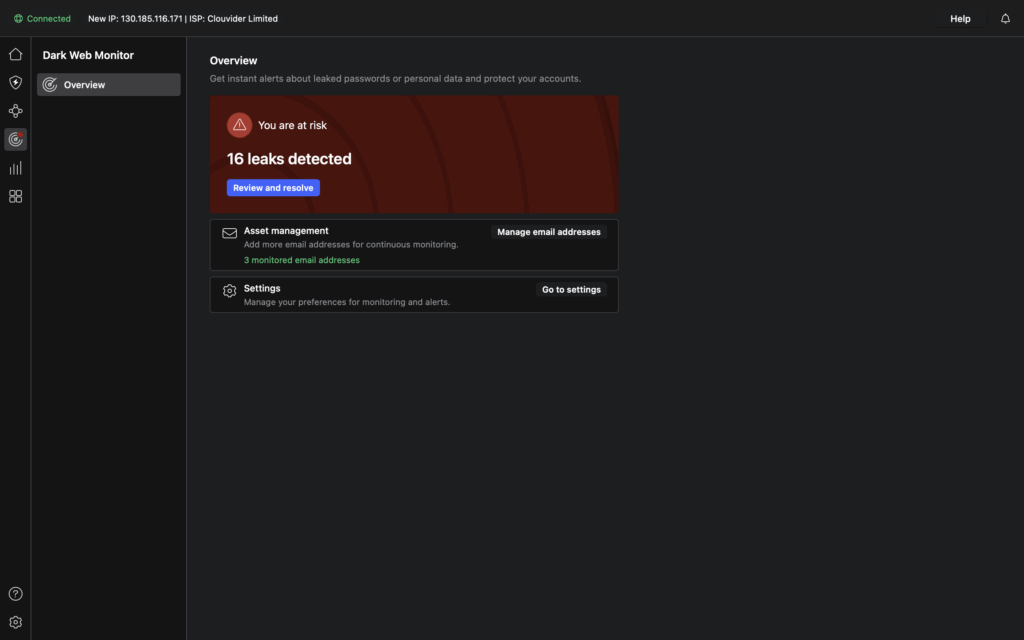
DarkWeb monitoring is a nice touch, and something I like to test with my older email accounts. Listing and alerting where the addresses and passwords have been found in lists online. Basically, a client-based, actively searching “Have I been pwned?”.
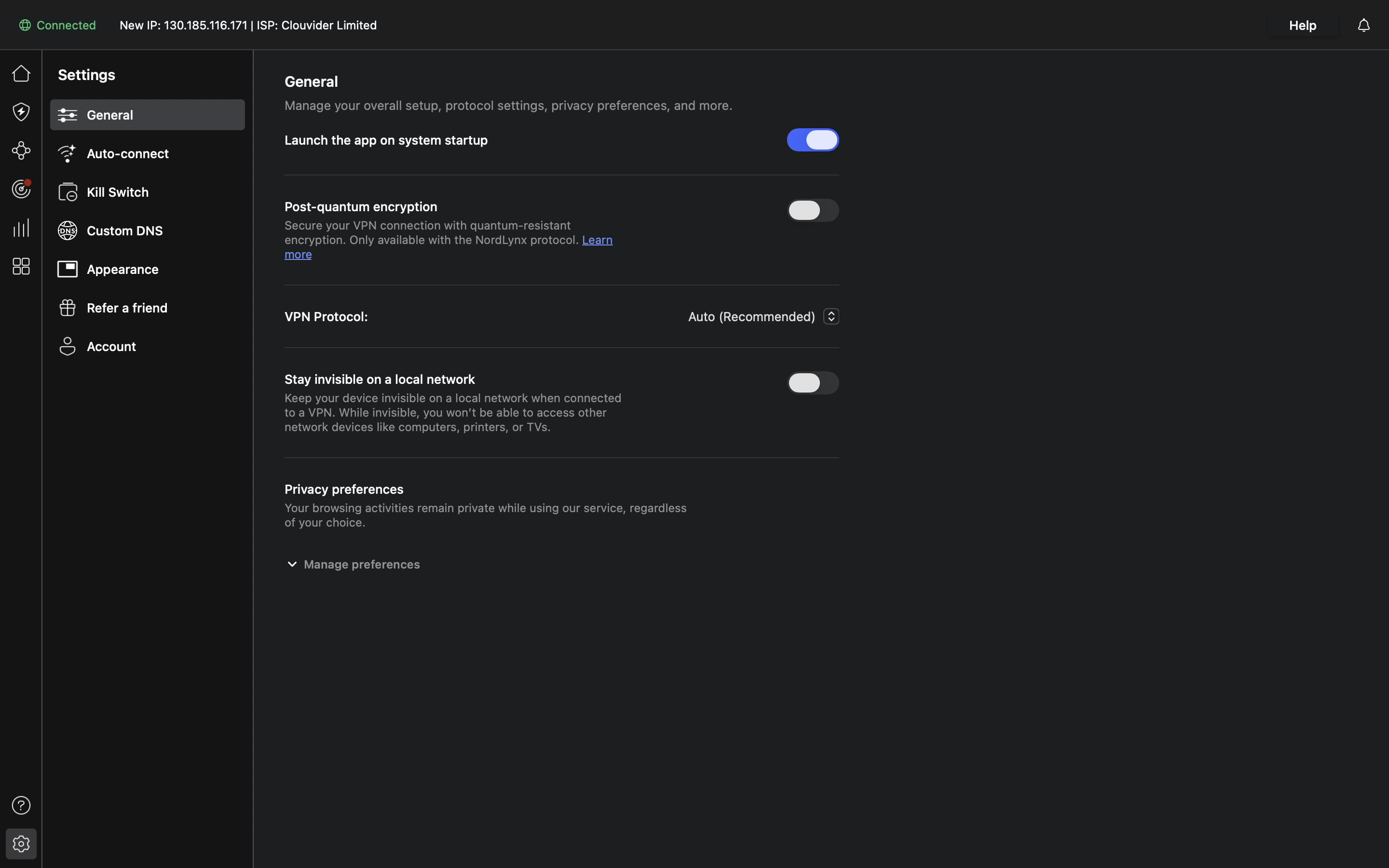
The feature to let your device remain invisible on the LAN is wonderful as well. Or rather, being able to turn it on or off. I’ve used VPN clients that isolate you from your local network by default, making it hard to access local storage on the network, etc. NordVPN gives you simple, accessible tools to choose how you want things to work.
The drawbacks
As a VPN for all uses, NordVPN is solid. But, there. There are some things you need to watch out for.
- The Pricing Maze: Nord loves a countdown timer and a “70% off” deal. The introductory price for a 2-year plan is an absolute steal. But be prepared for the “loyalty tax” when it renews at the standard rate. Keep an eye on your subscription settings.
- Feature Parity: While the Windows app is the “Gold Standard,” the experience on other platforms can feel slightly different. It’s not a dealbreaker, but I’d like to see total feature parity across the board.
- No visuals or details about your connection: I’ve dug through all the screens in the app and the online portal. I can’t see the usual connectivity stats and details. Is it crucial? No, but I do like to see how saturated the connection is or what speeds I’m getting at any given moment, so I can switch servers or disconnect, etc. Maybe I’m missing it?
Overall thoughts on NordVPN
NordVPN seems to genuinely earn its title and appearance at the top of the VPN market for a reason.
It’s fast, the server list is massive (6,000+ and counting), and it doesn’t mess with your gaming performance.
If you’re a gamer looking for a reliable way to stay secure without turning your matches into a slideshow, NordVPN is an easy recommendation.
It feels more premium than most, and suddenly, all the podcast adverts and marketing push make sense. NordVPN is a great product.
Fancy checking out NordVPN for yourself? Click on the image below. And for more software reviews, from security packages to video editing software and more, click right here.

Disclaimer: This review contains affiliate links. This means if you click them and choose to purchase something through them, we may earn a commission on any sale. You don’t have to use them; you can go directly to the site. However, purchasing through these links does help us to keep the site running, so thank you if you choose to use them.